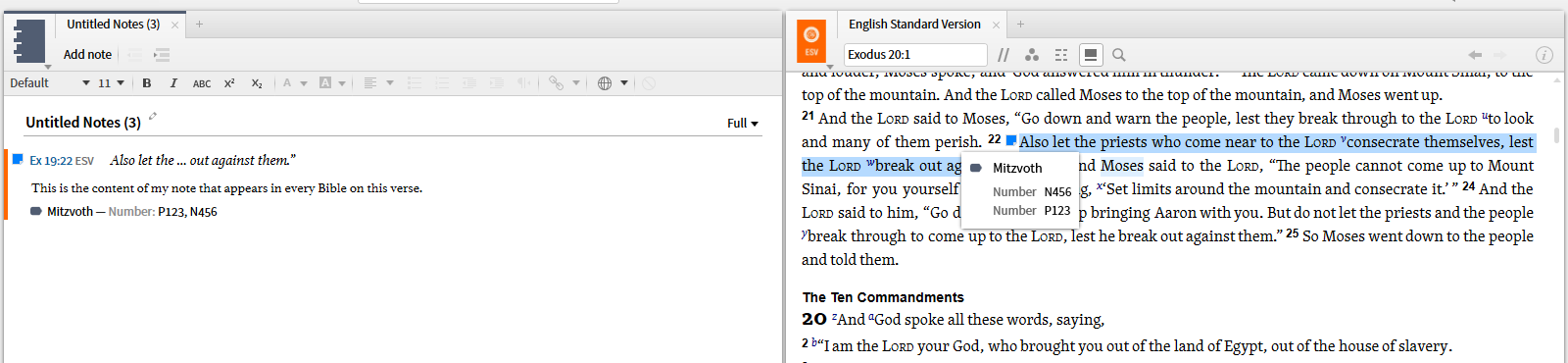
Given that we have the new interactive Commandments of the Law, I returned to a project I had first tried several years ago - after all notes have been rewritten, new features added etc. ....
Task 1
I wanted to mark the mitzvoth for several additional categories - apply to women, the six constant mitzvot ... only to realize that "notes everywhere" doesn't include the ability to attach data to an interactive.
Task 2
I wanted to highlight the passages behind the mitzvot with a simple highlight - but despite it having been requested for years, we still have to do it by hand. There is no ability to convert the passage list into a visual filter.
Task 3
I wanted to insert the mitzvot numbers into the Bible text, using a visual filter as it is the only tool to apply highlights to multiple translations. I recognized that this eliminated the ability to refer to a specific clause or phrase but it provides the same link as the interactive.
a) The first disappointment is the inability to see the name of the highlighting style either on right click or mouse over ... which would be a work around the problem of Task 1.
b) The show stopper is that if the visual filter assigns 2 highlights to the verse, only one shows i.e. only one mitzvot is permitted per verse ... unfortunately the author of the versification was unaware of this future limitation.
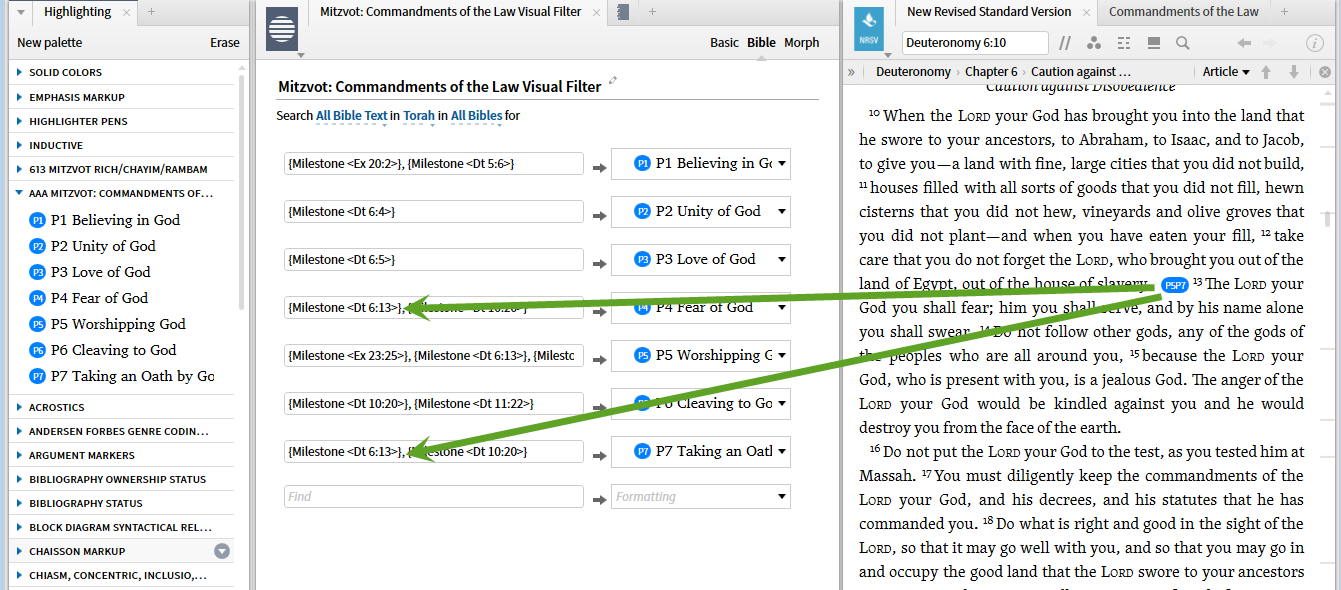
Unfortunately this inability to achieve a reasonable product is a continuous problem. In trying to develop lesson material, I want to create and share with the students:
- additional classifications relevant to the lesson discussions
- highlights on the Torah showing the passages containing mitzvot
- a more extensive filter that links the Bible passages back to the mitzvot identifier in the Commandments of the Law Interactive.
The lack of a find (in this panel) or inline search or an index by passage in the interactive, make the latter two critical not mere useful.
Somehow, my aims here seem to me to be very basic not esoteric ... I'm going to bed disappointed.