Hi,
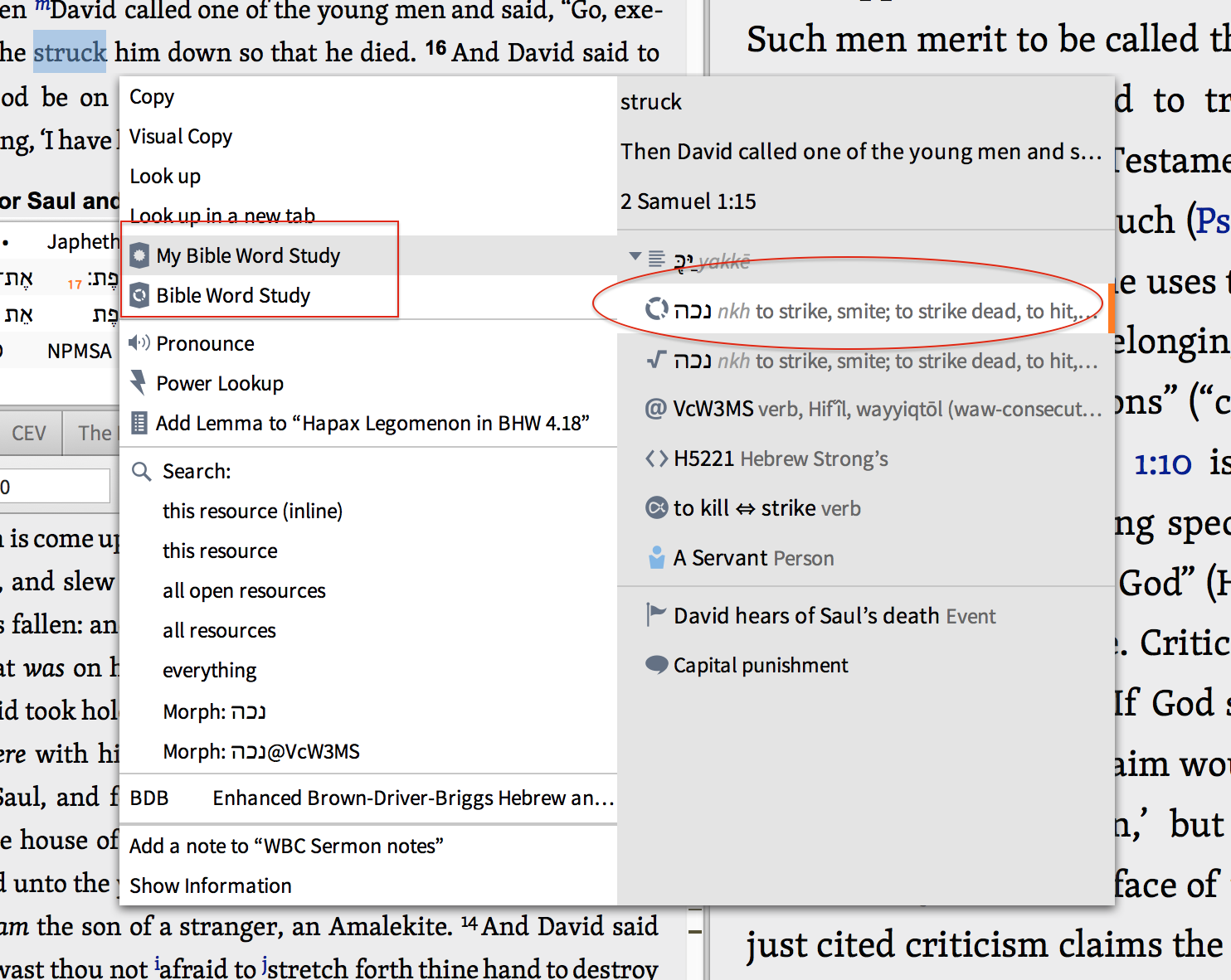
This is my first post to this forum. A while back (after an upgrade) one of my favorite features disappeared. When working with the UBS text, I'd right-click (Mac version 5.2b) a word and select "Word Study" option from the popup and immediately generate the word study for the word. When it broke, I got around the problem by selecting Word Study from the Guides and pasting in the canonical form into the search box, but this takes several extra steps and I use this feature all the time. Then even that method broke; the guide would not let me type in a different word. (it got stuck on οἰκοδεσπότης). I called in and good support from Brian on the second level helpdesk--he upgraded to the core to version 6, which fixed the problem with pasting a new word in the search box, but the one click option to get from a word in the text to the word study doesn't appear on his reference system. He suggested I post to this forum for HELP! 
So:
1. Does anybody know how to flip the config settings to control what appears on the pop up pane?-- see screen shot. (Having this back would really save me time to have it back since I use this feature constantly).
2. What is the best way to dig into the understanding and configuring the advanced features of the tool? Is there a white paper out there?
I'm really busy, and really should not spend a lot of time to goofing around with this, so any help would be MUCH appreciated.
Blessings!
Don Prismon

www.clearcreek.church