I'm a long-time user of Logos Bible Software, our church will be using Proclaim from Sunday, so this week I've been setting things up for the first time. I thought you might find it helpful to have some feedback from an inexperienced user (we're moving from PowerPoint, so I have no experience of similar software).
Our team love the simplicity and speed of Proclaim. It will save us hours of work. We also love the fact that collaboration is built in. These two things are more than enough to convince us that Proclaim is the right choice for us, so read the criticisms below in the light of that :-). The webinar/tutorial videos only took a few minutes to watch, but were more than enough to help me understand how Proclaim works, and get me going.
First, when I installed Proclaim it told me that my demo licence had expired (that was true, I downloaded it briefly in 2014), and I had an option to watermark, or pay. I chose to watermark — however, the presentation isn't watermarked, and I even have access to Pro media. I'm not complaining, I just found that confusing. [On reflection, this was probably because I changed groups (see below).]
Second, I really couldn't make sense of the groups. I'm still not sure I've got it right. I couldn't find any help for this, and the "getting started" videos don't cover it. Essentially, I created a Church Group, and then expected to be able to select that under Presentation Group. It appears instead that I have to create both a Church Group and a Presentation Group, and that the two are related in some way. I feel that there should have been some kind of wizard to help me through that setup process, and give me confidence that it's correct.
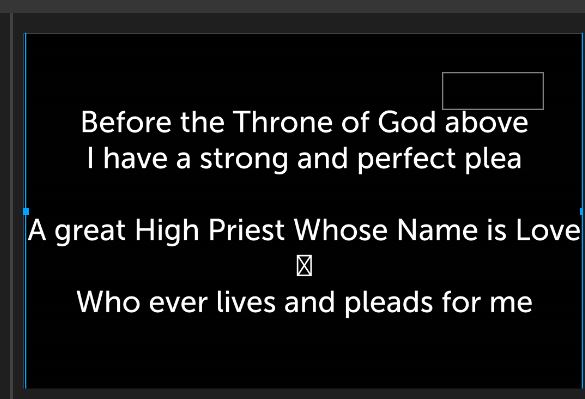
Third, I think Proclaim's biggest weakness is the lack of custom templates. (I know I can create a template presentation, and fill it with "Song Template", etc., but that's a kludge.) For example, because of the positioning of our screen, we try and ensure that song lyrics don't extend into the bottom half of a slide. That simple requirements mean that we lose all the benefit of being able to switch backgrounds. Even more frustratingly, I can't choose "Add Item -> Song", I have to choose "Add Item -> Reuse Item". And if I forget to do that, I can't apply my template to an existing song, I have to create a new one and copy/paste. I really think strongly that there ought to be a way of designating a "Template" presentation to be a real template that appears on the Background menu, and applies backgrounds, fonts, colours and positions, just as the default templates do.
Fourth, I'd like an option on the confidence monitor to display the current slide and a preview of the next slide. We're used to that from PowerPoint, and find it helpful. As it stands, the confidence monitor isn't suitable for us. As a preacher, I'd like to see Notes, Current Slide, Preview of next slide and a Clock on my confidence monitor.
Fifth, we'd love an iPad app that simply displayed the slides whilst on air. We would have multiple uses for this: (a) to allow for extra screens (e.g. in the pulpit) without additional wiring; (b) to give to members unable to see the screen due to eye problems.
Sixth, there were some minor irritations:
- Soft-returns aren't pasted in from other apps, which meant I had to add carriage returns when pasting in existing song lyrics (currently we use soft-returns between lines, and carriage-returns between verses).
- My CCLI number isn't preserved if I choose "Add Item -> Song".
- I couldn't work out how to leave a blank line in a song, without Proclaim creating a new slide.
- I wanted to be able to specify that a text-box could line-wrap if the text got too big, and there was enough vertical space to do so.
- It would be nice to be able to select multiple locations for "Show Title on XXX slide" and similar.
- I wanted to be able to put a song chorus in italics, but use normal text for verses.
- When I add verse numbers to a Bible slide they start off superscript, but then become normal height.
- In Songs, straight single quotes ' are often turned into the wrong type of curly quote: ‘ instead of ’
As I said, we're delighted with Proclaim — but hopefully these observations will help you make Proclaim even better in the future.