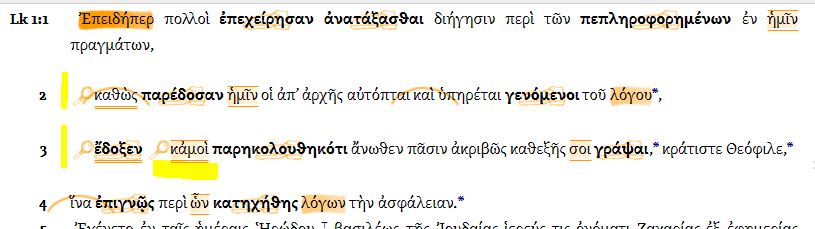
Is there a simple way to highlight textual variants by the GNT certainty ratings?
I use 2 visual filters on CNTTS .. Aland's manuscript categories, and the estimated century. Not what you're wanting.
But easy enough to do a filter on the UBS with apparatus, and assign highlights to {~} where '~' is the certainty letter.
I Highlight them whenever I found them and study them and decide witch ones I like to study more. In this Way I learn much about these Variants and Why there are in the Apparatus.
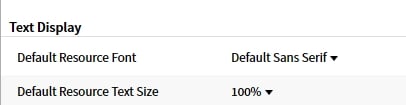
How do I set my fonts?
What font settings / text scaling settings do you have? (available in Tools -> Program Settings)
How do I make a visual filter from a word list?
There's not an easy way to do this. The quickest way I know is:
- Export your Word List to Microsoft Excel.
- Copy the lemma column to the clipboard.
- In Microsoft Word, create a new document, and do "Paste Special". Choose "Unformatted Unicode Text".
- Click Replace
- Now in the Find box enter a space, and in the replace box enter a colon. Click Replace All
- Now in Find, enter ^p. In Replace enter >, <Lemma = lbs/he/
- Click Replace All.
- Delete the extra , <Lemma = lbs/he/ from the end of the document, and the Lemma>, from the top of the document.
Now, copy the document and paste that into your visual filter.
Note that you will have to replace the /he/ with /arc/ or /el/ for Aramaic or Greek.
This technique is based on an earlier one (see here for more details, with screenshots), but that earlier technique doesn't work with Logos 6.11.
How do I select a narrator?
As my library has been increasing with audio-versions of some of the books I own, it finally affected me in my "reading".
I had already been reading "Athanasius: On the Incarnation of the Word of God" by listening to it read to me, and following along in the text (this works best for me for better comprehension).
A preface note, before I go in is that I had purchased a third party system voice that works for me and that I had grown accustomed to.
When I returned back to Athanasius, I discovered that the audio of the book had been added/updated in my library, and when I did the CTRL-R as normal, there was a man's voice reading to me. I listened for a while, as it seemed very pleasing to listen to, i was still a bit taken a back since the lady-voice I had purchased was what I was accustomed to.
so I began the search to see if there was a way to switch back. If anyone else was wondering or if they are interested, I found it here:

How can I delete multiple Passage Lists at once?
I would do this at documents.logos.com
Below I have just chosen Passage Lists and entered a filter string
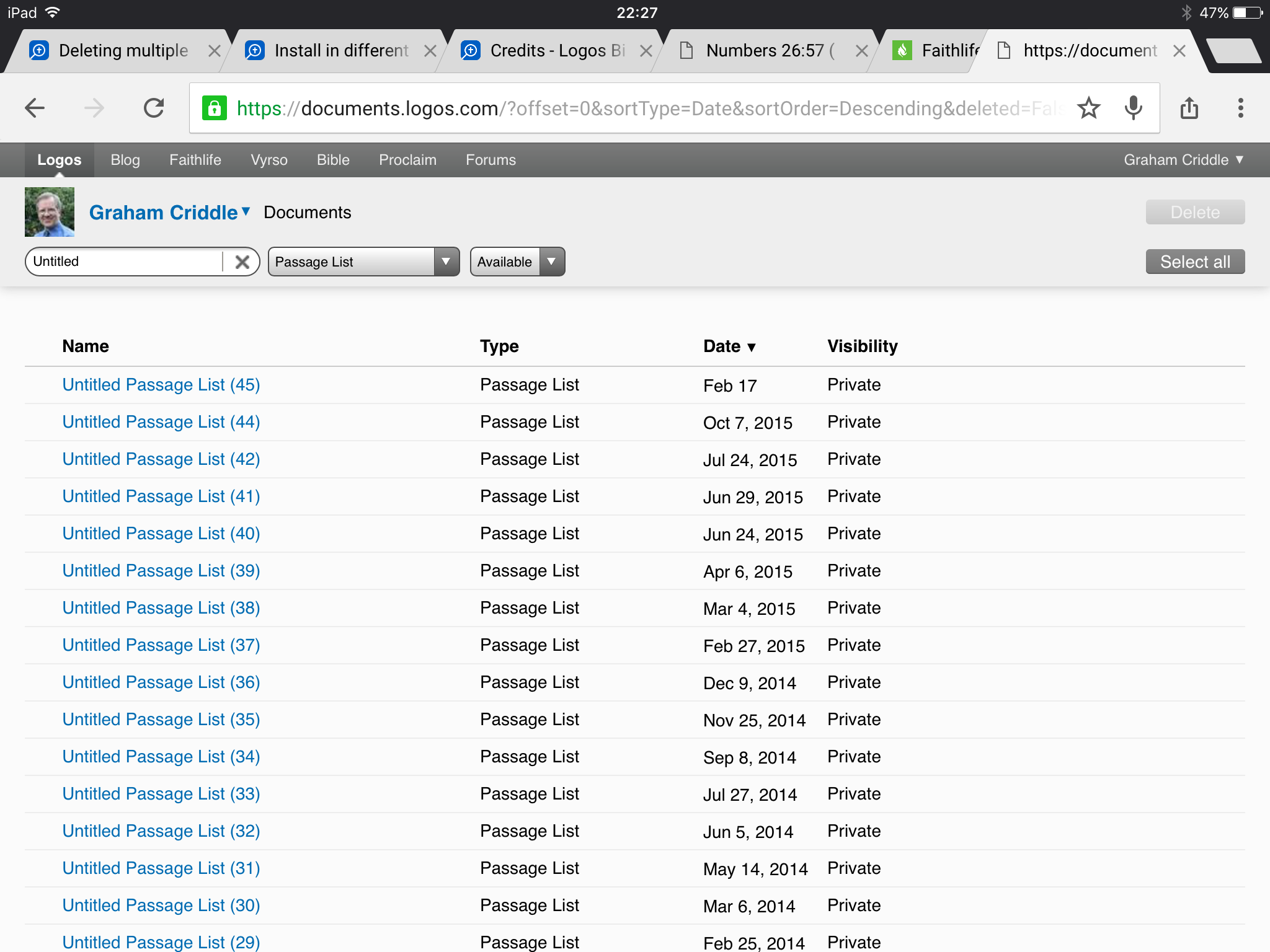
If if I now choose "Select all" (top right) the "delete" button above it will be enabled.
I haven't tried it so worth testing with a subset first!
Selecting multiple passages lists in the application in order to delete them all at once should work. Don't click on the title of the document, since that will open it. Instead, click in the blank area to the right of the title, or on the document type or date.
Can I have a default layout that includes more than one screen?
You can set a default PG layout if a Logos Now subscriber
Details at https://community.logos.com/forums/t/122221.aspx
I havent checked if this works with multiple screen layouts but I cant see why it wouldn't
It does. ;-)
How can I make a visual filter disabled by default?
Use the drop down menu to the extreme right of the filter etc. name to turn it off in all resources. Sorry by installation is misbehaving at the moment or I'd give you a picture.
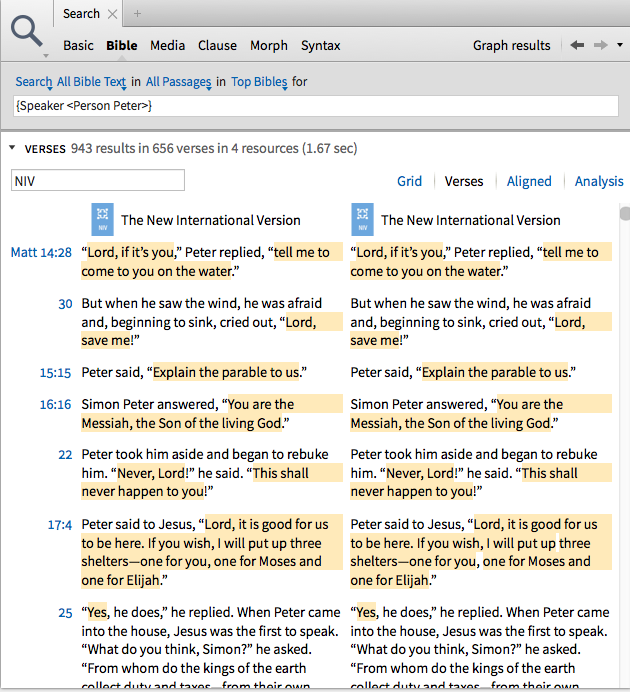
How do I find everything said by a person?
see search below:
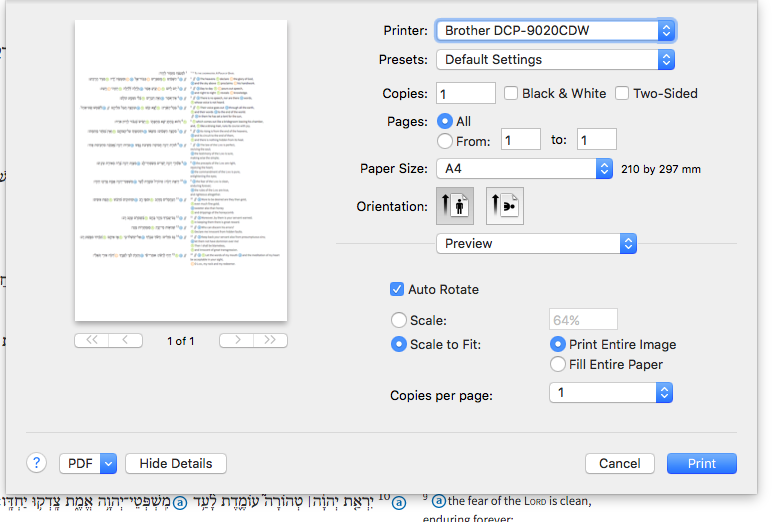
How do I print the entire Psalm from the Psalm Explorer?
I took a screen shot of the panel and then opened it in 'Preview'. The print dialogue is from that Application.
It seems quite readable if scaled to fit on one sheet.
I guess the problem with printing (as in select the text and then print that selection) is the complicated way the informations fed to the screen.
I am using a 27in mac but I have just tried it with my 11in MacBook - it took two screen shots.
Following the instructions below I came up with this
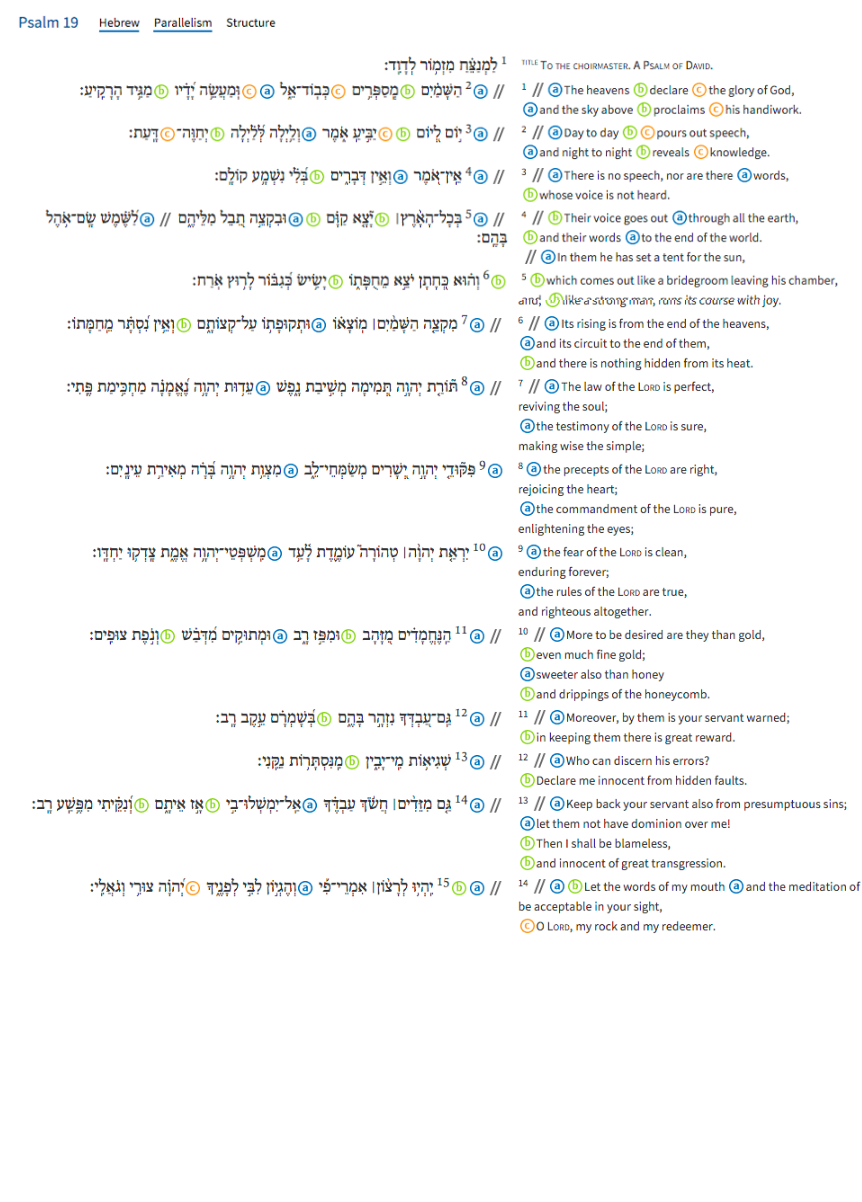
As you can see - when setting the size I forgot to allow for the overlap :-(
Open Shot A in Preview
Select All - Copy
In Tools menu select Adjust Size and adjust the length (usually double for two screen shots)
Ignore the result.
Paste the copy of A onto the resized window and reposition.
In another window open Shot B
Select All and Copy
Paste the copy of B into the resized window and reposition.
Save as a new image.
What does the scroll bar tell me about where I am in search hits?
The position in the scrollbar corresponds to the position in the resource, not to the position in the set of matching search hits. If you turn on the "Show Search Bookmarks" option in your settings, you will see faint orange markings in the scrollbar that indicate the location in the resource of all the hits, and this may give some rough indication of your position in the result set.
How do I copy & paste the name of a resource?
You would hit the i '(for resource information) at the top right corner, then you can see, copy, paste, even edit the name of a resource
Edit: pictures
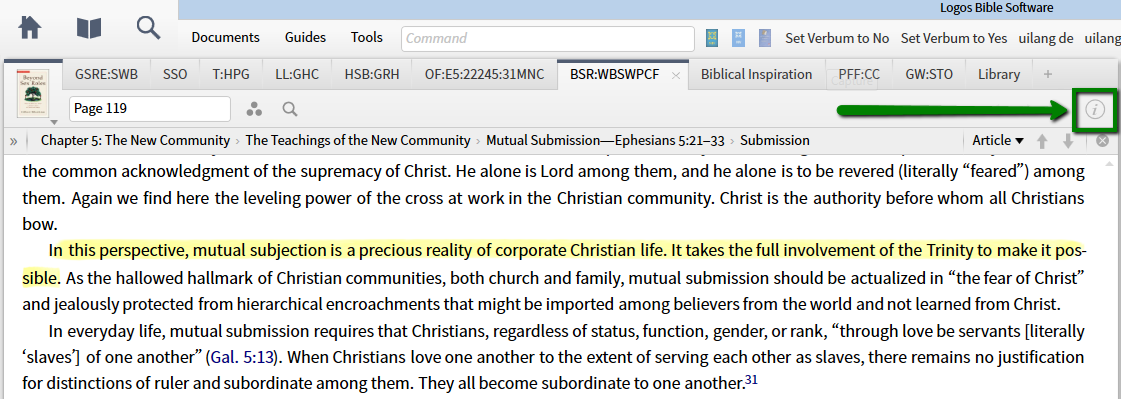
you can select and hit Ctrl-C to copy, or right-click and get a context menu giving copy. As a more complete alternative, there are various styles of bibliographic citation for the resource title (my screenshot shows APA, you can select what suites you from 17 alternative citation styles)
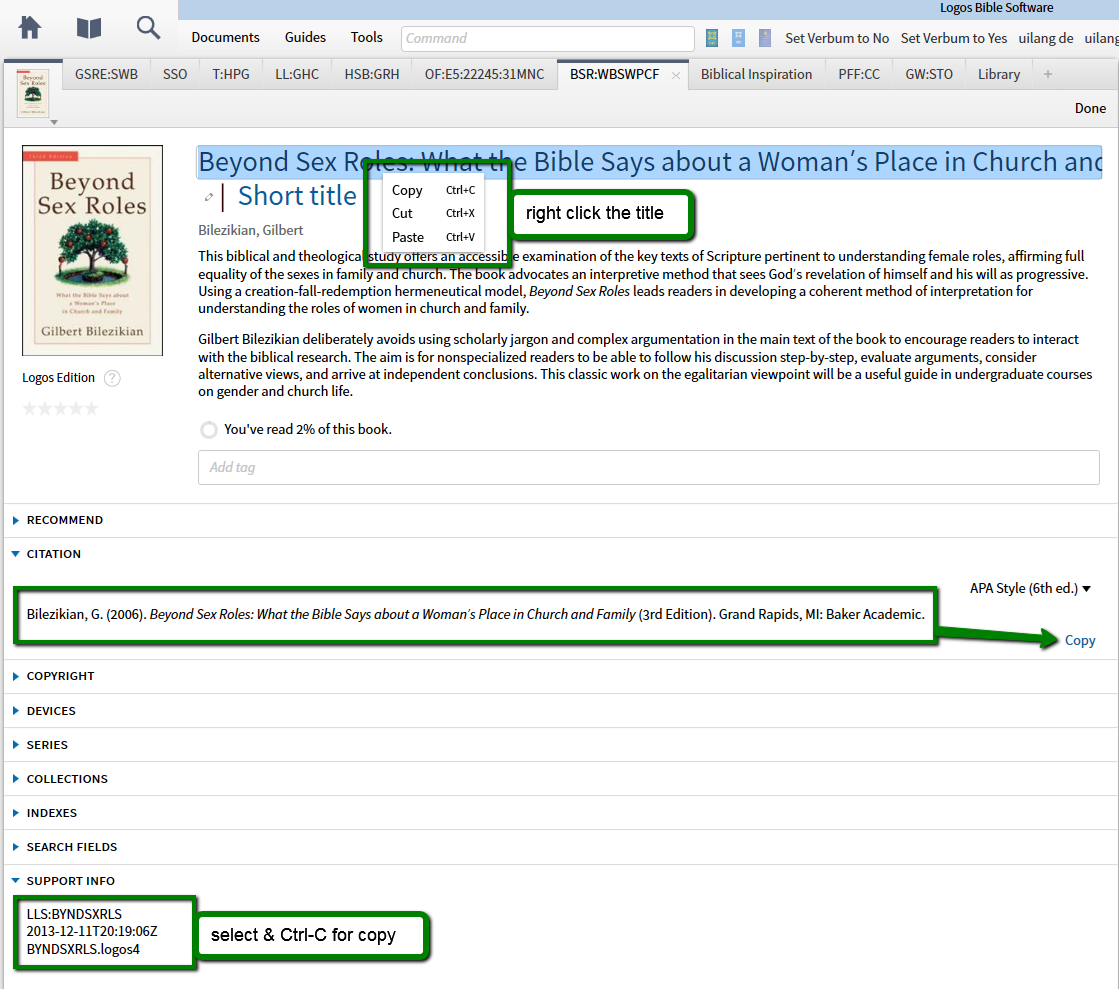
How would I copy and paste the short code of a resource?
I assume you mean the "support info" with short code, right? select and either Ctrl-C or right-click and choose copy from the context menu. Or did you mean the Short Title? Same as the long title, however most resources don't have that. Or did you mean the tab name ("BSR:WBSWPCF" here)? This is either the short title or an on-the fly production of Logos, derived by simply taking the first characters from the title words, in no way official or meaningful.
Why does the dictionary revert to the old word when I type in a new one?
what word are you typing in? If it is a word that is not in the dictionary, it will remain on the last word displayed
Is there a way to determine geographically where the Israelites left Egypt and where the 'wanderings' is considered to have begun?
A media search for route exodus, or a basic search for route WITHIN 3 WORDS exodus should get you started.
One search idea is:
geography WITHIN {Milestone <Ex-Dt>}
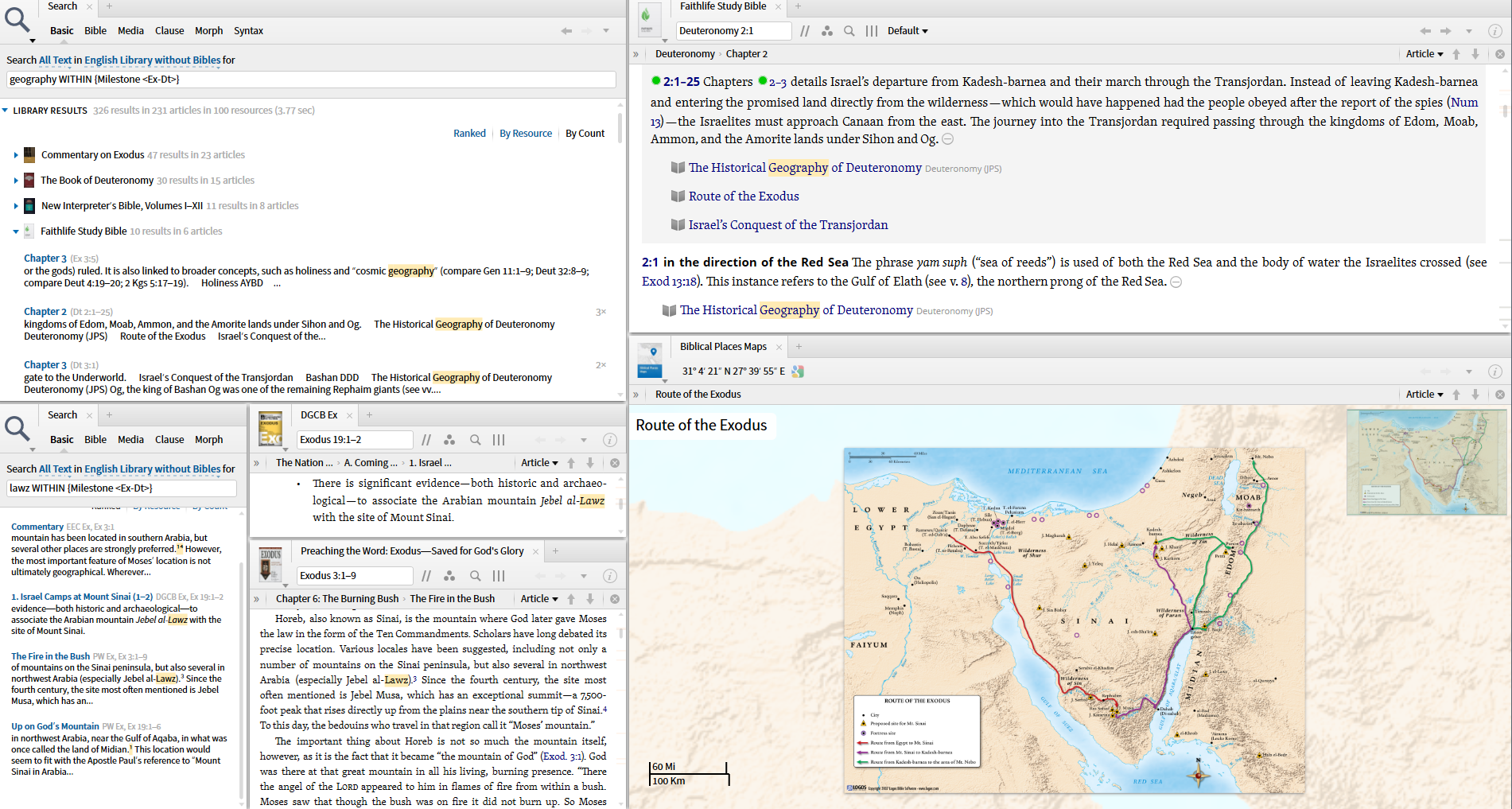
Faithlife Study Bible has link to Biblical Places Map "Route of the Exodus" that shows a traditional route through the Sinai peninsula. Clicking on Jebel Musa opens Factbook:
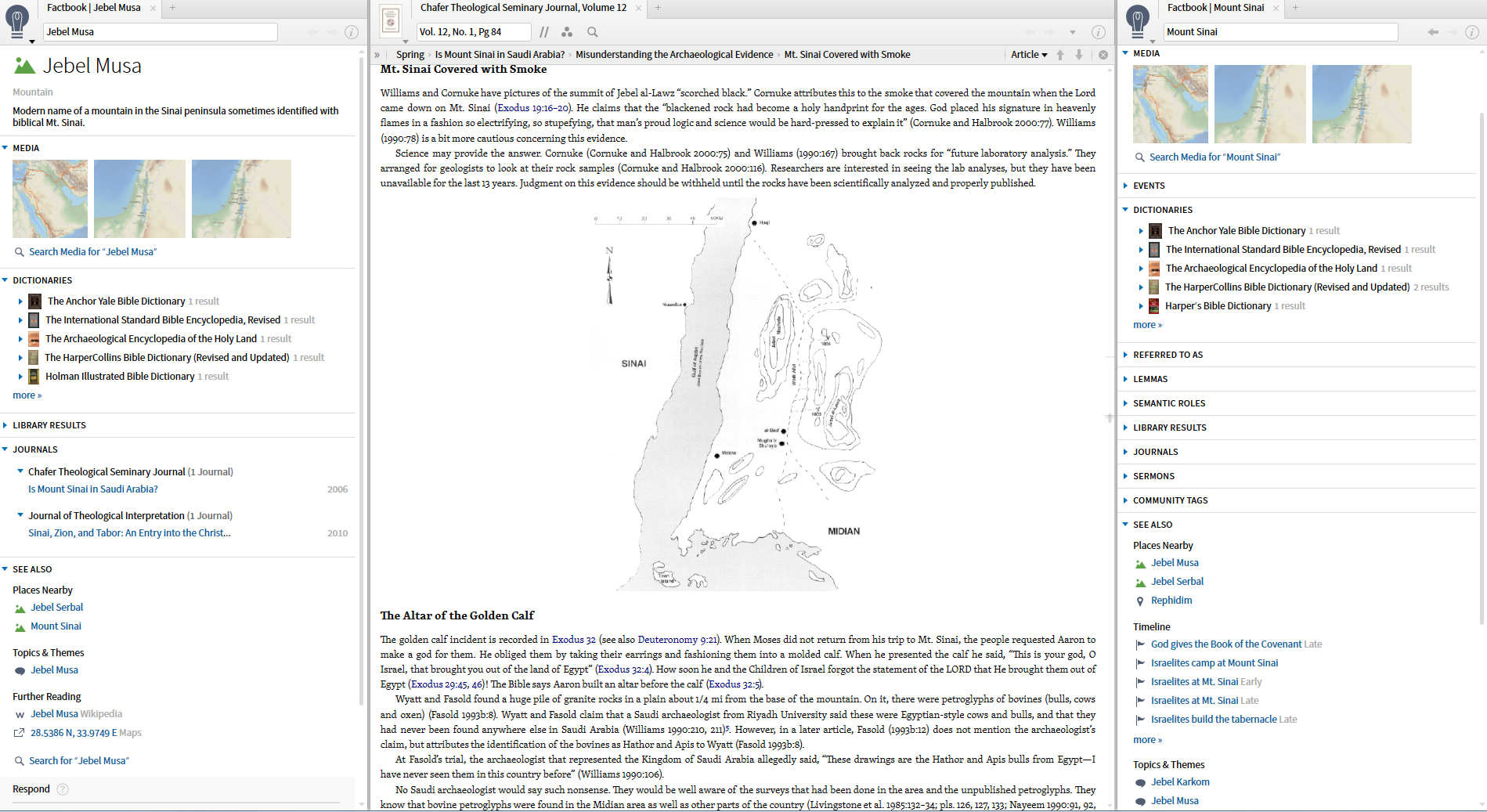
Another search is:
lawz WITHIN {Milestone <Ex-Dt>}
that finds some results about Jebel al-Lawz (Google Maps has some intriguing pictures: dark mountain top and bovine drawings on rock outcropping).
How do I find things like "deceit of lips" and "lips of deceit" that would be synonymous but in reverse-construct order?
I'm a bit late to the party here, but this simple search may deliver what you are looking for. 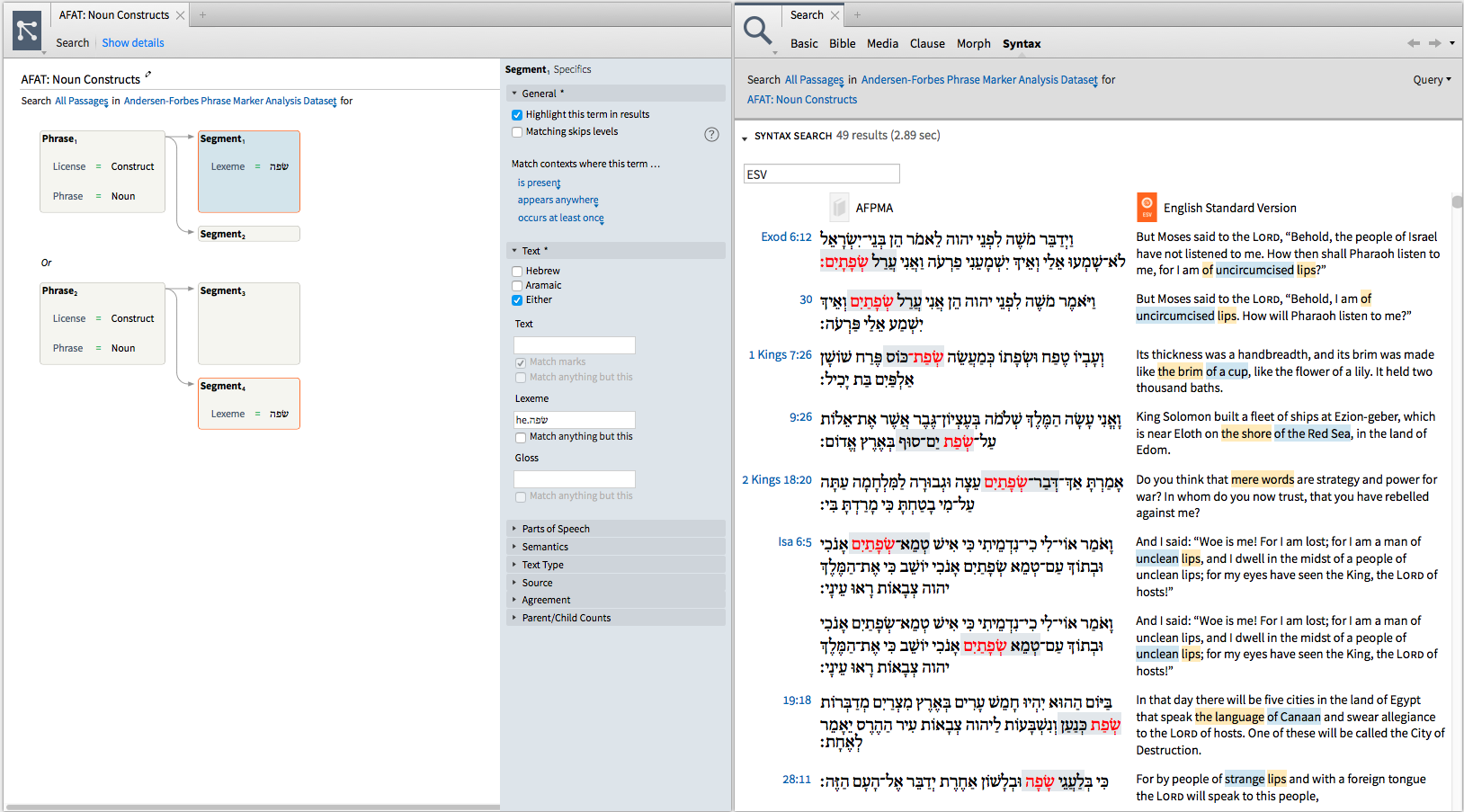
For some reason, agreement rules do not work across the two clauses in this query so you have to hard code the lemma in for each segment. Hope this helps.
Where can I report typos in a resource?
Typos can be reported via the contextual menu. Right click on the word and choose "report typo." NOTE: You will need to make sure the selection is chosen in the upper right hand corner tab.
Why are the Start and Stop Indicators missing from 2 Year Bible study I generated?
I found the answer to my question in the Logos Wiki section on Reading Plans.
As it turns out somehow the reading markers had gotten turned off in my visual filters. I simply rechecked the box next to my reading plans in Visual Filters and VOILA!!! the reading markers were back. I did have to exit out of the reading plan and then re-enter into it to see the markers, but there they were.
Thought I would leave this here just in case someone else runs into this in the future.
How do I find and replace headings in Word with headword milestones?
I created a Personal Book from a class I took this semester on the Acts of the Apostles. The professor's class notes used the European format for citing the Bible, where it is common to say Acts 1,1 instead of Acts 1:1.
Given that Logos Personal Books don't understand this format, I found myself with the difficulty of trying to replace all the commas with semicolons. Luckily with Microsoft Word this is extremely easy.
I told Microsoft Word to search for every occurrence of "a number followed by a comma followed by a number" and replace it with the same numbers, but with a semicolon in between.
Here is what the search looks like. Notice that the "Use Wildcards" option is selected.
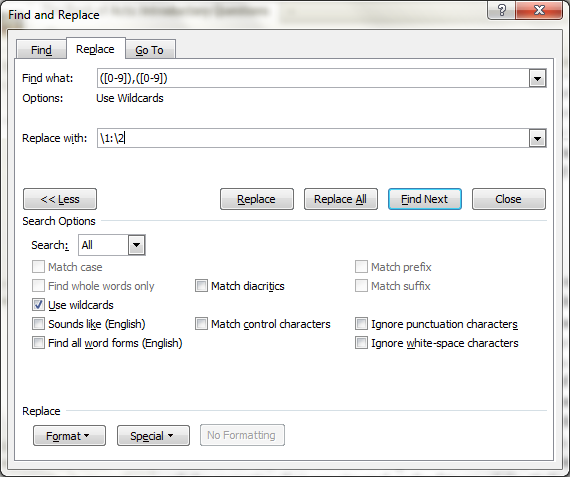
There is documentation on doing this type of search and replace here: http://office.microsoft.com/en-us/word-help/find-and-replace-text-by-using-regular-expressions-advanced-HA102350661.aspx
This technique can also be used to insert the codes which Personal Books need to indicate that a certain heading is, for example, a Dictionary Head Word. If all the head words in your dictionary have the same formatting, in just a matter of a few minutes of work you could apply the information that the Logos Personal Book needs to recognize 1000s of head words.
How do I access the size of the compiled resource?
On PC...
Open the personal book you compiled.
Click on the info button at top right.
Scroll to bottom.
Expand the support info
Select the ID number that ends in .lbspbb

Then go to users/name/appdata/local/logos
Then search for that ID
(I use name:.lbspbb in the windows findbox and then sort by date to see most recent)



