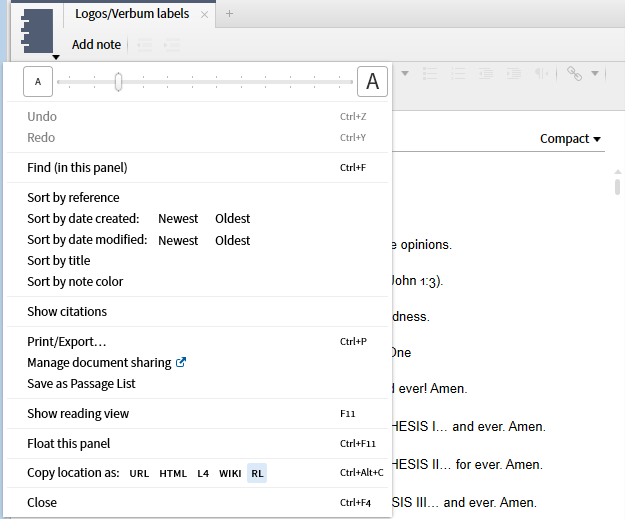
28. Note documents have several additional functions related to note sequence in the Panel Menu. The first of these is Sort by references which will arrange notes by their location in a resource and sort resources into alphabetical order.
29. One may sort notes on the date they were created selecting newest first or oldest first (ascending/descending).
30. One may sort notes on the date they were last modified selecting newest first or oldest first (ascending/descending).
31. One may sort alphabetically by title.
32. One may sort by note color. This feature provides another way to classify one's notes and meshes well with some college study methods. (http://blogs.oregonstate.edu/dasblog/2012/05/25/using-notecards-to-study/). Note there is no Sort by Style or Palette.
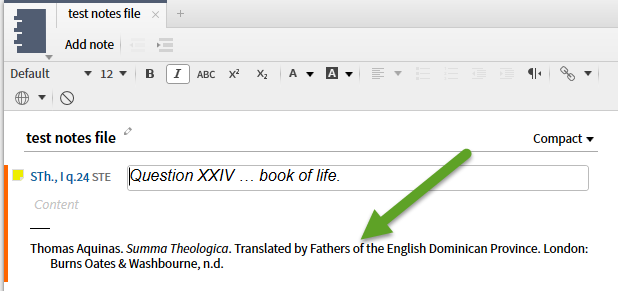
33. The Show citation option toggles whether or not the citation is added to a note when you create it from a resource selection. If you edit attachment points to add additional links, the multiple citations will be shown.
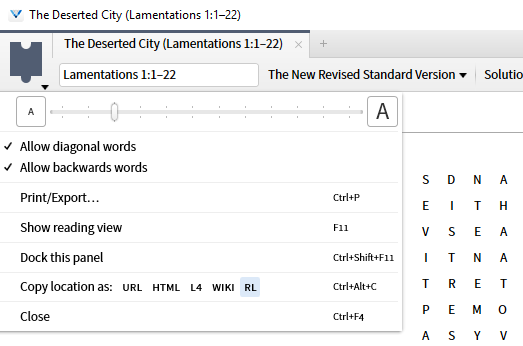
34. The Word Puzzle document has two Panel Menu functions specific to it: The first is to Allow diagonal words.
35. The second is to Allow backwards words. These options allow one additional control over the difficulty of the generated puzzle.
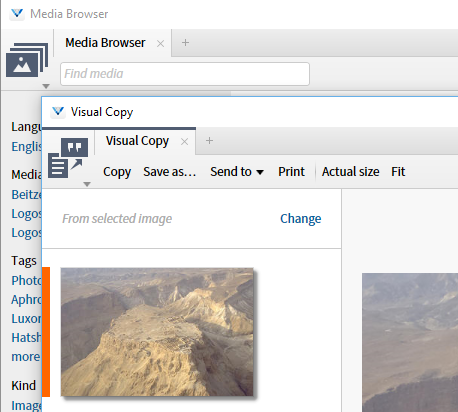
Some of the Tools have tool specific options on the Panel Menu. They will also at times promote items usually on the Panel Menu to the tool bar, e.g. Media Browser ==> Visual Copy has the Copy, Save, Send to and Print on the tool bar.
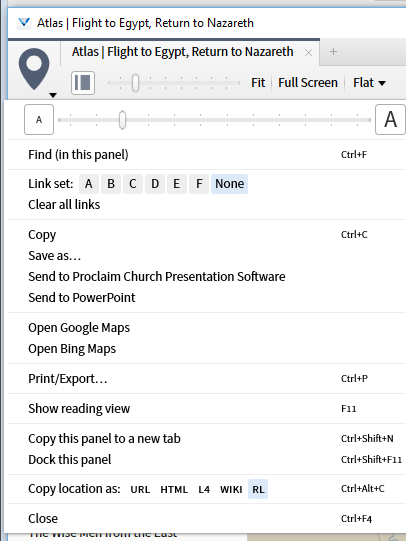
36. The Atlas tool has several tool specific functions in its Panel Menu. The first of these is to Send the map to the Proclaim Church Presentation Software.
37. The second is to Send the map to Power Point, the Microsoft Office presentation tool.
38. One may open to the same location in Google maps via the Open Google Maps option.
39. Or if you prefer Bing, use the Open Bing Maps option.
