Good afternoon,
I highlighted somethings and it automatically made a citation/footnote. Exactly what I needed but I was under the impression that it would also AUTOMATICALLY make a bibliography for me as well. Can someone help with with this?
From the Help file:
Bibliography DocumentCreate a Bibliography document to edit, annotate, and print lists of resource citations to support your research.Create a Bibliography 1. Click on Documents | New | Bibliography. 2. Click in the “Untitled Bibliography” text box to type a unique title. 3. Click on the Add drop-down and choose to Add citations from: • ... selected text – adds citation for selected resource text • ... all open resources – adds citations for all resources currently opened • ... another bibliography – brings up a list of saved bibliographies from which to add to the current bibliography • ... a clippings document – brings up a list of saved clippings documents from which to add citations to the current bibliography • ... a collection – brings up a list of saved collections from which to add citations to the current bibliography • ... clipboard – adds citation for the text copied to the clipboard • ... history – brings up a list of recently viewed resources from which to add citations to the current bibliographyTo add a citation from a resource: 1. Select text in a resource. 2. Click and drag the text over to the bibliography document or click Add and select “...selected text”.Options • Click on Sort, next to the Add button under the document tab, to sort citations in alphabetical order. • Drag and drop a citation above or below another citation. • Click on a citation to add notes to that citation. • Choose Save as Collection from the panel menu to create a Collection of resources cited in this bibliography. • Choose a citation style from the drop-down list, or leave the default style.Print/Export 1. Click on the Bibliography panel menu. 2. Choose Print/Export. 3. Choose Bibliography only to exclude any notes added to citations, or leave the notes in the document. 4. Click on Print, Copy to clipboard, or save as Rich Text Format (Word, etc.), Text Document, Web Page (HTML), PDF (Mac) or XPS (Windows) Document, BibTeX, Refer/BiblX, or RIS Style.Learn More • Working with Documents — How to create, delete, rename, and share documents. Verbum Help (Bellingham, WA: Faithlife, 2016).
Hi MJ:
Technical question:
Suppose I want to make a collection from the books I have and that are included in a list such as:
http://bestcommentaries.com/library/1110/building-a-commentary-library--new-testament/
Is it possible to make a collection by using a bibliography obtained from above?
i.e. Can I copy and paste the bibliography to a new Bibliography doc, who then can be made a collection, or do I have to get every book manually?
Thanks ahead of time for any guidance you can provide.
Blessings.
Once you have a Bibliography document, you may create a Collection from it using the Panel (Resource) Menu.
I've found no way to convert an external bibliography into a Bibliography Document.
Thanks for your answer, I am doing it manually:
I am creating a collection with the books that I have from the list above, then I will look up Key theological themes to make a list and search in the above collection, if good insights are found I may add the L7 url to a mind map so I have a visual index of good input on key topics.
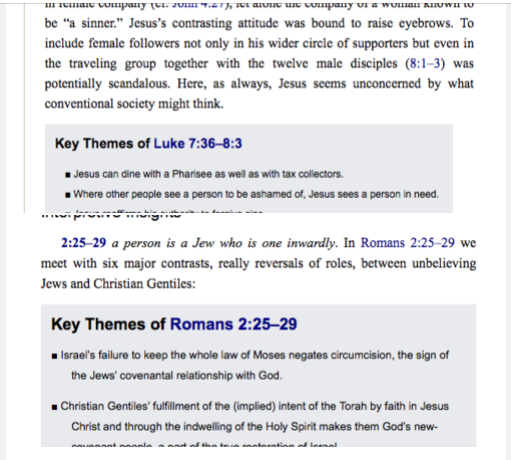
I will try to search resources like the one below for the finding of key themes:
Available Now
Build your biblical library with a new trusted commentary or resource every month. Yours to keep forever.