Hi Folks, just upgraded to Logos 7 - is there a way to look at the opening music - can't seem to find the button or menu item. Thanks ahead of time
Ok, Timothy. I'll ask.
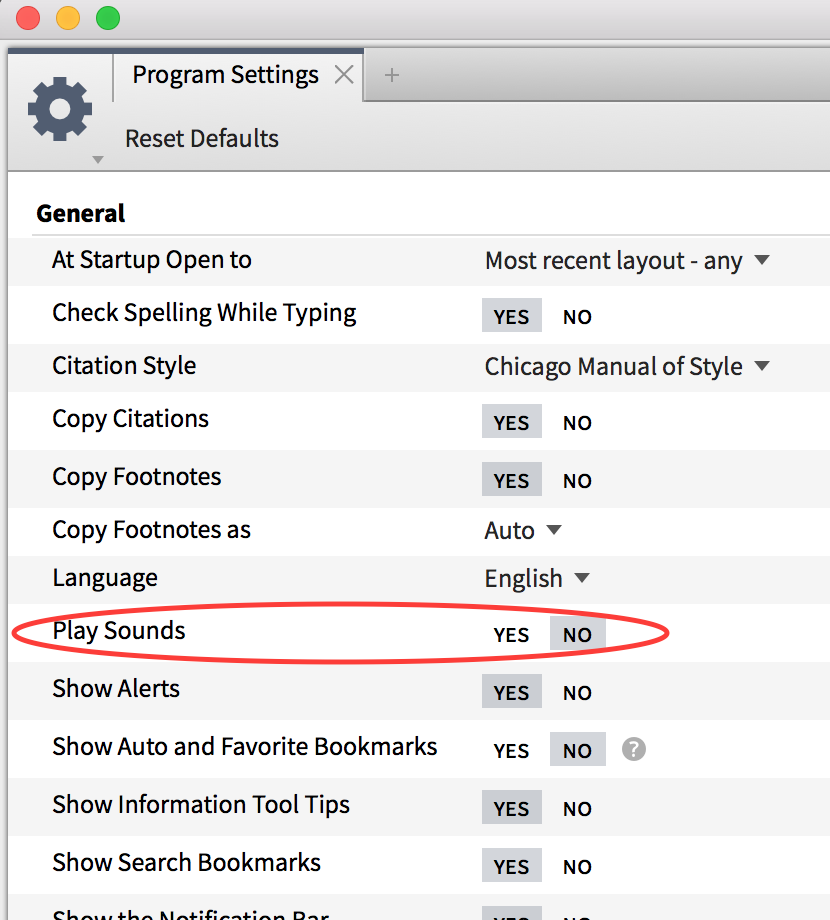
Opening music: turn on/ off is in Settings > Play Sounds
'Look' at opening music, as in MIDI?
Or is opening music referring to the Homepage?
Or I misunderstood!
It's the nice chant that always welcomes us to Logos when we enter the program - don't want to get rid of it, just want to know where the stuff is regarding the music. :-)
To be honest I can't even find the "settings>sound" item to which you are referring in logos 7
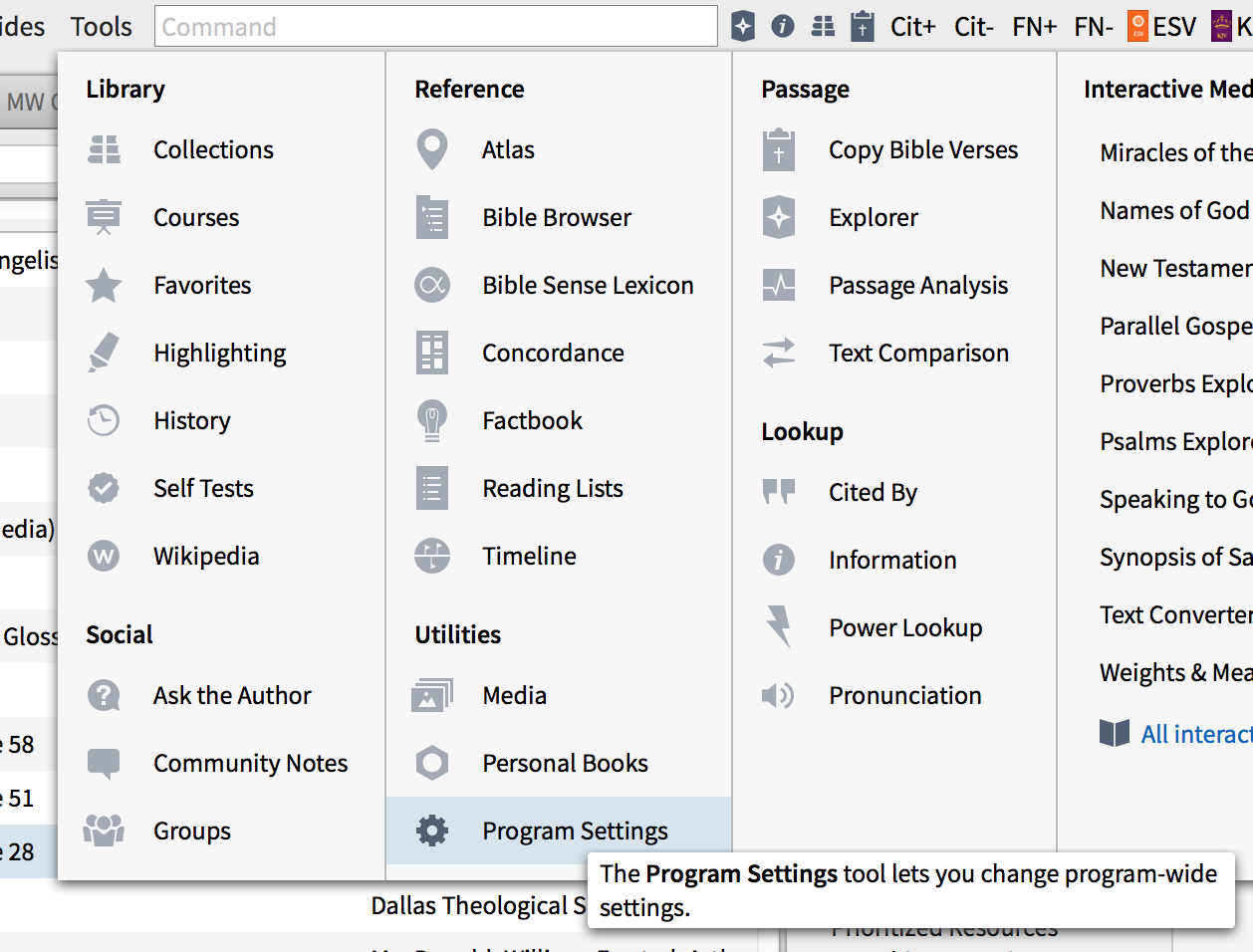
Tools at the top.
Program settings.
"Play Sounds" can either be turned on or off, which will determine if the Logos chime plays.
The start-up sound is part of the program. It's not something you can see.
Logos used to supply a few hymnal resources with music (Logos Hymnal and Logos Hymnal Media Resource) in the base packages, but they only seem to be in Spanish base packages now. Logos Hymnal is available for purchase, but Logos Hymnal Media Resource isn't available outside of a package. They might already be in your library if you're a long time Logos user.
Click on Tools menu,and select Program Settings:
Then inside the Program settings window, find Play Sounds:
Available Now
Build your biblical library with a new trusted commentary or resource every month. Yours to keep forever.