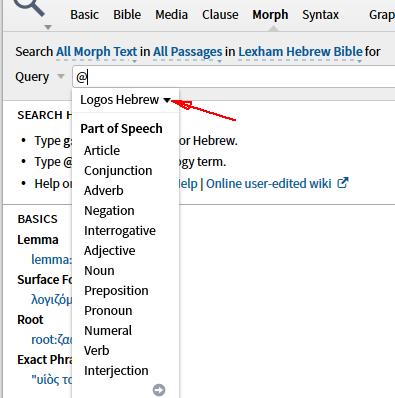
I cannot get this screen which says Morph, Lexham Hebrew Bible Search, with Logos Hebrew Morphology. Instead, I get Search: All Morph test "in" and then another "in." Can anyone help me get what I need?
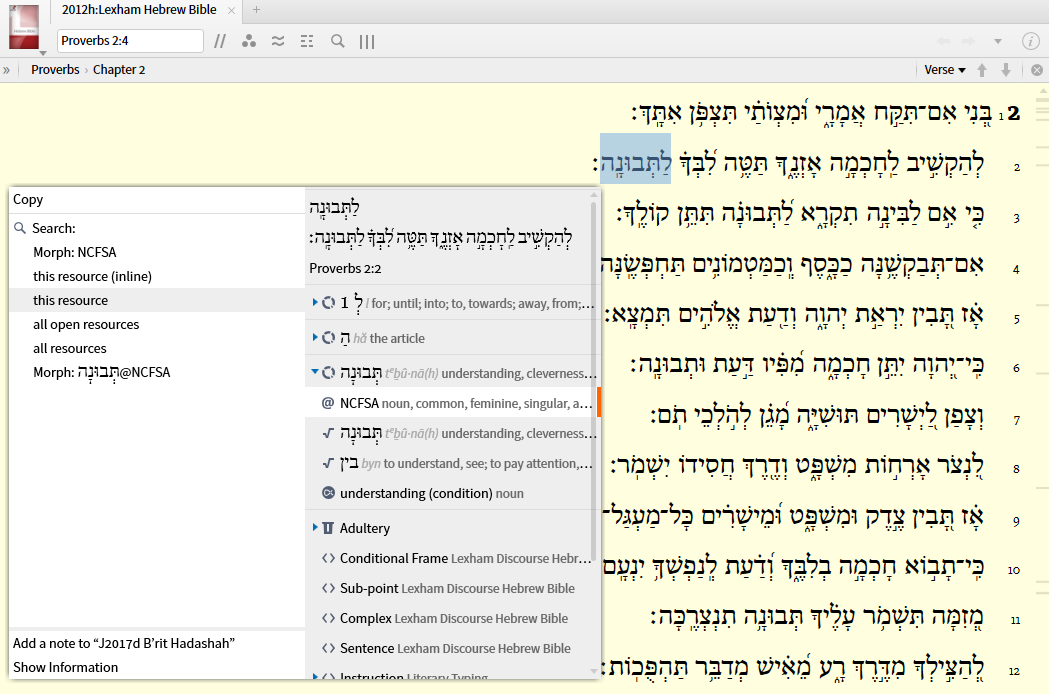
One idea is open Lexham Hebrew Bible, do a right click, select morph followed by choosing Search: This Resource
Keep Smiling [:)]
I cannot get this screen which says Morph, Lexham Hebrew Bible Search, with Logos Hebrew Morphology.
that's an older format of Morph Search. Try
Select your morphology after you enter @ (the other choice here is Logos Aramaic).
EDIT: you get the same choice if you enter whatever was on the screen e.g. @Va
Available Now
Build your biblical library with a new trusted commentary or resource every month. Yours to keep forever.