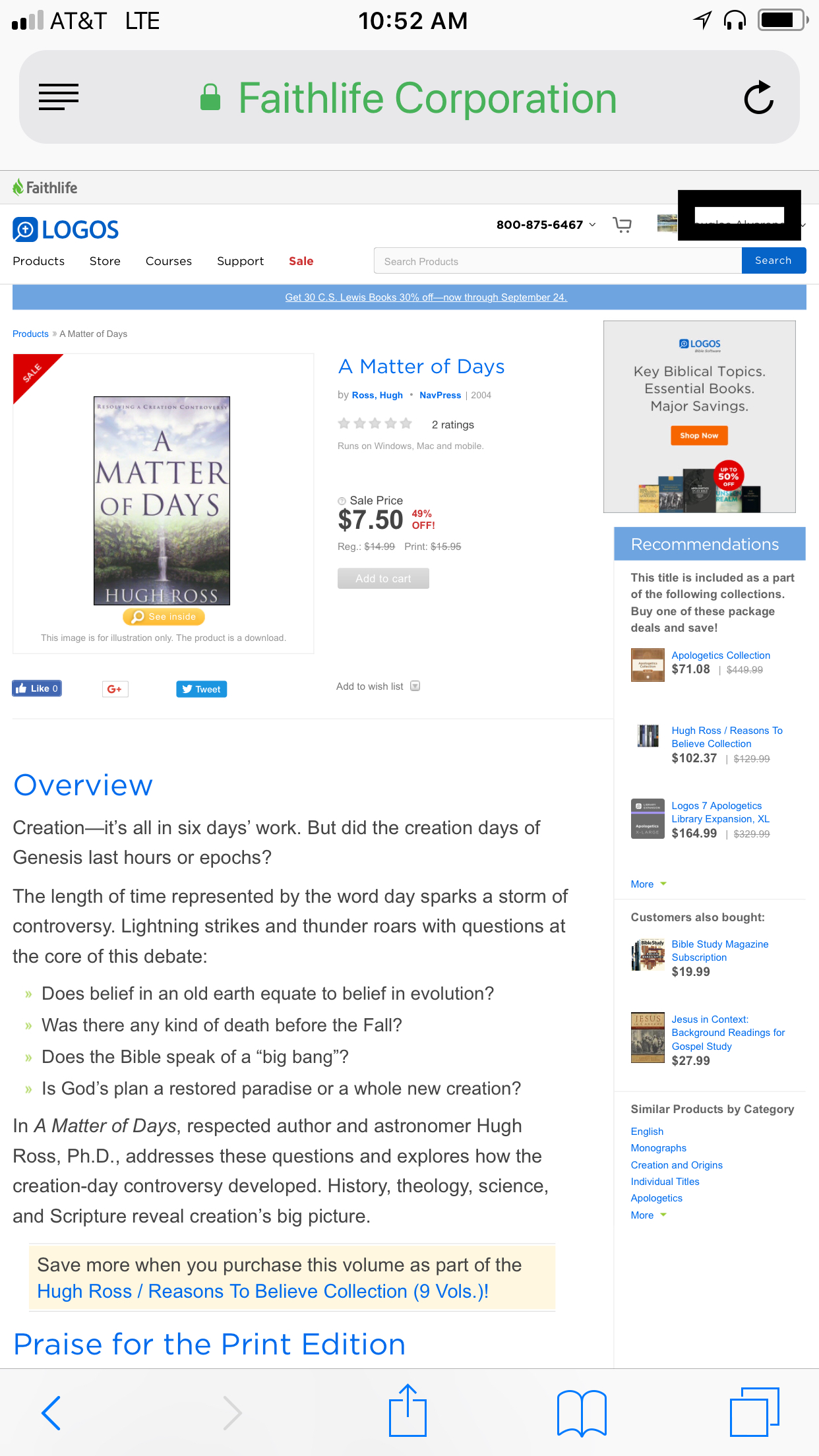
I cannot figure out how to get to my Orders from the new layout. The old way, you clicked on your name, then selected orders... now when you click on your name, it takes you to your profile.
I am not seeing this Michael. You mean "logos.com" and not the forums, right? If you are still having troubles, try a different browser.
Yes Logos.com webpage. I have encountered the same problem. You cannot access your orders from the homepage; if you click on your name from the homepage it’ll take you to your FL profile. You have to click on a product ( like the daily deal ) so it’ll take you to the other page where you can see other links like store, products, courses etc. in order for you to be able to click on your name and access your orders.
Screenshot number one you click on your name from the homepage and it takes you to your FL profile:
Screenshot number two,where the other links appear, you can click on your name and you have the option to look at your orders:
And even then if you are on your mobile device you have to click on the option “view full web page” right at the bottom or else you still run into the same problem. I hope this makes sense.
DAL
This should probably be in the logos.com forum. It's related to the "responsiveness" of the website, the ability of the website to change layout based on the size of the browser window. It's a website issue and not specifically mobile. At 980 pixels or below it changes to a simplified layout, which unfortunately loses useful functionality. This is inevitable at smaller sizes but it is an extremely weird choice to jump to the faithlife account page where I can learn my name or birthdate in case I forget [:)]. Maybe it's done that way because the Account Settings page itself is not responsive and doesn't adapt below 980px? It doesn't seem very useful. And actually, neither does the hamburger menu as it list mostly things that are just below on screen.
Randy, this is how it looks on the "new" layout for the desktop... when I go to www.logos.com, not just the mobile phone.
Available Now
Build your biblical library with a new trusted commentary or resource every month. Yours to keep forever.