Good morning !
Is there a way to setup logos so that it opens up the same way it closes. ??
Instead of dragging this or that around,,, can i save it some how ,
so that logos will open that very same way ?
Hey thank you
Kim
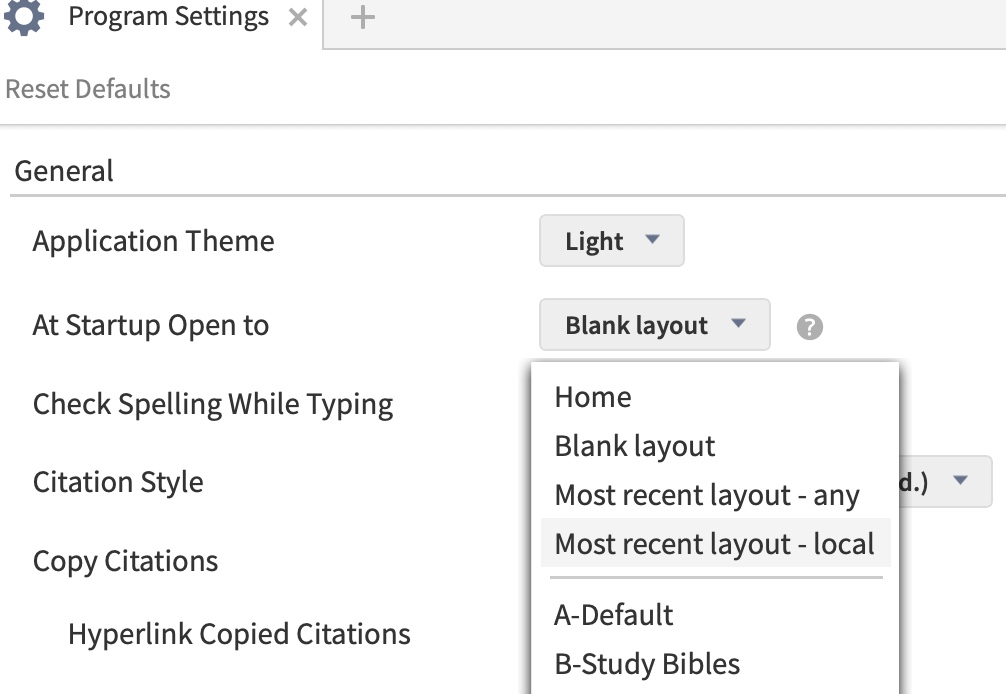
Help menu at the top right of screen (the 3 vertical dots)
"Program settings" (halfway down the menu)
"At start up open to" ... "Most recent layout (local)"
Good morning, Kim!
Welcome to the forums.
Open the Program Settings (use the menu in the far right top corner of Logos)
Change the "At Startup Open To" to "recent layout-any [or local]"
That's it!
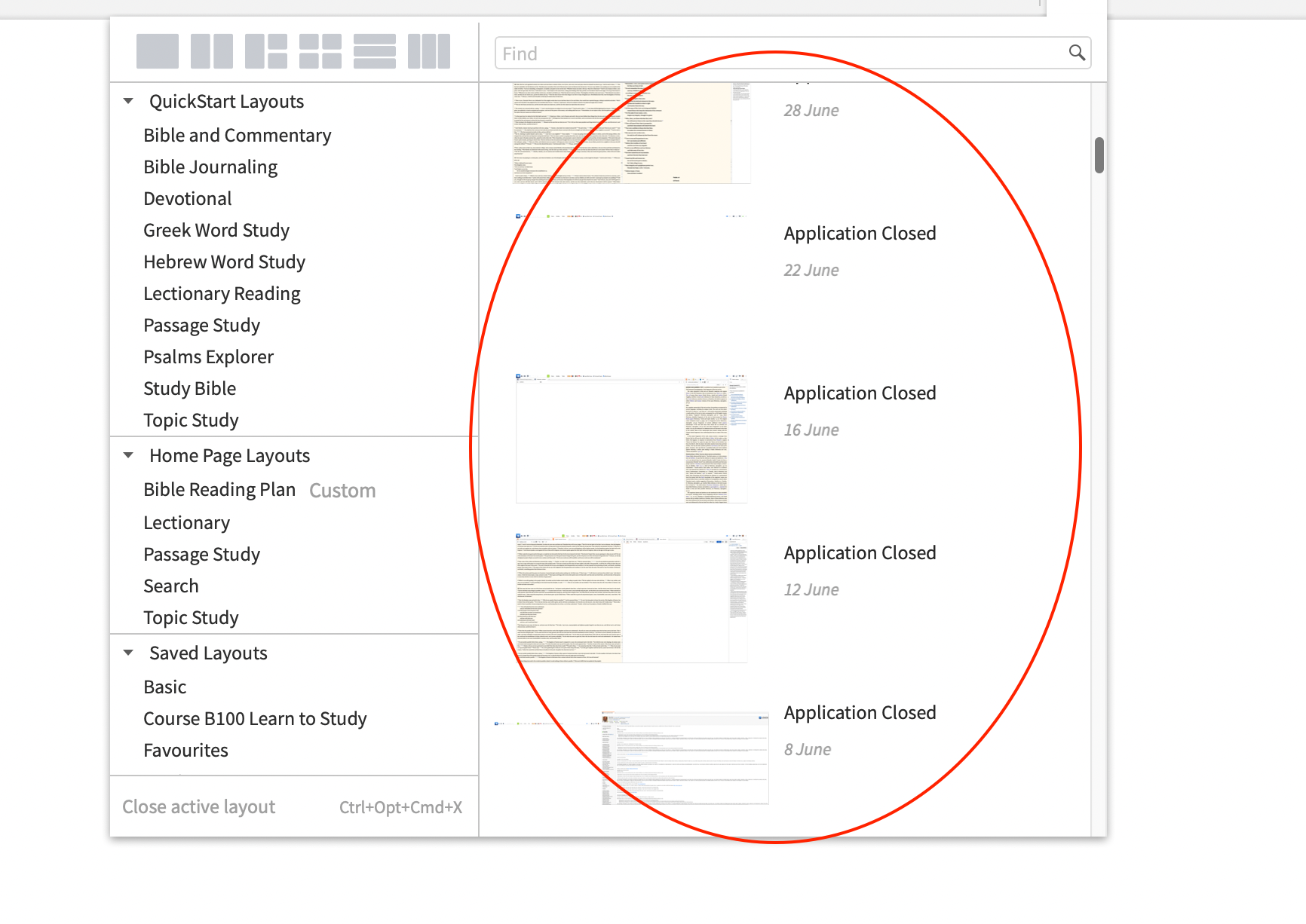
You have the solution in the posts above Kim but I will just add that you can even get back to previous layouts quite quickly by looking at the righthand side of the Layouts menu and selecting one of the snapshots there.
It may involve a couple of clicks after Logos opens but it can often save a good deal of time.
Available Now
Build your biblical library with a new trusted commentary or resource every month. Yours to keep forever.