Replication:
- Open a sermon document
- Click on a line of text in the sermon document
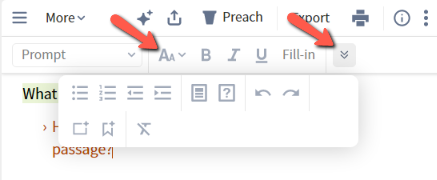
- As soon as you click on either the Style option or the double down arrow on the formatting toolbar (red arrows in image below), the whole toolbar changes to a light gray font and becomes disabled.
- If you click on a different line of text in the sermon document, it changes to its normal black font and becomes active again.
Formatting toolbar after step 3 above: