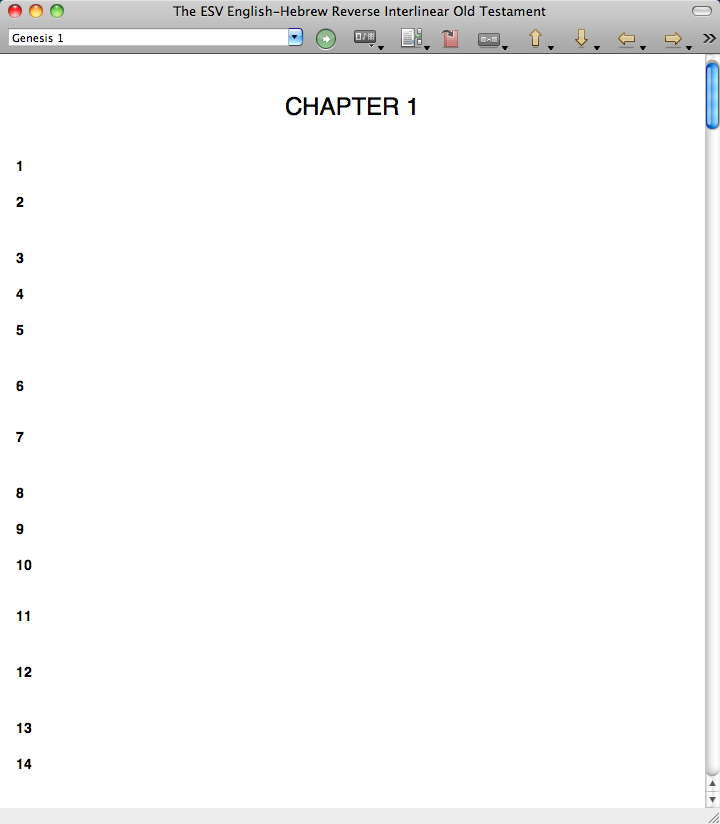
I have installed the Tyndale Unicode Fonts, but I do not see any Hebrew text. Are the Tyndale fonts required?
I have had this problem from time to time in language resources. Usually all I need to do is reboot the computer, use CCleaner to clear out all TEMP files, and the problem is solved. If you've already done that, then I am out of suggestions. [:S]
God bless
{charley}
Thank you.
Is ccleaner a Mac app? I am using Snow Leopard.
ccleaner is a windows app.
Hi Grady,
You may have an older version of the resource. The Tyndale Unicode fonts will not affect the fonts in Libronix resources; that program allows you to type in Greek or Hebrew.
Quit Libronix, then download the latest version of the ESV English-Hebrew Reverse Interlinear of the OT, by clicking the following link and saving the book file to your hard drive under /Library/Application Support/Libronix DLS/Resources, replacing the older version. (Note: there is a similar path in your home directory, which is not the correct location.) ftp://ftp.logos.com/lbxbooks/ESVOTREVINT.lbxlls
After replacing the file, or if you already had the latest version, open Libronix and open the book. If it still looks the same, click on Libronix DLS > Preferences > Resource Paths. Click on the Refresh Resource button, then quit Libronix and restart it. It will take some time to load as it rebuilds the resource information cache. When it opens, check the book again.
Thanks,Melissa
That fixed it, thanks!
THANK YOU, THANK YOU, THANK YOU! This worked for me as well.
Available Now
Build your biblical library with a new trusted commentary or resource every month. Yours to keep forever.