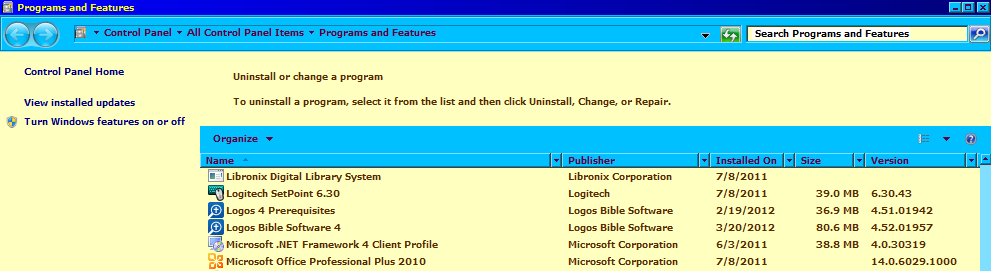
A couple months ago I started having problems with the update
installations not finding the logos4.msi file. Upon installation I get a
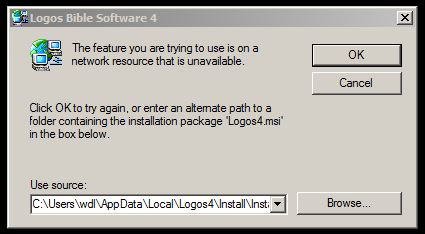
dialogue box that asks me to find the msi file, even though the default
file location shown in the dialogue box is correct. (see Step 1.jpg).
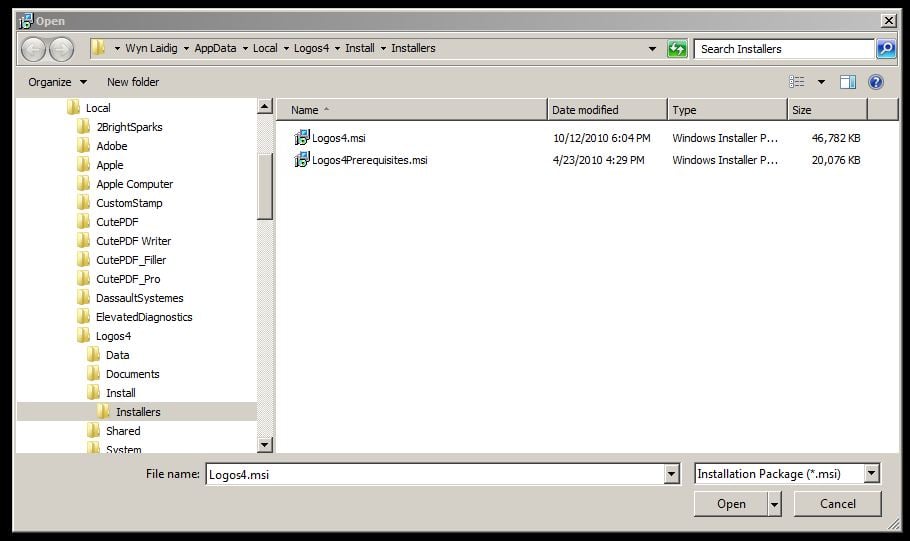
I go ahead and Browse to the file location to verify that it is indeed
there (see Step 2.jpg), and then go ahead and select the logos4.msi
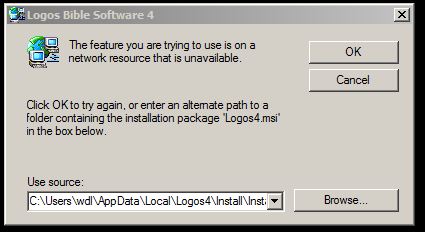
file. I then get the same "not found" dialogue box (see Step 3. jpg). So
now, since I have no other choice, I hit cancel and get a notification
that Logos can't remove an older version (see Step 4. jpg). I have
never had an older version on this computer, and have searched for other
logos4.msi files, but can find none. After hitting OK to acknowledge
that Logos can't delete the old version, it then successfully installs
the update, except that Logos doesn't restart itself automatically. So the update installs; it's just that I get these error
messages along the way. I am attaching the log files. If anyone can
offer help, I would appreciate it.
3323.logos4setup - after install error.log
8103.DigitalLibraryInstall - after install error.log
Step 1. I get this message when trying to install an update:
Step 2. I hit browse and see that the correct file is in the default path location:
Step 3. After selecting / opening the logos4.msi file, I get the same message as in Step 1:
Step 4. I hit cancel, and get the message that an old version can't be removed:
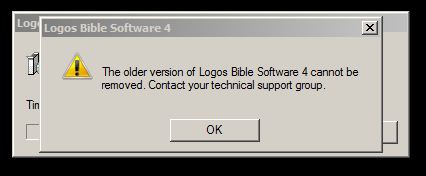
I then hit OK and the update completes successfully. However Logos4 does not restart automatically. When I restart Logos myself I find that the update has been installed.