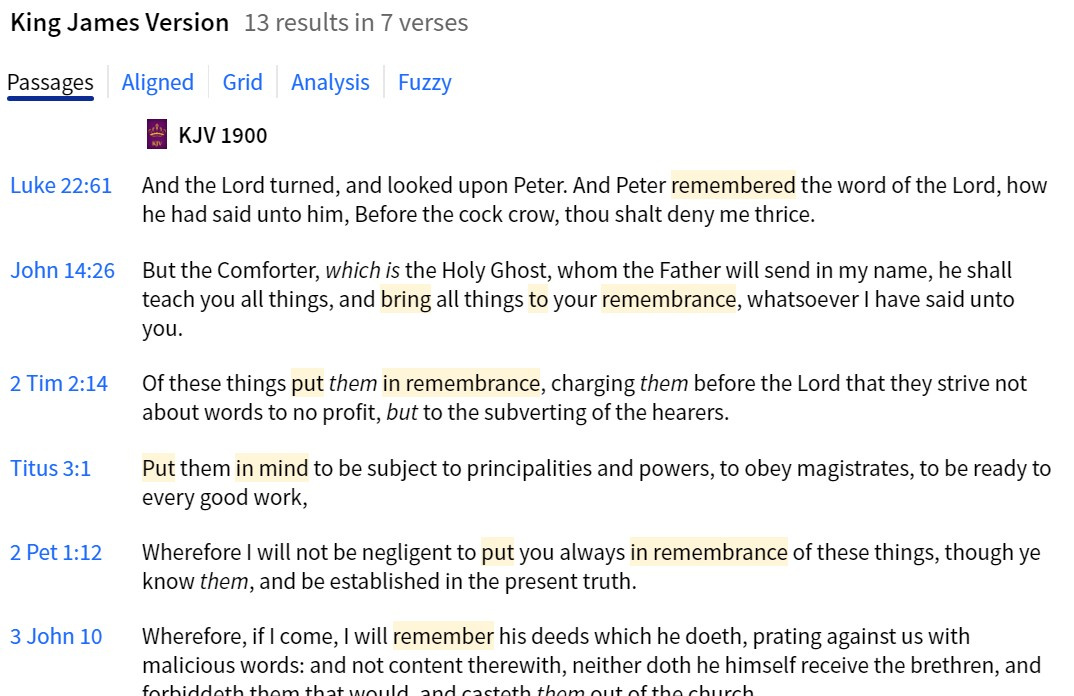
This may have changed under the new update, but now when I search a corresponding lemma, the highlighted word comes up in a very light/feint yellow. I can hardly see it! Can anybody point me to the right option to change it? Needs to be brighter.
Have you tried the display options in your operating system?
Not the operating system. It has only been like this since the last Logos update (last night).
Available Now
Build your biblical library with a new trusted commentary or resource every month. Yours to keep forever.
I am reading Systematic Theology by Wayne Grudem. There are a gazillion Bible verse references in blue. If I click on them, they of course open in my Bible of choice, and I could copy and paste them into a note. But is there a way to get that reference to copy directly into a note, without doing a copy and paste?
Finishing a message and I was going to close with a specific text… then I thought, wait I think I used that text earlier in the message. I could simply scroll through and see, but instead I hit "Ctrl+F" and just searched "Matthew"… it highlights where I used the word "Matthew" in writing, but does not highlight scriptures…
Is there any documentation of what the AI features are so far, and what their intended uses are? Would be nice if there was also info about capabilities and limitations. Something concise so you do not have to spend all day on it? I think this is something Logos should have. I couldn’t find it. Did I miss it?
I have a couple of books that always crash Logos. I read the books a while ago and created Notes while reading, but if I try to go to the Note anchors in the books in question, Logos crashes. Same if I try to open them in the Library. Is there anything I can do to fix this?
If you were studying a book of the Bible and wanted to take notes and keep track of Commentaries and other reference works that you used so you could use the material in the future for sermons or church Bible studies would you use Notes, Canvas, Sermons Manager or something outside of Logos?