I just dont want to use AI. Is there a setting to turn this off?
No there is not.
Oh no. How do I delete ALL my data from your Logos servers and all your 3rd party partners? Lots of sensitive notes there.
Honestly, it is not that serious
What is not serious? Use of AI within my Bible study app or the developers choice not to offer opt-out option to disable completely all AI functionality? In fact there should be separate Windows version that does not embed any AI in its binary and assurance any data synced to the Logos servers is not going to be used in any way for AI ingestion. I think this is serious.
How do I know when Logos is using AI?You’re always in control of when Logos uses AI, and it will never do so without your knowledge. All AI tools are marked with a sparkle icon (✨), so you can know in advance whether AI will be used.
How do I know when Logos is using AI?
You’re always in control of when Logos uses AI, and it will never do so without your knowledge. All AI tools are marked with a sparkle icon (✨), so you can know in advance whether AI will be used.
From https://support.logos.com/hc/en-us/articles/35181728416397-How-Logos-uses-AI
More importantly, your user documents and notes are not processed (EDIT: with the possible exception of sermons) with any LLM model and are never used for training AI so you don't need to opt out or delete them.
EDIT: If you generate questions for a sermon that you have written, then that sermon will be sent to a LLM in order to generate application questions. This only happens if you explicitly request it, and only for that specific document.
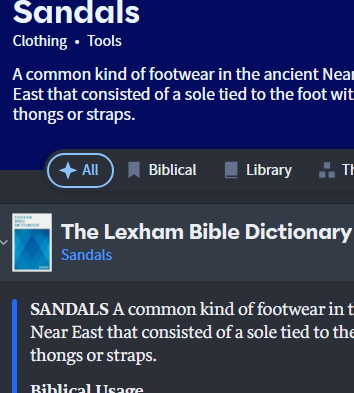
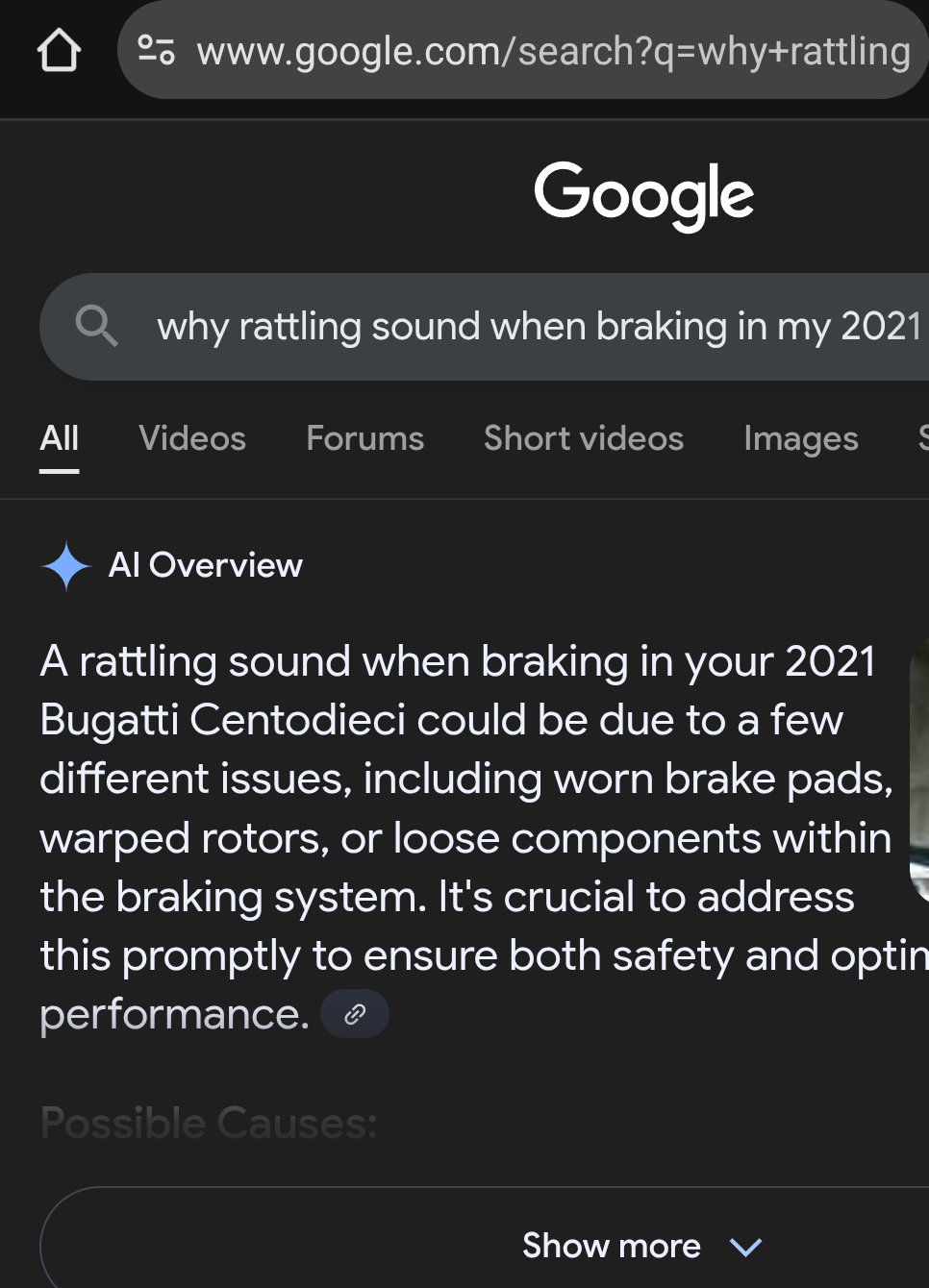
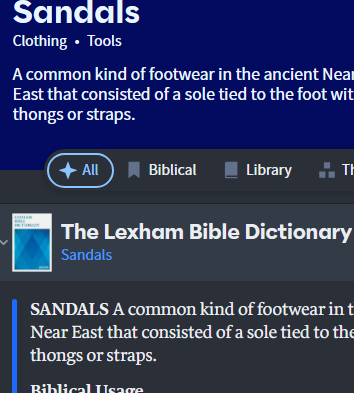
Well, I am not sure just how true this is that "All AI tools are marked with a sparkle icon so you can know in advance whether AI will be used."…. See example above, I click on a word and open it in Factbook, the Factbook opens in "All" tab which is indicated by a sparkle icon, at this point its too late, I am already using feature that uses AI (and only God knows what context data was sent to generate it) without being able to decide if I want to use it or not. This just highlights my point all this AI stuff should have a global opt-out that just prevents me from accessing accidentally.
Okay, I am confused. I thought you were asking about AI in the sense of LLM's that YOU use in Logos. That is a very separate issue than the issue of the security/privacy of your personal data. What are you actually concerned about. Logos does NOT share your data when it executes an AI command to 3rd party providers.
Hi @Andel Roncesvalles ,
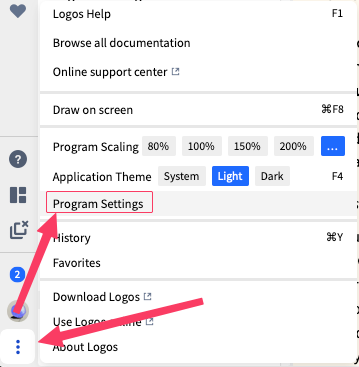
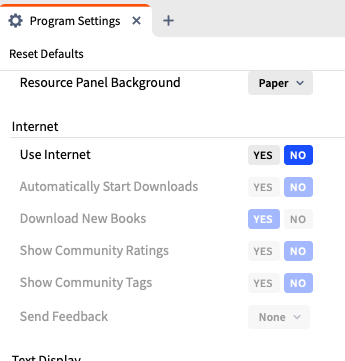
There's a setting that allow the program to turn off Use Internet.
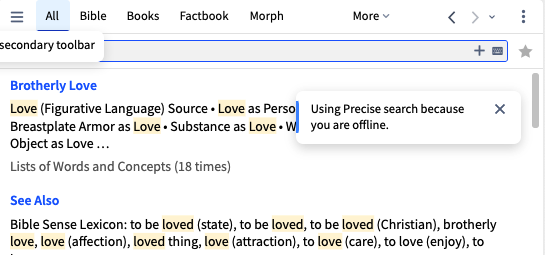
So when the search happens, it will look like this :
Might this be what you're looking for?
On desktop you can install an older version of Logos that did not have AI features.
I never see the FL's AI (or, I've never seen it). I don't subscribe and I operate offline.
But for 'full' disclosure, my own Bible software uses 'AI' for OL analytics. I just have no need for regurgitating AI spirituality from 'my Library'.
There should be an off switch; for now avoid subscribing or stay offline.
Added: I forgot how Power Lookup works, so I clicked on Help. It defaults to AI (and didn't work; I'm offline).
I'm pretty sure the All symbol in Factbook is not supposed to indicate the use of AI. It is admittedly very similar. I would encourage a change here in order to avoid this confusion.
The "All" icon in Factbook is not an AI sparkle icon.
This is good idea, I tried that and looks to be what I was looking for (no AI because program does not use internet). Thank you. But this now raises a question,I cannot purchase new books in the app and when I purchase a new book on the website how do I get it into the app on Windows? Seems complicated.
You can't. Ergo, don't subscribe.
when I purchase a new book on the website how do I get it into the app on Windows?
@Andel Roncesvalles This would require turning on internet temporarily and then turning it off again once all resource updates are complete.
Strange it looks just like at AI icon used all over the internet
No one is going to steal your data or notes. If you dislike AI, you do not have to subscribe to Logos, which comes with AI features. If you go offline, that will solve your problem for the most part. You can go online when you purchase any new books or resources.
It's not the sparkle icon illustrated in our documentation: https://support.logos.com/hc/en-us/articles/35181728416397-How-Logos-uses-AI
Thanks for pointing out that it is the icon that Google has used. We'll look at changing our design to avoid confusion.
I would like to turn off the ai in the search feature, solely because it always states "Theses results were generated by AI and may not be comprehensive, accurate, or relevant. Always use good judgement when relying on AI results." I do not need ai nor do I want ai. I have even managed to correct my web browser so as not to include the ai results. I would like the same in Logos please, how can I?
@Aaron Hamilton thanks for your advice it does work, but the smart search feature is disabled. It should still be available regardless of ai. Remember what ai really is and how it gathers information. Let us rely upon the human brain and not get lazy. When one has to search for what one requires then God's word sits in our hearts better.
but the smart search feature is disabled. It should still be available regardless of ai.
I don't understand this @Jonathan Densham - smart search uses AI services so without AI it can't work.
@ graham criddle. Thanks for that, it explains everything.
@Lobo Feroz … For now, if we don't pay, your stupid AI will not bother us, right?
Afraid not. It will always be in your face. Non-subscribers are now being given free uses to get them started using it. If you do not want it, you will have to manually switch to the other non-AI searches.
Only way I'm afraid is to install an older version of the software and never let it update.
@John I forgot the new freebies. I was about to say, yes, just don't subscribe. FL is really signed on. I think Bible teachers will 'rue the day' when their students are tossing AI back.
I never see Logos' AI (except the AI symbol which they mean to be not AI). Nor the new resource tool bar. Logosian life is blissfully peaceful.
Available Now
Build your biblical library with a new trusted commentary or resource every month. Yours to keep forever.
My Bible reading plan appears on the desktop app and on my iPad, but not on my iPhone. I've tried repeatedly syncing my data, closing the app, etc., but all to no avail. It doesn't even appear in my reading plan at all on my iPhone app. I would sure appreciate someone's help with this. Thanks!
I use Logos on my desktop, and on my laptop. On my laptop my NIVAC commentary is complete but missing on my desktop. I have updated books, the app is up to day, and the message is the book cannot beloaded. It does load fine online too.
I have Logos Desktop on my Mac and the mobile version on my iPhone. I'd like it to synch progress across devices so when I open either one of those it synchs to the latest read position between the two devices. (e.g. I am using my iPhone and I end in Leviticus 18, when I open Logos Desktop on my Mac it opens to Leviticus…
when i click on the "copy to Microsoft Word" link in the expository sermon prep guide, i get a drop down menu. at this point i click on the Microsoft word choice. Nothing happens. It seems that somehow i must have a setting somewhere that links the 2 applications but i cannot find it
i'm on the fence about the pretrib rapture. everyone i know is convinced but i'm not so sure