Is it possible to link a Notebook with a Bible Study Builder Document. I don't want to link a note but a complete Notebook.
Yes!
First, open the notes editor and select the sidebar (three parallel lines).
Then choose the notebook you want to link from the sidebar.
Next, select the three dots at the top of the notes tab (beside the New Note button), and choose "Copy Location." You can also use the keyboard shortcut listed to the right of the "Copy Location" menu item (Option+Ctrl+C on Mac).
Now, go into the Bible Study builder document paste the link wherever you like.
Hope this helps!
@Michael Licina Jr. I have tried that before, but this way it opens the note that was opened when selecting copy location. it does not open the notebook to see all my other notes in that notebook.
The link will open to whatever View you chose beforehand e.g. one column with note headers or two columns with note headers and current note, and then you can add the sidebar…
The link has to be pasted in the Links part of the Info sidebar of Bible Study.
Links
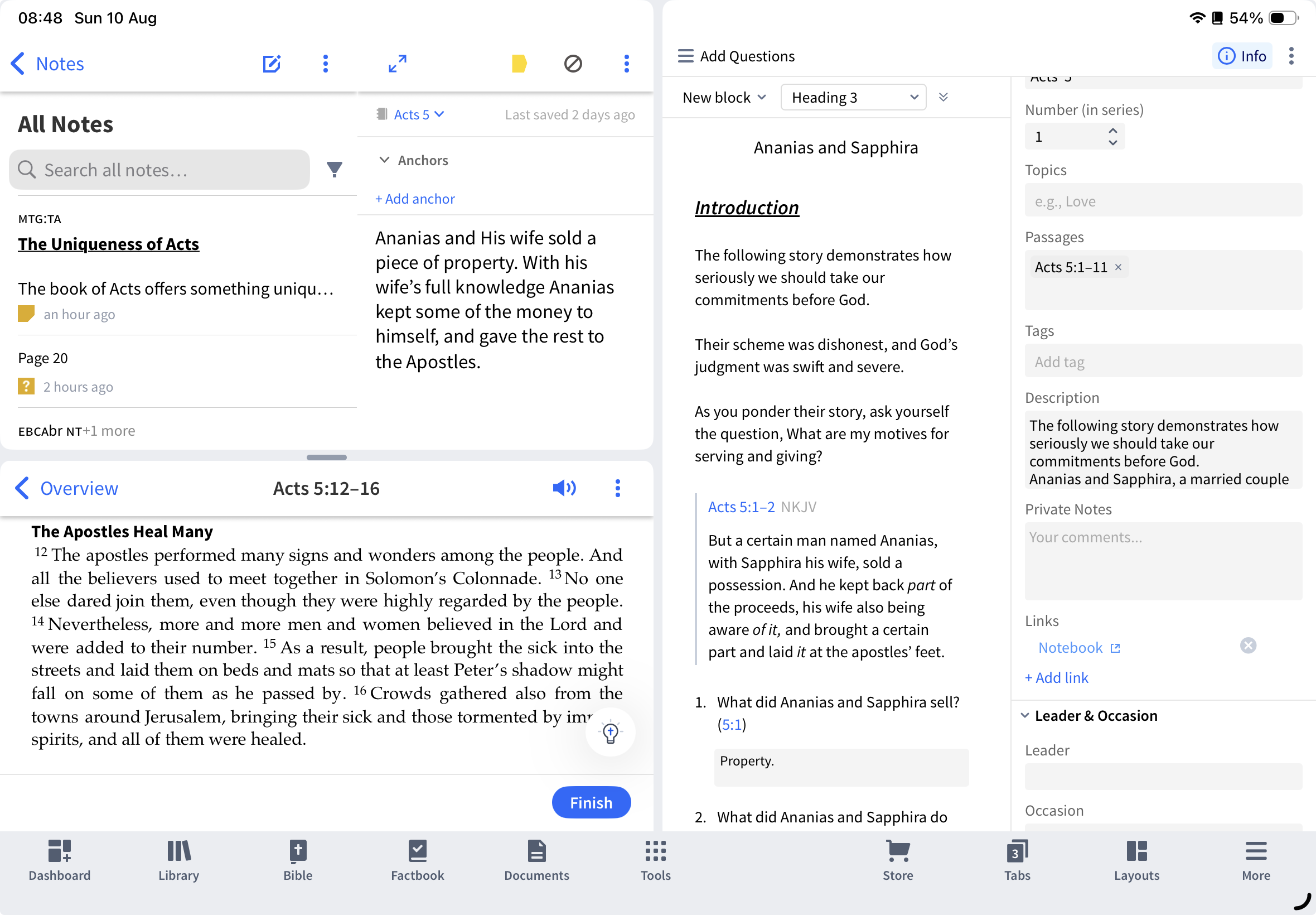
@Dave Hooton I have added the link as you mentioned, but what I have noticed is that the behavior on mobile and desktop does not work the same. On mobile it opens the note tool, but in the all notes section and not in the notebook itself. see screenshot.
@Lukas On mobile it opens the note tool, but in the all notes section and not in the notebook itself. see screenshot.
It behaves similarly on Android. Perhaps report this as a bug.
Available Now
Build your biblical library with a new trusted commentary or resource every month. Yours to keep forever.
In version 49 I could start a Bible reading plan and divide it by pericopes. That doesn't seem to be available in version 50. Am I missing something? That was very useful. If it is not there, are there plans to add it back in future versions?
I use that filter to look at possible purchases and prepubs but I don't see it there anymore? Is this a decision by Logos to move away from Orthodox specific offerings?
Any ideas on how to search for instances of Colwell's Rule in the Septuagint? Logos has provided tagging for Hebrew Grammatical Constructions in Rahlf's and Swete's versions of the Septuagint but they lack all of the tagging for Greek Grammatical Constructions. Any ideas would be appreciated.
As I have mentioned on a few threads, I find the auto-select (on the desktop version) to be really frustrating since when I am just trying to select a word to either copy it or highlight it, it randomly opens in a new column, distorting the width the column I had open, and / or selects the entire paragraph when I am trying…
Hi, I am learning Greek and I find it difficult to read my types Greek vs the Greek in my resource because they are of a different font. φ can come out differently. How can I make the font match so that when I type Greek, it comes out with the same font? I use Keyman to type Greek. The font in Notes says "Default: Source…