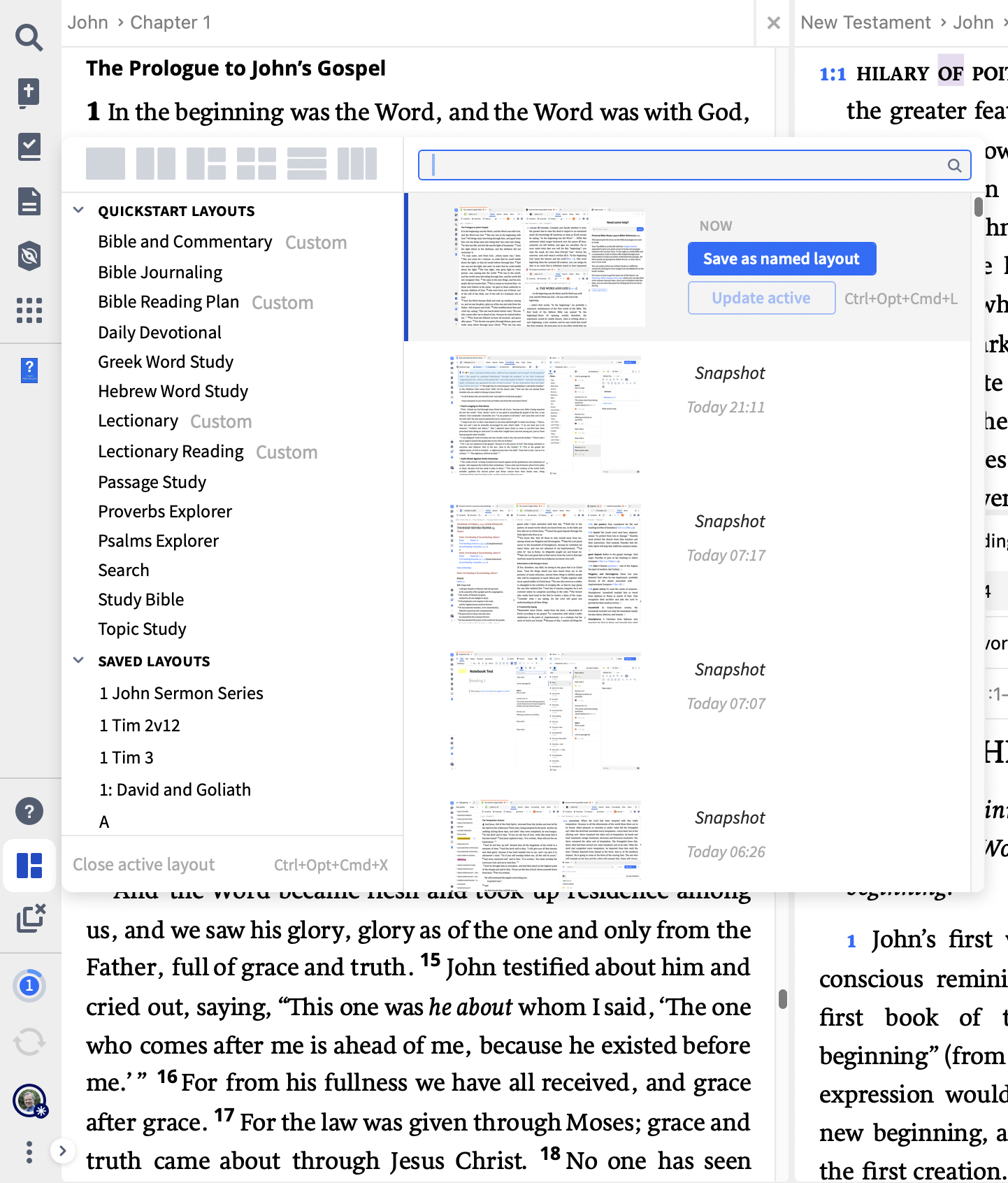
What Layout is used in the getting started series?
Thanks @Shelley Walling
Are you referring to the layout that opens when using the Get Started card on the Dashboard?
If so, those are specifically developed for use with that card and not something we can use from the Layouts menu. But we could construct a layout that matches that and save it as a named layout and then open it as required.
Or am I missing what you are interested in?
Graham, I wad just curious if I could get that layout!
Which series are you referring to? Can you provide a link please?
https://support.logos.com/hc/en-us/articles/360017433892-Basic-Bible-Study-Series
Graham, here is the link.
Shelley
You should be able to get that layout @Shelley Walling
If you use the Get Started card on the dashboard to start a study on the passage it should open that layout for you.
Then if you open the Layouts menu you should be able to save the layout as a named layout which you could then load up whenever you wanted to use it
Does that help at all?
Thanks
Available Now
Build your biblical library with a new trusted commentary or resource every month. Yours to keep forever.
the option to sync my data does not appear beneath settings
I am searching monographs in a collection' Whether I use a passage guide or just do a search with Bible:"Matthew 24:3" I get results for Matthew 24 too. any way to narrow the search results to just this verse
I can't find visual filters, which is what comes up on the web
With no support for Windows 10, does that mean if something goes wrong with Logos 50, I can no longer get support from Logos because of the operating system? How long before there will be no updates sent to those with an operating system less than Windows 11?
Is there a way to print or export to the clipboard the list verses found in a search? I use this a lot in the desktop app and I was surprised to see it missing in the Web app. In the desktop app it is on the panel menu under Print/Export. If this is not available, I hope it will be added soon to the Web app.