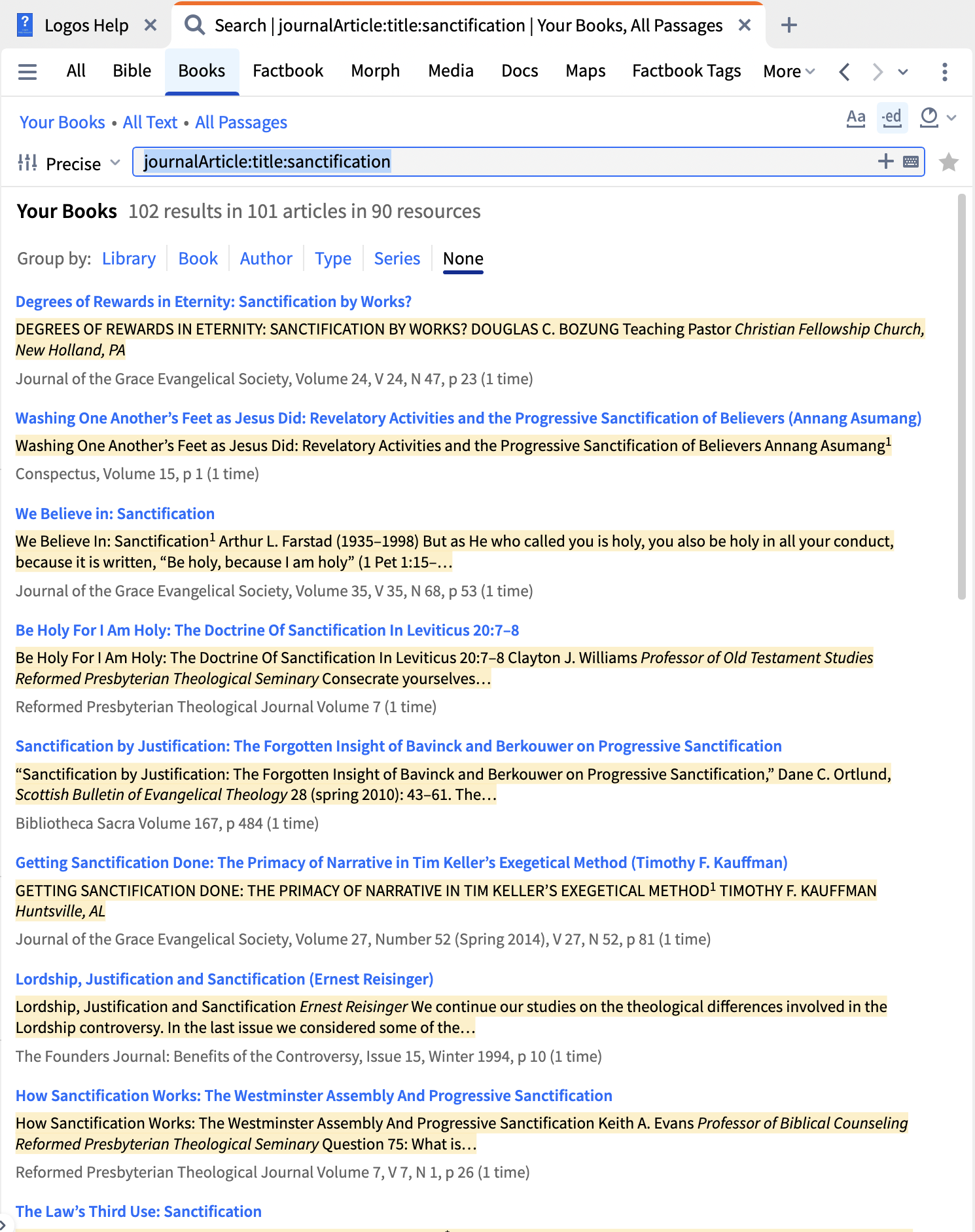
So far I just have this:
journalArticle:*
If I add sanctification then I get too many results. Where are all of the available keywords defined?
I don't know if best, but my way:
I actually keep a search panel for journals in my big layout!
Use journalArticle:title:sanctification
And the helpfile has the search parameters here
I think I'll stick with mine.
It pulled more journals (the 3 I wanted specifically). The difference without too much checking, is pulling an extra level under title (not what OP asked).
I would do it the way that Graham did, but if you want to follow DMB's broader approach without creating a collection, you could do largeText:sanctification IN journalArticle:*. Or just click Your Books in the search pane and replace it with type:journal, then search for largeText:sanctification. Additionally, consider adding topic:sanctification to find journals that might use other words but still address the subject.
Available Now
Build your biblical library with a new trusted commentary or resource every month. Yours to keep forever.
Can someone from Faithlife/Logos provide an approximate date for the arrival of the 2026 Denominational Libraries?
I have the Lutheran Study Bible Notes resource. When I open it, it is always in paged view. No matter what I try, I cannot get it to open in any other way. I click View—then toggle off paged view. But when I open it again, it's back in paged view. Is this a bug?
Hi there, I am new to syntax search, so I am looking for help with an issue where certain results are not showing up. I am trying to find instances similar to the end of Lev. 16:10, where there is a clause with שׁלח and an indirect object with a prepositional ל (for those unfamiliar with Hebrew, the ל would be attached to…
On the Monthly Sale page there is the "Selected Works of Habermas" listed with 60% discount. But on the product page it says 30% - Which one is correct?
I just noticed that the most recent update of my desktop Logos (legacy) has had the "fuzzy" search option removed, leaving only the option to subscribe for "Smart" search for other than "Precise" search. Is the former fuzzy search no longer available? If it still available, how to do I restore it as an option?