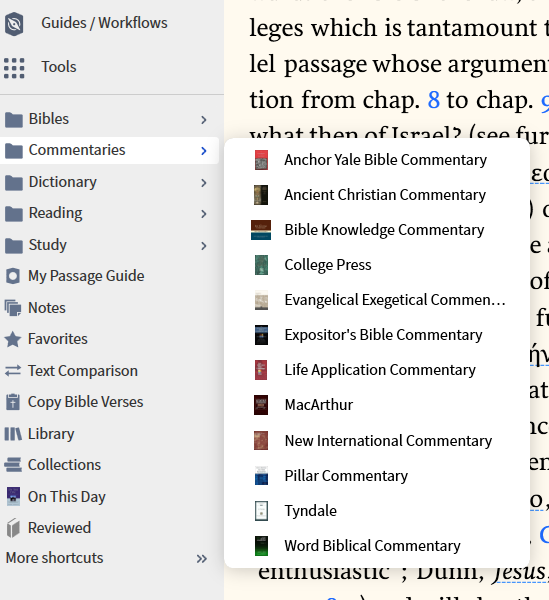
I want to take a specific author and put his/her books in a folder (left side of window). I know how to do it one at a time, but I want to batch the series!!
Create and Use Book Collections – Verbum Support should answer your question. Come back here if you need more help.
Hi @MJ. Smith
I don't see how creating a collection will address @PAUL CLARK 's requirement
He seems to want to have a series of books in a Favorites folder - and I don't know of any way to do that other than one at a time.
I had thought that dragging a collection to the Favorites area would create a link to that Collection - but it only seems to create a link to the Collections tool.
Am I missing what you are suggesting?
I interpreted "left side" to mean the faceted list in the library panel … didn't occur to me that he was speaking of Favorites .
I.E., I want to take McGee commentaries and batch all of them at one time into a Folder called "McGee Commentaries".
I know that this isn't the answer to your question, but it doesn't matter what commentary you open up. You can navigate to any passage in the bible from any commentary in the same series as long as you own it. For example, if you open up Exodus and type John 3 in the reference box, it will go to that passage.
Here is what the left side of my window looks like.
I believe you need to do it one at a time at the moment.
I appreciate all the input, but I'm siding with Dr. Parker, one at a time. I don't mind, but it is tedious and time consuming. Thank you!!
Available Now
Build your biblical library with a new trusted commentary or resource every month. Yours to keep forever.
Dear Folk, Doing a course, and have a suggested search phrase that doesn't work for me. I'm doing something wrong. Search syntax has changed since some of the older screencasts for older courses. How do I search for the any of the first terms near any of the following terms? Suggested search phrase: [(<Topic Divine…
How to Export Bible Verses With Verse Number Left-Justified?
My Bible reading plan appears on the desktop app and on my iPad, but not on my iPhone. I've tried repeatedly syncing my data, closing the app, etc., but all to no avail. It doesn't even appear in my reading plan at all on my iPhone app. I would sure appreciate someone's help with this. Thanks!
How do I download and use logos on linux?
I have a morning and evening sermon each Sunday. Sermon Manager always lists them in reverse order as I scroll down through the dates, showing the evening sermon before the morning sermon for each Sunday, because the time is listed in standard format rather than 24-hour format. Is there a way to show the sermons in…