Is there a way to turn off the ads that almost always show up on my Logos desktop home screen? I get plenty of Logos ads in other places and I'd like to not see them every time I open the app.
Welcome to the new Logos.
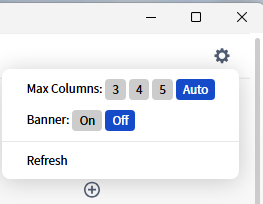
There are ways to turn off some of the banners in settings, but as far as I know, the ads on the Homepage are out of the user's control.
I'd love to use the Homepage more, but at this point, I just skip it and go to my workspace.
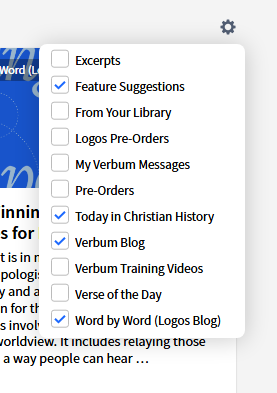
You have some control from the gear icon on the Explore line. Different users define ads differently so I'm not sure how much it will help you. I rarely see ads but that doesn't mean they aren't there if I scroll further down.
The banner is controlled by the gear box at the top of the dashboard page - if you are not on the free edition.
Available Now
Build your biblical library with a new trusted commentary or resource every month. Yours to keep forever.