Didn't we use to be able to scroll on the Desktop version by using the touchscreen? Mine only selects text right now. Is that a setting or I am just misremembering?
Scrolling with the touchscreen is a pretty big deal, IMO.
Not sure when you 'used to'. But on my touch screen, it depended on my touch-screen settings (to scroll Logos).
Mine scrolls (Windows 11 laptop).
Everything other program scrolls as normal with the touchscreen. It appears to be only Logos. (and I think it just changed, perhaps with the last update.) Any idea where this setting is?
I don't have my touch screen PC at the moment, but it worked last time I had it.
Hi @Larry ,
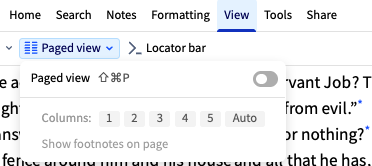
Just wondering if Paged view is on ? Might be worth it to check it out as it prevent scrolling vertically.
Thanks @Michelle, Paged view is not turned on. It will scroll with the arrow keys. It will scroll with the arrow keys and with two fingers on the touch pad. Just not with the touchscreen.
Hi Larry, thanks for the reply, that helps to eliminate one of the possibility, how about this solution below ?
When using a touchscreen in Windows, scrolling through app settings can sometimes lead to unintended text selection. This occurs if you press and hold too long before swiping. To scroll effectively, use a quick tap followed by a swipe.
You can modify touch scrolling behavior to improve your experience:
To prevent text from being selected while scrolling:
Control Panel
Pen and Touch
Long Press
By following these tips, you can enhance your scrolling experience in Windows settings and other applications.
excerpt from DDG search assist
Oddly enough, the touchscreen scrolling came back this morning. I made no changes to my computer or settings.
Available Now
Build your biblical library with a new trusted commentary or resource every month. Yours to keep forever.