Open a resource in a floating window.
"Restore" the Logos main window and position it sort of side-by-side with the floating window, but overlapping so that you can see the tab area of the floating window sticking up from behind it and the main Logos window extends off to the right. Like this:
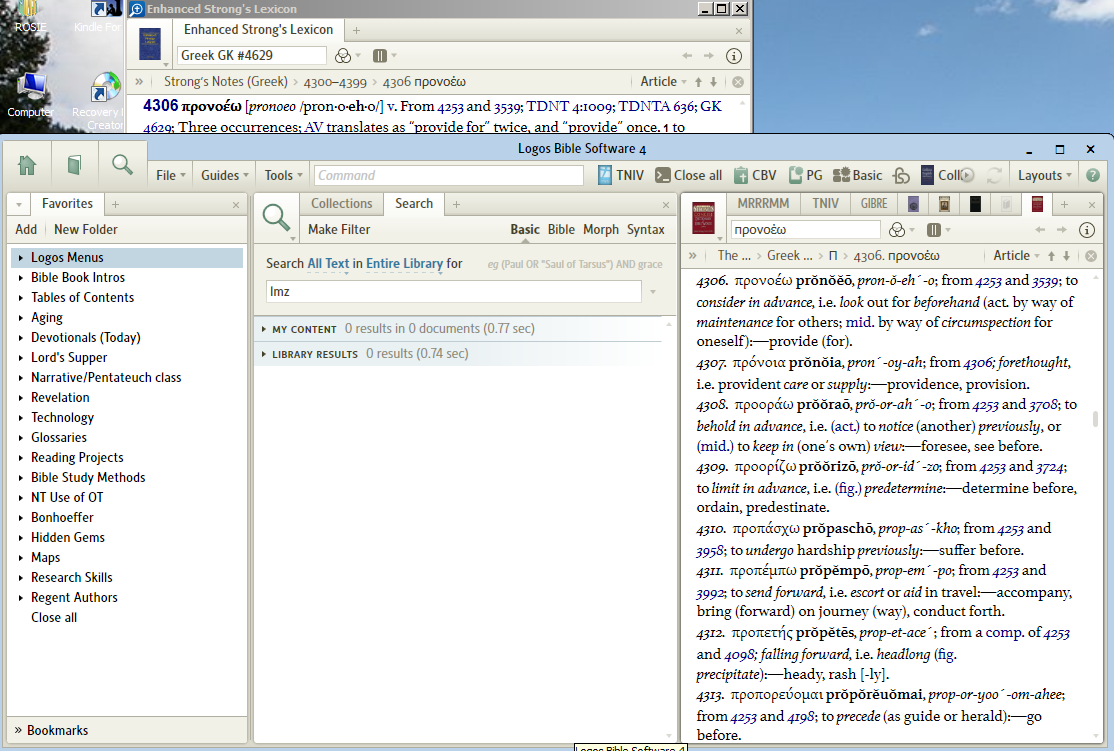
Now drag a resource from the main Logos window by its tab, position it to the right of the tab in the floating window and drop it there. The tab moves over to the floating window but the floating window does not come to the front. It should.
Now click on the title bar of the floating window to bring it in front. Drag the resource back from the floating window to where it was in the main Logos window. Again it doesn't bring the destination window to the front. It should. Whenever you drag and drop something, you should be able to see the thing you just dropped -- in the foreground.

