Logos 4.2 tried to do a full reindex last night. A couple hours into it there was a crash I haven't seen before. Attached are the log files.
5023.Logos4IndexerCrash.zip
Mark,
You are really having a rough go of it these days. Yet, again! I do hope you get it fixed SOON and also that there is some redemptive value in it so that others do not have to go through it, too.
Logos 4.2 tried to do a full reindex last night. A couple hours into it there was a crash I haven't seen before
Likewise. Occurred on LLS:12.40.131, whatever that is. But you can't keep decimating your resources because they don't index ALL the time! Seems hardware related as mentioned before. Bring it to the attention of Logos Technical Support.
Occurred on LLS:12.40.13
I think that was a Semeia volume.
Tonight I will try running again with extra cooling. Then I'll contact Tech Support if that doesn't work.
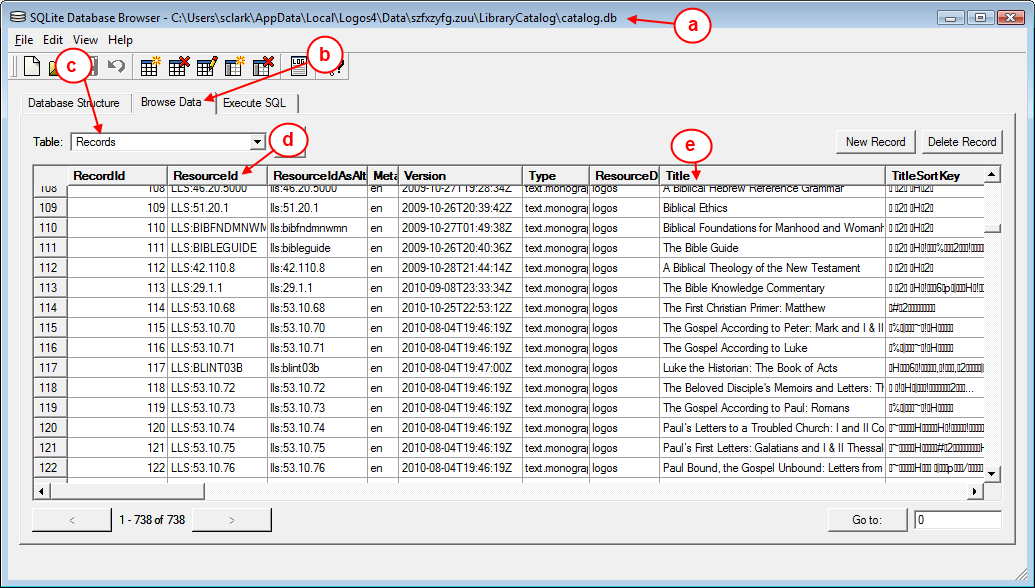
in the future if you want to verify which Resource_ID belongs to which resource, you can use SQLite browser to look it up
(Click to zoom in on image)
a. This is the db location on your HD.b. Select this tab to view datac. Select Records.d. This is the Resource_ID, find the one you are looking for.e. This is the resource's title.
hope this is useful (actually i hope you will not need it again)
That's handy.
If there is just one, you can copy the LLS info and paste it into the Command Bar and it will tell you what the resource is.
And, yes, it was a Semeia volume.
Nice, that is even easier.
If you just want a few.
I downloaded the browser so now I am set. Thanks.
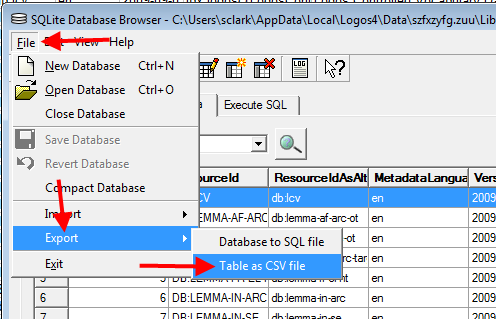
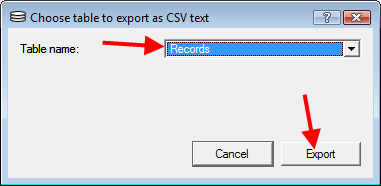
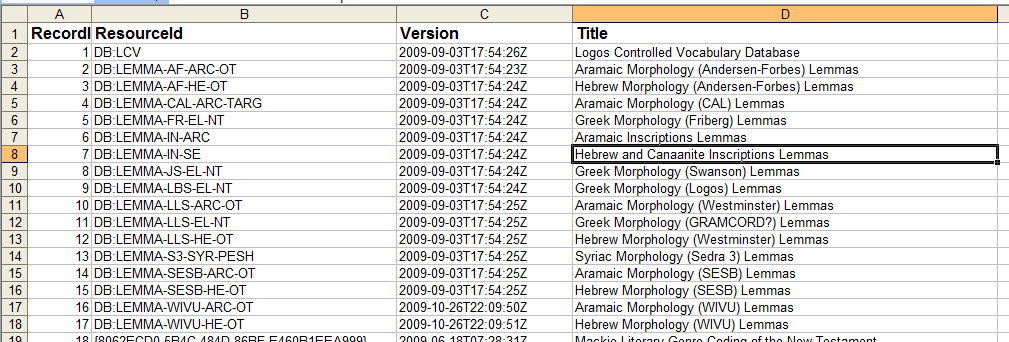
After opening the db, you can export it to a CSV file which you can open with Excel. Then delete the columns in Excel that you don't need. i prefer to use excel to locate stuff.
then just select the destination folder & filename.
Put the computer in a cold room with a fan blowing on it overnight and woke up to a successful reindexing. So problem solved but some issue remains.
I'm always very skeptical when I hear that people think some kind of software error at the application level might be caused by intermittently flaky hardware. A blue screen of death or a non-working peripheral, sure. But it sounds like maybe you do have one of those rare situations...
Have you tried memtest86 yet? There are couple of versions (looks like there was a fork):
http://www.memtest.org/
http://www.memtest86.com/
I've successfully used it in the past to find flaky memory (the most likely cause of your problem, if it is in fact a hardware issue).
FWIW...
Donnie
Have you tried memtest86 yet?
Vista/Windows 7 has its own Memory Diagnostic Tool (type memory after opening the Start menu).
Yes, some time ago but not recently.
Vista/Windows 7 has its own Memory Diagnostic Tool
And I just used that to check my memory and there were no errors. I have similarly checked my hard drives and there have been no issues. So, perhaps it is overheating, but if so, it's a relatively new issue.
Available Now
Build your biblical library with a new trusted commentary or resource every month. Yours to keep forever.