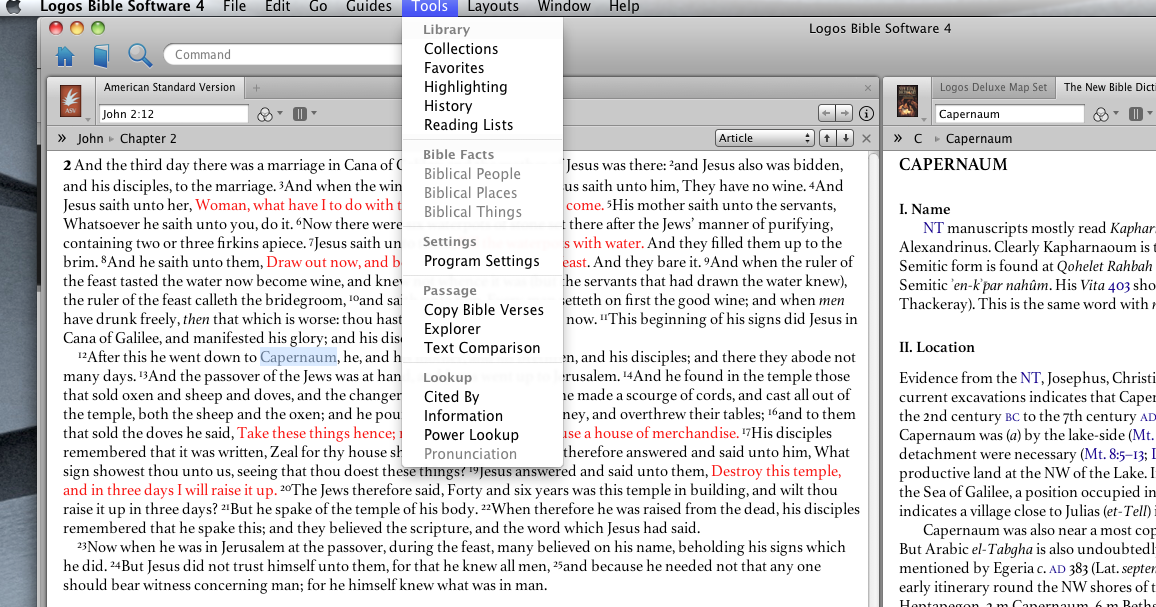
I have Logos 4 installed on a Mac Computer. Whenever I try to use the Tools Biblical People, Places and Things it is greyed out and non . I have the Home Edition.
See Attached
Any Ideas?
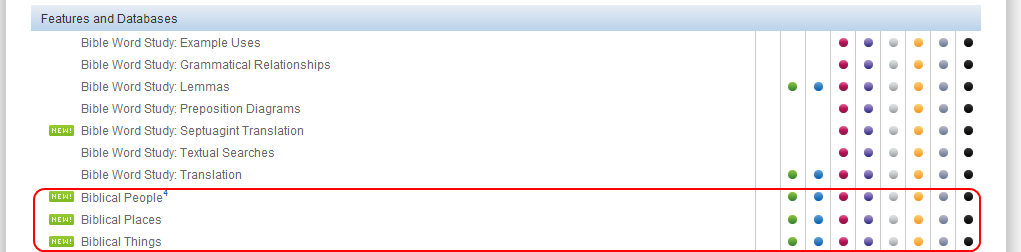
The comparison chart http://www.logos.com/comparison shows these features are not included in the home edition. Welcome to the forums.
what does Bible Facts item?[A]
Ok thanks for that - The base edition includes Logos Maps - Can you point out in the feature set specifically where it implies that you cannot search maps?
I want to change my order to the correct level. Since I just purchased this product, how can I accomplish this. I put my order on one card. It was a gift. Can I call in an order and get the additional features as if I purchased it?
Larry
The base product includes maps, see attached. My assumption is the that the Tools Bible places would work with those maps
Unfortunately (for you) I am running on a PC with a higher level. Can someone on a Mac answer this?
Larry,
Logos Deluxe Map set is a separate resource that can be purchased. As your image from the comparison chart shows, it comes with the Home base package.
But as shown below, Biblical People/Places/Things is not part of your base package. They are databases which have a tool which works with them (see some of the images on this wiki page http://wiki.logos.com/Biblical_People)
Perhaps if you need these features you could upgrade to the Bible Study base package...sorry. Or you might try contacting Logos sales department (800) 875-6467 or by email.
Concur Home edition lacks many Logos 4 features => http://www.logos.com/comparison If upgrade to higher package, Biblical People, Places, and Things become usable along with many more features. If you would like to see feature example(s), please ask.
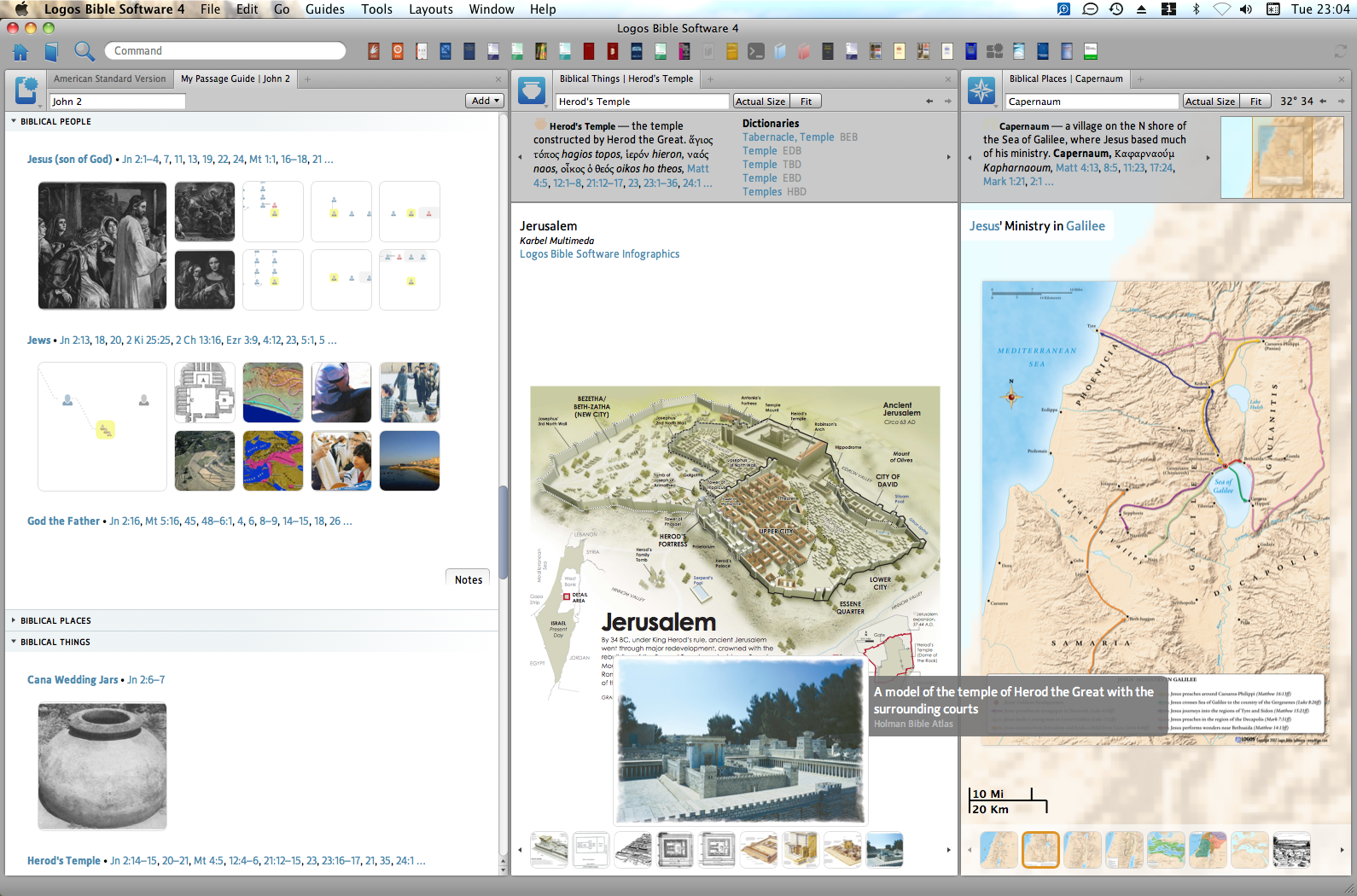
Noticed Capernaum highlighted in original post so used Tools => Biblical Places (opened a panel) - typed Capernaum - next opened a Passage Guide for John 2 - collapsed Biblical Places - since Herod's Temple off screen, scrolled down, clicked it then dragged panel to middle - scrolled up in Passage Guide to show Biblical People, Places, and Things - hovered mouse (hand pointer) over Herod's Temple for a Biblical Things color pop-up (with grey box - title and resource reference):
Keep Smiling [:)]
what does Bible Facts item?
Bible Facts is a Grey Heading - Wiki has example of Tools menu on Mac and PC => http://wiki.logos.com/Mac_and_PC_User_Interface_Differences#Tools
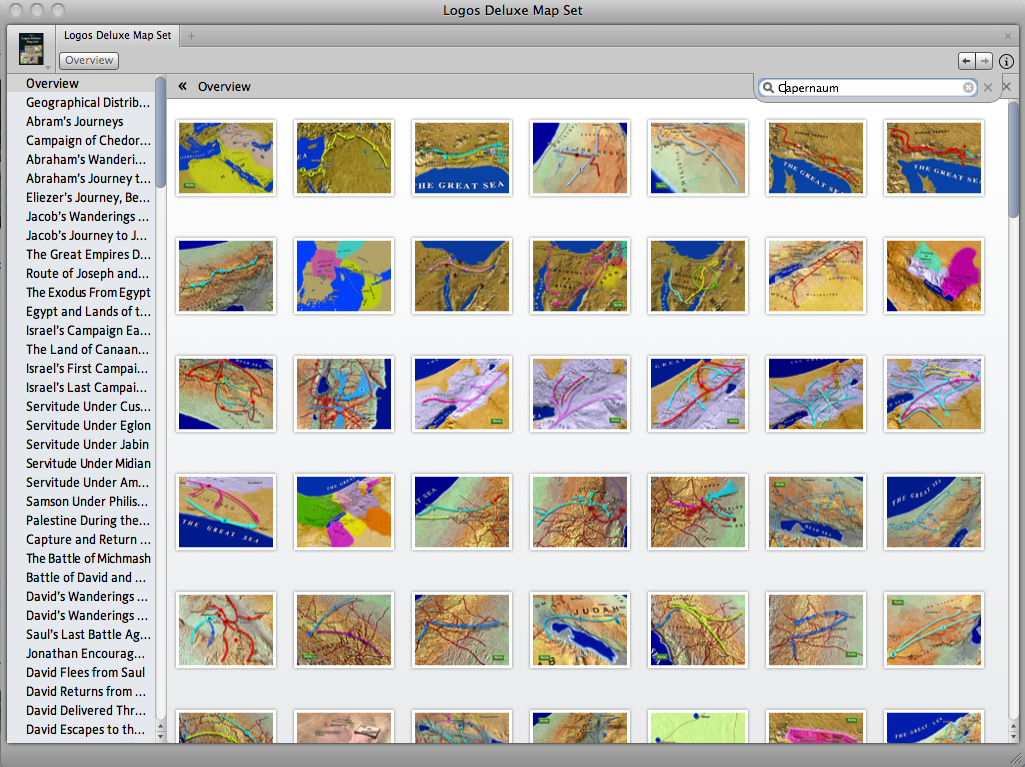
Logos Deluxe Map Set is included with Logos 4 Home Edition - searching for Capernaum within resource finds nothing:
Concur with suggestion to call Logos - discuss upgrade options (and possible discounts). During December, base package purchases were discounted. If qualified, ask for academic pricing.
Looking at comparison chart => http://www.logos.com/comparison Scholar's package includes all Logos 4 features. Suggest looking at resources included with each package - personally appreciate United Bible Society Handbook commentaries that are included in Scholar's Gold:
http://www.logos.com/product/6555/the-united-bible-societies-new-testament-handbook-series - NT $ 399.95 (if purchased separately)
http://www.logos.com/product/7842/the-united-bible-societies-old-testament-handbook-series - OT $ 400.00 (if purchased separately)
Thanks for all the help. I upgraded to the "Leader" edition to address the features I'd like to use.
Next questions:
1. Where are all the files stored for Logos. I downloaded the upgrade and see there is a dmg file in my downloads folder. I'd like to make sure I know where everything else so that I can backup my files.
2. What or How is my use of Logos affected when I do not have a connection to the internet?
This application just amazes me - I've spent years doing it the "old school" way - A big time saver for sure
Logos 4 Mac has an Application - can Download current stable release of Logos 4 Mac - currently dmg about 75 MB
Logos 4 is licensed per user for use on many devices (e.g. have option to install on PC and use Logos application on iPad) to access your library of resources.
Wiki section has Logos 4 folder path and 3 parameter list files => http://wiki.logos.com/Mac_Troubleshooting#Uninstalling_and_Reinstalling_in_Logos_4_Mac
Wiki also has Time Machine exclusion idea => http://wiki.logos.com/Mac_Troubleshooting#Time_Machine_Backup (since Logos indexes can be rebuilt, they do not need backup)
By default, Logos 4 syncs your information to Logos servers. If computer crashes, have option to download Logos 4, install application, sign-in, resources and your information (library priorities, collections, notes, guide customization, named layouts, reading lists, resource locations, etc) will be downloaded.
When know not using internet for extended time, suggest changing couple Logos 4 Program Settings to No:
Automatically Download Updates
Use Internet
By default, Logos 4 automatically checks for program and resource updates along with syncing your information every few minutes.
I guess my real question is this - Where are all the books stored? I.E Dictonaries, mapsm Commentaries etc.
It's kind of hard to believe its all stored in a 75 mg dmg. Could be wrong.
When I add a encyclopedia for instance ISBE does that get downloaded into the 75 mg dmg or is that on a server somewhere?
Can I still access all my reference books when the internet is not available is another way of asking the same question.
Thanks,
Hi Larry
From http://wiki.logos.com/Quick_Installation_onto_Multiple_Macs your resources are stored in the
"/Users/username/Library/Application Support/Logos4/Data/random/ResourceManager/Resources" folder where "username" is your login name.
Yes, you can.
Graham
Perfect - Thanks !! I'm dialed in now
Some extra info on the things Logos uses the internet connection for
Available Now
Build your biblical library with a new trusted commentary or resource every month. Yours to keep forever.