So, I know that Word 04.07.08 can not do a hyper link between Logos and a word document. Does anyone use Microsoft office for Mac 11 and have the same problem? Does Office 11 for mac work for hyper links?
Stephen -
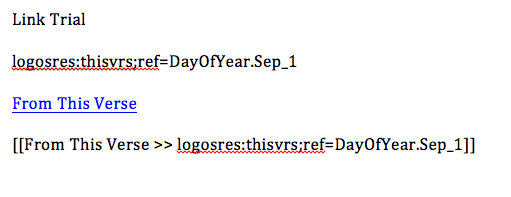
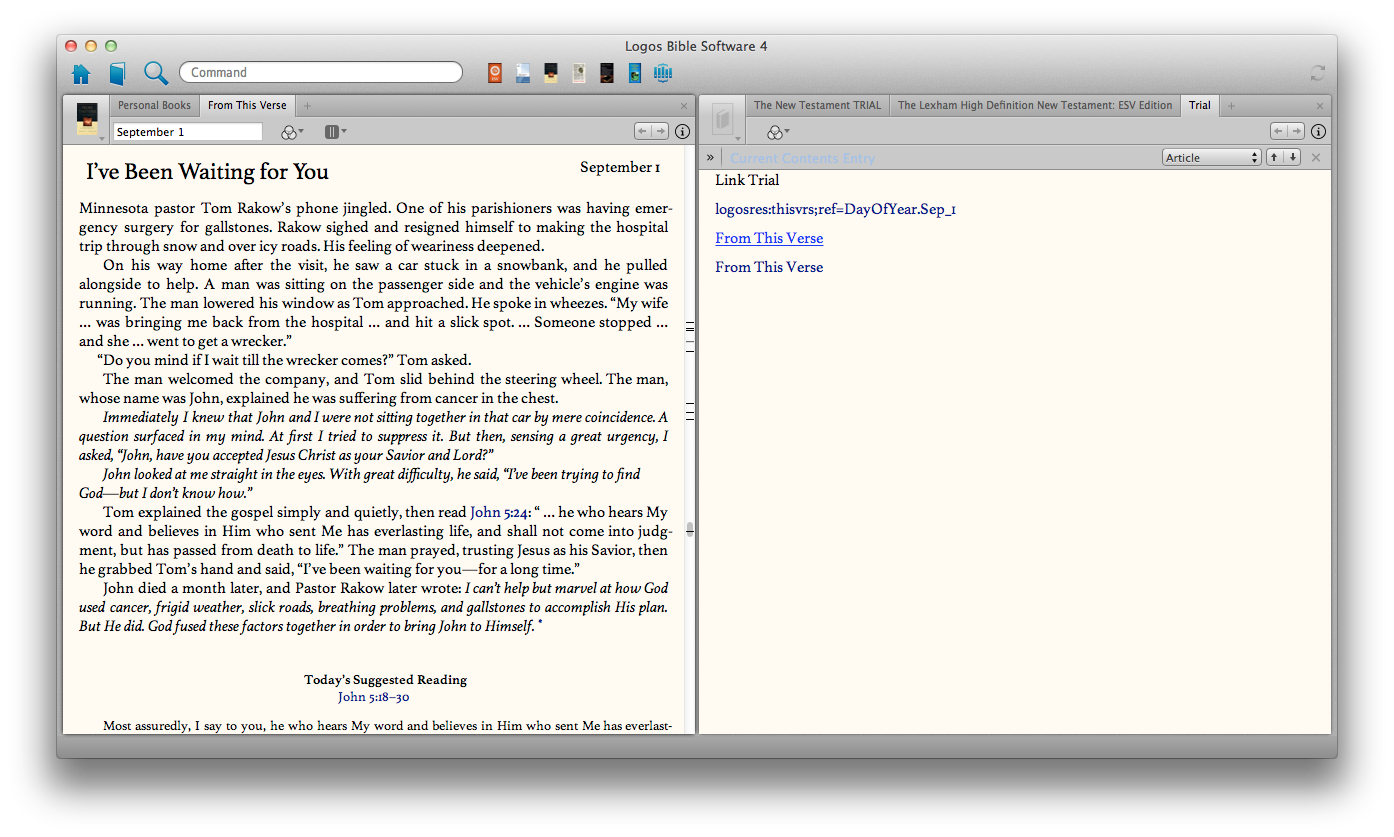
I think that your best option is to create a Personal Book using PBB & .docx files. The first screen shot shows the syntax used in Word. NOTE: none are clickable within word except for the second one (which uses Word's built in hyperlink feature), and it does NOT work. The second screen shot shows the resulting PB created using the .docx file. The syntax you will want to use is [[label >> link]], where "label" is whatever text you want visible.
By the way, this can be done in the FREE libre office.
I have confirmed that the following links work out of an exported RTF opened in TextEdit to test this functionality:
What does not work:
One of the interesting things: Word 2011 sees the link as "file://localhost/logosres/evry67co1%3Bpos=GLOSS.25" in the edit box, whereas the initial bulleted list shows the exact form seen in this posting. Clearly there's some kind of "translation" that occurs that breaks the format. Don't get too excited: editing the link to the above format makes no change in the failure. Also tried exporting directly to new Word Doc: all links still broken in the same way.
It seems that the URL handler logosref is unrecognized by Word 2011, likely because of past abuse with Word Docs and viruses. Not sure how to "Fix" that with a proper URL format. Needs more research.
Available Now
Build your biblical library with a new trusted commentary or resource every month. Yours to keep forever.