Ok this got raised in 4.5 Beta 2, and is still an issue.. although I am surprised it hasnot been sorted yet.

so add a higlighted style annotation or several, and also add a reference annotation.. (as below)
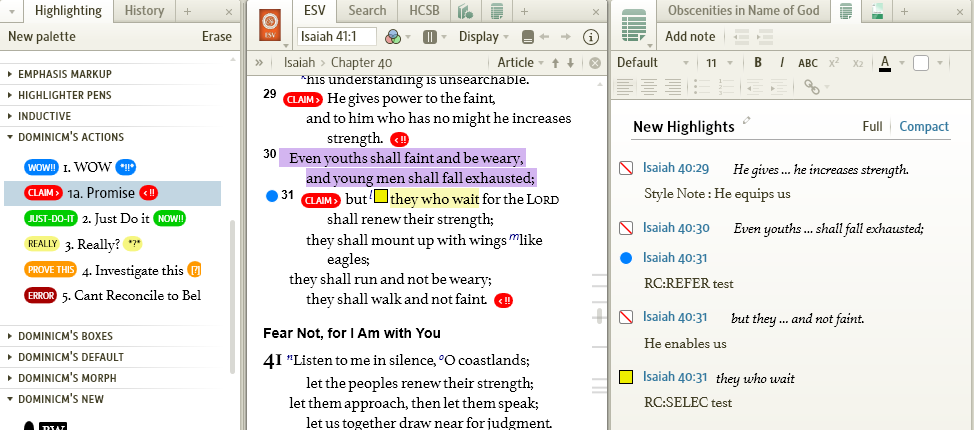
thinking months down line you decide to remove the markup.. when we highlight the selection, and erase it, from the "Erase" on the highlighting panel it all goes badly wrong (below)
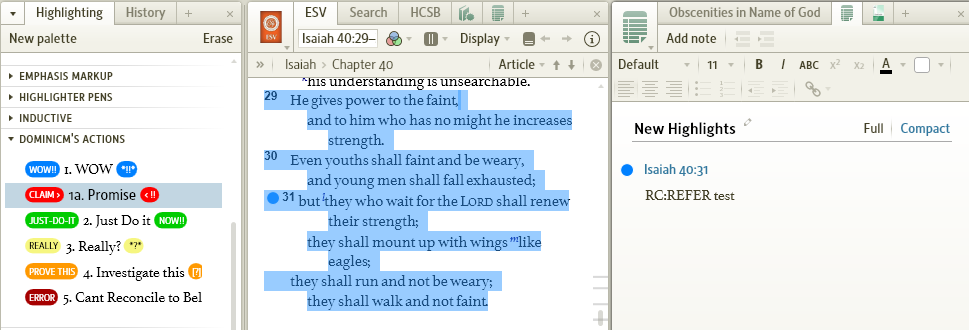
all the corresponding notes get wiped even though there are Annotations present except the reference note..
Issues:
- there is no undo (ctrl-z) so you can't reinstate them
- auto-deleting annotation of any kind where content exists is to me bad practice...
- If there is content please only remove the markup and NOT the note.
This is getting to stage where if it remains like this I will not be updating from 4.3 to 4.5 when it goes gold