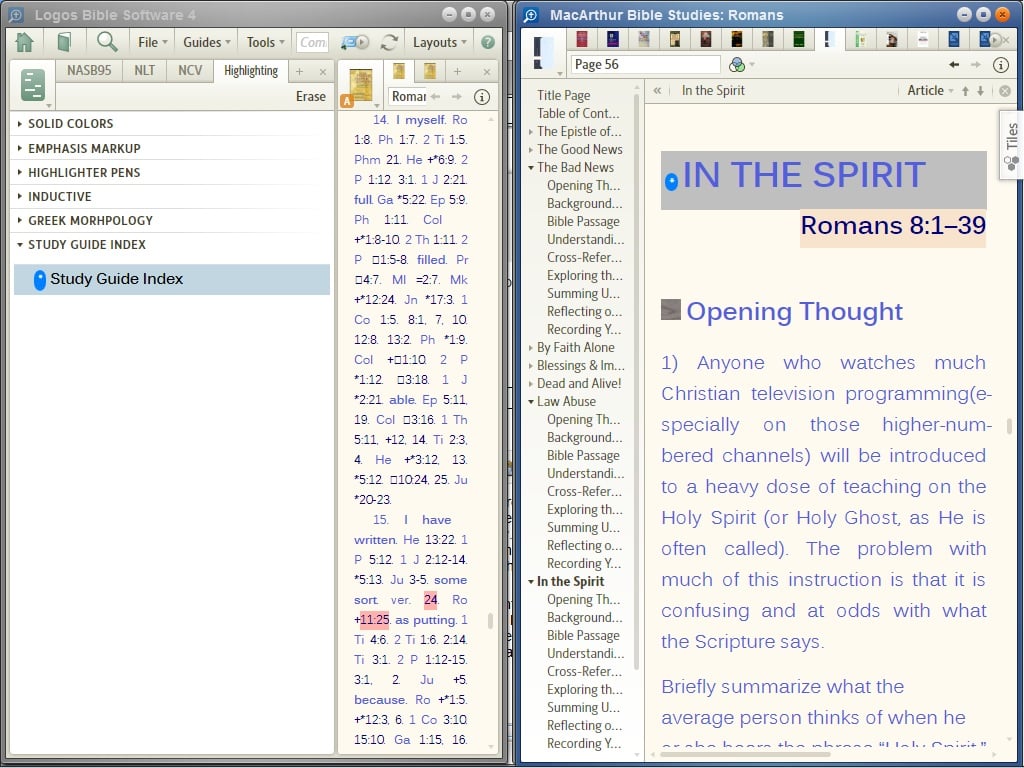
I have some study guides (they are keyed to different sections of scripture and have questions and insights along the way to help you explore what you are reading). Unfortunately the study guides I have such as the MacArthur Bible Study series do not have milestones marking the different sections of the study. What I wanted to do was have the study guide scroll along with my bible so I can look at the accompanying questions and insights as I study. Since the study does not have the milestones in it you have to open the study book and find the chapter for the verse you are studying.
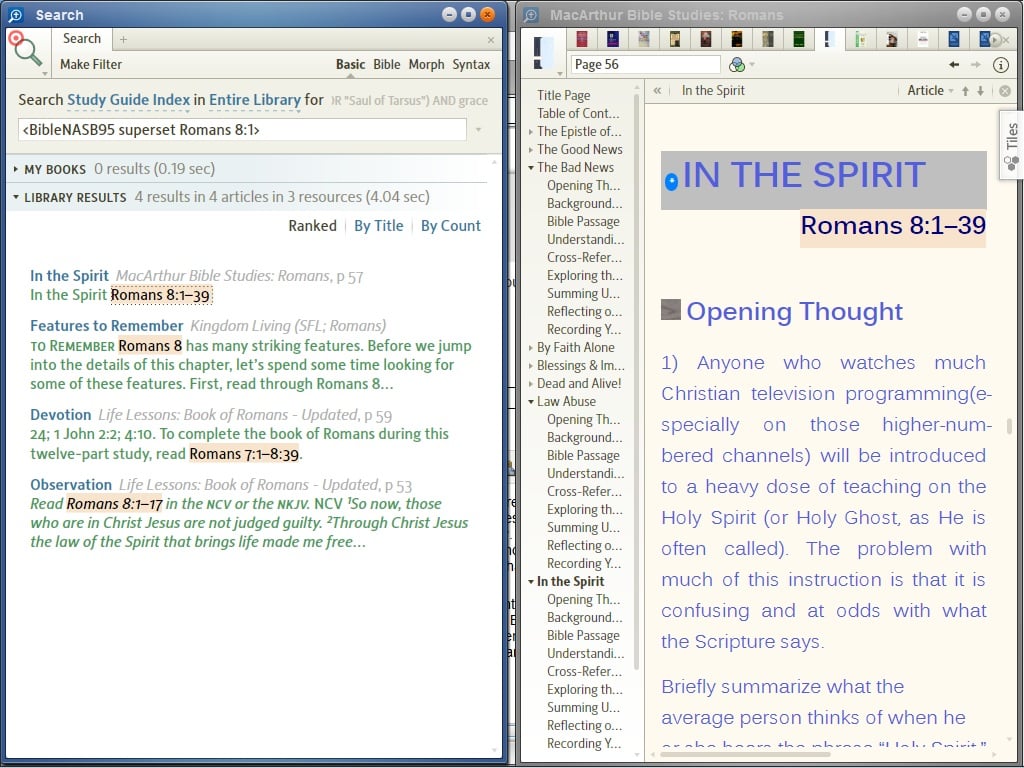
Then I realized I could use highlighting to do something similar. I highlighted the key scripture range verse from each chapter in the study books with a capsulated highlight that I called Study Bible Index and it just looks like a little colored circle with an * in it. Now I can do a search for any scripture using a superset search (ie <BibleNASB95 superset Romans 8:2>) and selecting Study Bible Index from the menu instead of "all text" and then I can just click on the study guide I want and it will go right to the section that deals with the scripture I searched.
If anyone has a better idea for how I can quickly open these books to the relavent section then let me know. BTW a search on my study guide collection gives too many hits that I have to wade through to find the section that deals specifically with the verse I am studying (it shows any mention of the verse anywhere in the book).