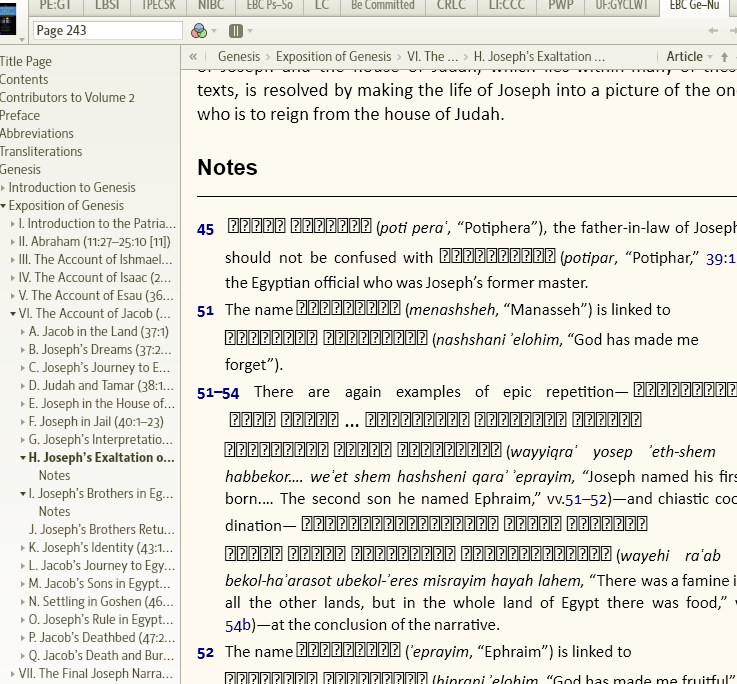
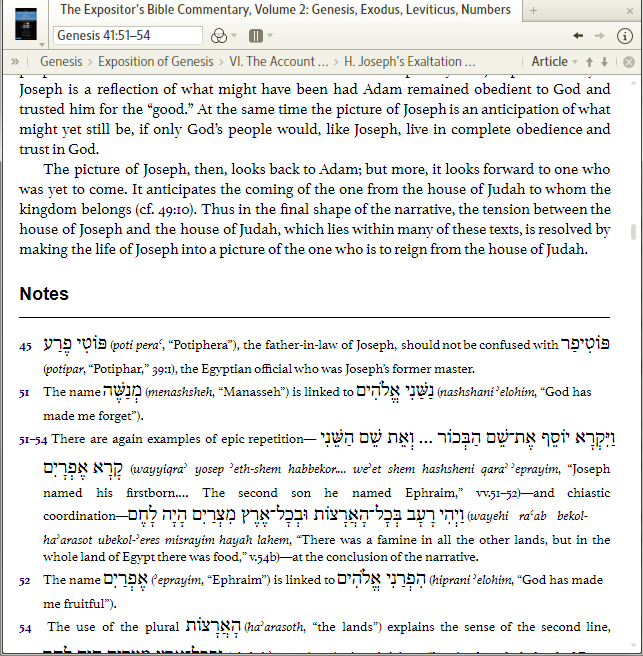
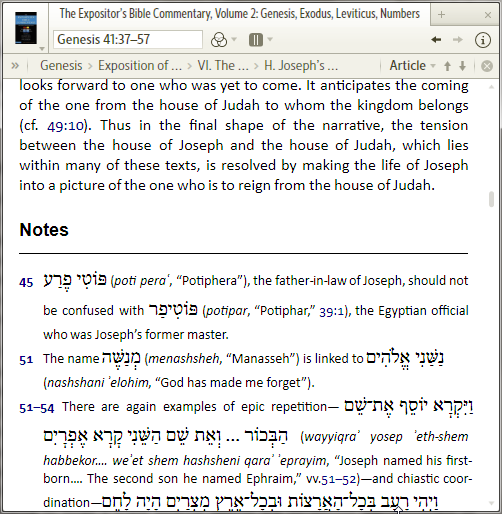
Is this supposed to be like that???
The Expositors Bible Commentary, Volume 2, Page 243, or Genesis 41:40 in the The Expositors Bible Commentary
It looks like you've selected a Default Font that doesn't support Hebrew. It looks fine in my copy, but I have the Default Font set to "Default".
Scratch that. Changing the default font doesn't affect the Hebrew setting. Now I'm not sure.
It's supposed to be Hebrew so check your Hebrew Font in Tools > Program settings. I use SBL Hebrew. (but the Default Font would be used in this resource!).
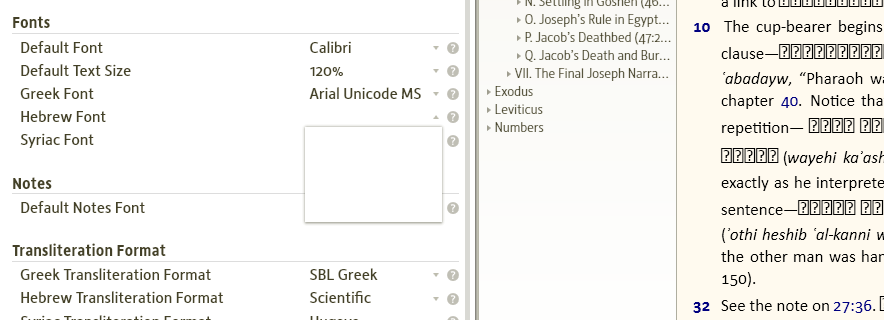
Hebrew font is blank, I changed the Default Font from Calibri to Arial, and Hebrew letters appeared. I would like to keep Calibri since I like this font and am not reading a Hebrew. But anyway, my Hebrew Font is blank and I do not have any options to change a Hebrew font.
Changing my Hebrew font setting affected the rendering in this resource, whereas changing the Default Font didn't affect the Hebrew letters.
I would recommend downloading a Hebrew font. Try this:
http://www.sbl-site.org/educational/BiblicalFonts_SBLHebrew.aspx
I can change my Default Font to Calibri without messing up the Hebrew letters, probably because I have Hebrew fonts installed and selectable:
FYI, My Hebrew is set to SBL Hebrew and the translit. is Scientific and it seems to work well. I forget where the wiki is that recommends these..
I would recommend downloading a Hebrew font. Try this: http://www.sbl-site.org/educational/BiblicalFonts_SBLHebrew.aspx I can change my Default Font to Calibri without messing up the Hebrew letters, probably because I have Hebrew fonts installed and selectable:
I Installed Hebrew font to windows, but still have no option
Did you restart Logos? You might even try restarting Windows. Otherwise I'd call support.
I understand you installed the recommended SBL Hebrew font, not just any Hebrew font? Then this is weird. Maybe Ezra SIL (another free Unicode Hebrew font, available here: http://scripts.sil.org/cms/scripts/page.php?item_id=SILHebrUnic2 ) can help. The point is the Unicode. You should be able to see these as options for the Hebrew font. For example, I have a font named SHebrew on my machine but it's non-Unicode and thus Logos doesn't offer it for selection. So you need to make sure you use the right ones.
That said, your display looks a lot like other font issues we observed in the past in slightly older resources where foreign language text in Non-Unicode fonts crept into Logos and all the old-timers who have Graeca and other of these fonts installed from Logos 2 - or from competitor software that hasn't yet managed the Unicode conversion - see no issue. If this is the case you may try by selecting a bit of the text and pasting it to Word - it will tell you the font's name even if it is not installed in your system. I don't have the EBC resource to check myself, but maybe this can help.
I Installed Hebrew font to windows, but still have no option I understand you installed the recommended SBL Hebrew font, not just any Hebrew font? Then this is weird. Maybe Ezra SIL (another free Unicode Hebrew font, available here: http://scripts.sil.org/cms/scripts/page.php?item_id=SILHebrUnic2 ) can help. The point is the Unicode. You should be able to see these as options for the Hebrew font. For example, I have a font named SHebrew on my machine but it's non-Unicode and thus Logos doesn't offer it for selection. So you need to make sure you use the right ones. That said, your display looks a lot like other font issues we observed in the past in slightly older resources where foreign language text in Non-Unicode fonts crept into Logos and all the old-timers who have Graeca and other of these fonts installed from Logos 2 - or from competitor software that hasn't yet managed the Unicode conversion - see no issue. If this is the case you may try by selecting a bit of the text and pasting it to Word - it will tell you the font's name even if it is not installed in your system. I don't have the EBC resource to check myself, but maybe this can help.
[Y]Thanks Tod and NB.Mick! Now it works. I see Ezra SIL as an option.[H]
It would be much easier if Logos would include all the fonts which are essential for this software.
They do. The Default fonts include all characters necessary, but if you want to use your own choice in fonts, then you'll need to experiment.
-adding to Todd's post - you must always remember to restart Logos for any program changes to take effect....
Actually many of the options in "Program Settings" don't require a Logos restart.
-adding to Todd's post - you must always remember to restart Logos for any program changes to take effect.... Actually many of the options in "Program Settings" don't require a Logos restart.
Installing a new font also shouldn't require a program restart. It doesn't for MS Word. There's an open case for Logos to fix this, which I reported as a bug two years ago: http://community.logos.com/forums/t/15988.aspx.
Available Now
Build your biblical library with a new trusted commentary or resource every month. Yours to keep forever.