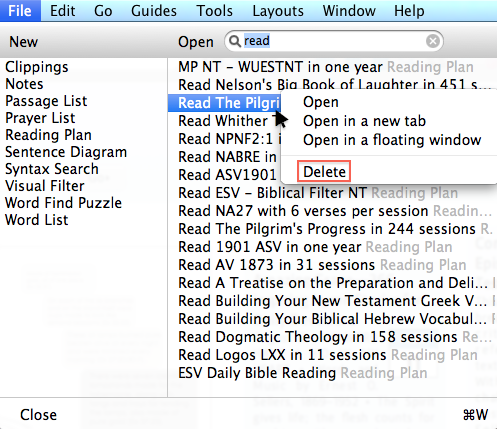
I just starting using LOGOS yesterday for my Mac Book Pro and inadvertently created a few reading plan's and now I cannot figure out how to delete them. I went to the help module and I tried the following;
"Delete a Reading Plan document:
1. Click on the File menu.
2. Right-click on the document to be deleted and choose Delete."
When I right click on the document all it does is open up the reading plan. I hope someone cab come up with a solution for me!