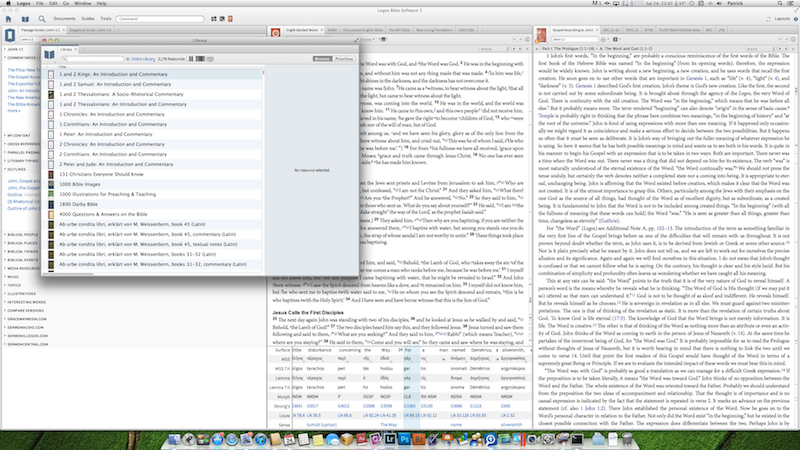
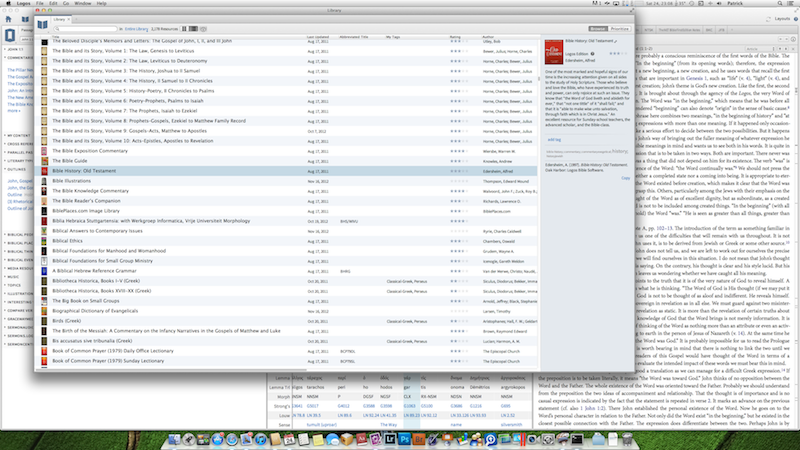
I have noticed that the Library window size in Logos 5 still opens up to a very small size — would be fine if screen was VGA but I am running 2560x1440. I also note now in Logos 5 that even if I resize the Library window (each time I run the application) it does not retain those dimensions even in the same session (unlike Logos 4). I have to make it bigger every single time I open it.
The first screenshot (they both have been reduced in size to make image upload file size smaller) shows the proportions I see when opening the Library window. Given that it is an overlapping window which one will dismiss once the book is selected I don't mind if the window is takes more screen space, I'd like to see more columns. The second screenshot shows the proportions of how I resize the window.
Question:
- Is it possible to make the window size (like the main Logos 5 window) persistent across sessions once it is resized. Obviously would not be hard to do.
- Could the top, left window coordinate be so the library window sits (on the Mac) so it is just under the menu bar - having it come up sort of in the middle of the screen is not optimal.