When I select two adjacent words in a text and drop them on a "modifier" (for example) target, the words are changed from readable spacing to being shoved together and overlapping at the target location. Here are screenshots.
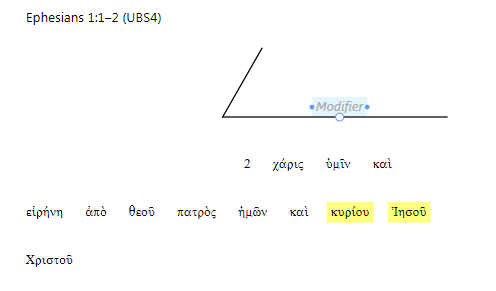
This first one is the setup, with the target modifier being hovered over and the two words I'm going to drop selected:
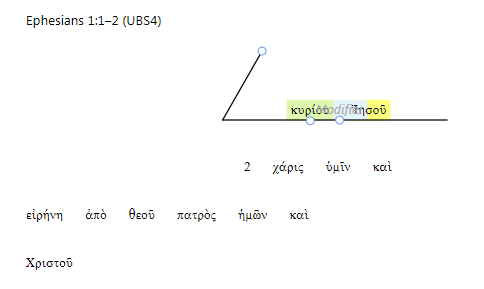
The next one is as I'm dragging the selected words over the modifier, just before I drop them. Note the modifier is highlighted indicating that Logos sees that that's where I'm trying to drop them. Note also that the two words still have their pre-drag and drop spacing.
This is the result. Note how the words have been pushed together.
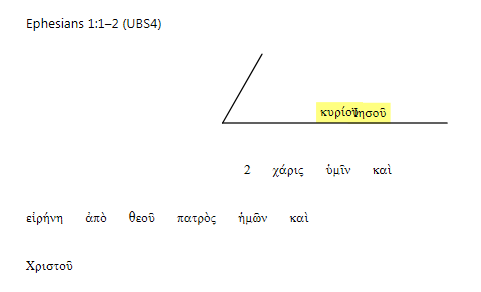
This isn't the worst result I've seen - you can still recognize the words. More often than not, with shorter words, you can't distinguish them after they've been dropped.
Is this the expected behavior or a bug? I expect some folks will say I shouldn't be dropping two words like this, but I'm following how we've done it in our exegesis classes (basically Schreiner).
Thanks,
Donnie