I thought I'd reported this before, but I can't find it anywhere, and it's been driving me nuts lately.
Go into Personal Books tab.
Ctrl+F to Find books matching a particular word
You can't click the Edit link for the first one in the list because it's hidden behind the Find box. But as soon as you dismiss the Find box to get it out of the way, you lose the PB list filtering that it was responsible for.
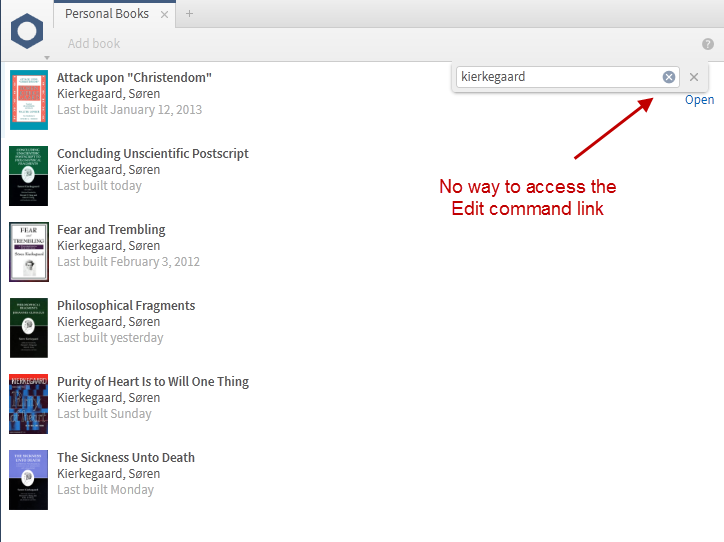
It makes using the Find command virtually useless. Really, the proper fix for this is to recognize that the Find box is actually acting like a filter box (like the filter box in the Library window) and move it from a drop-down window like it is now to being adjacent to "Add book" on the tool bar. There's all that blank space that isn't being used anyway; there's no need to make the Find box drop down.



