1. Open your Bible and a Commentary.
2. Link both windows.
3. Select a verse in the Bible by left clicking on it. It is immediately reflected in the box where you type in the verse. The corresponding verse box in the commentary has not changed.
4 Highlight the verse and select the blue arrow and the corresponding verse in the commentary will not change. If you press enter the commentary verse (number) will not change.
5. Select arrow down to move the verse and the commentary does not reflect the change initially. Select arrow down again, and the commentary will change.
Repeatable.
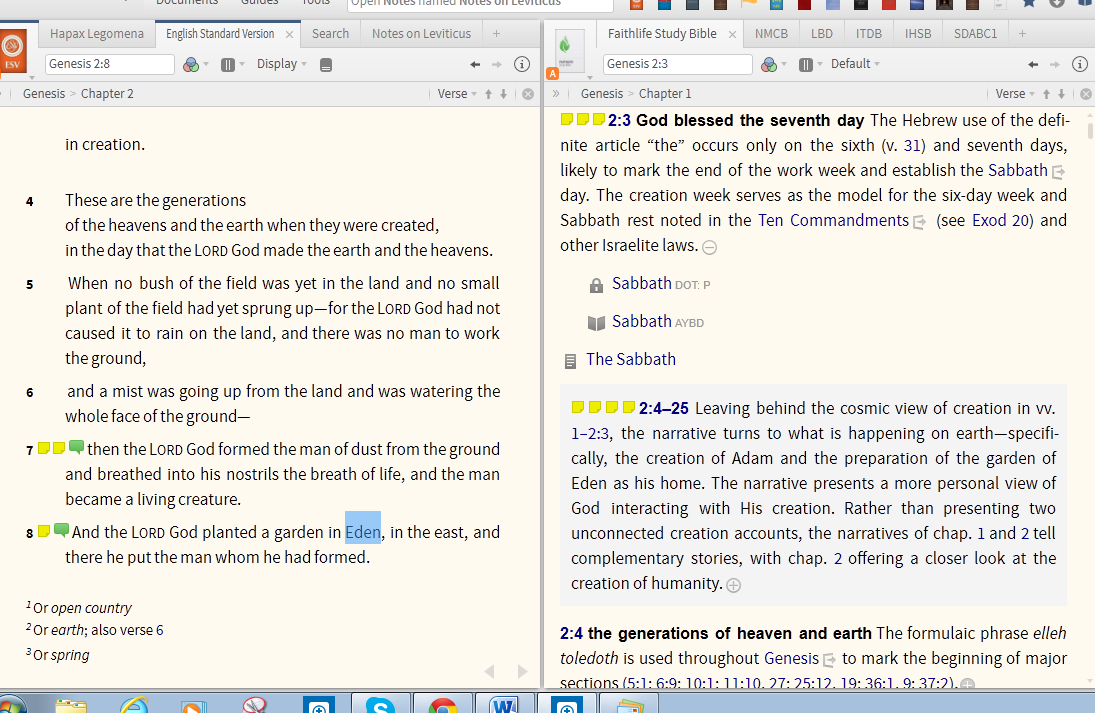
Forgot the screen shots.