I realize this is a dumb question, but how do you in Logos 4, expand or maximize a commentary to full size for better reading? I can't find any way to do this as in conventional windows. Any help is appreciated
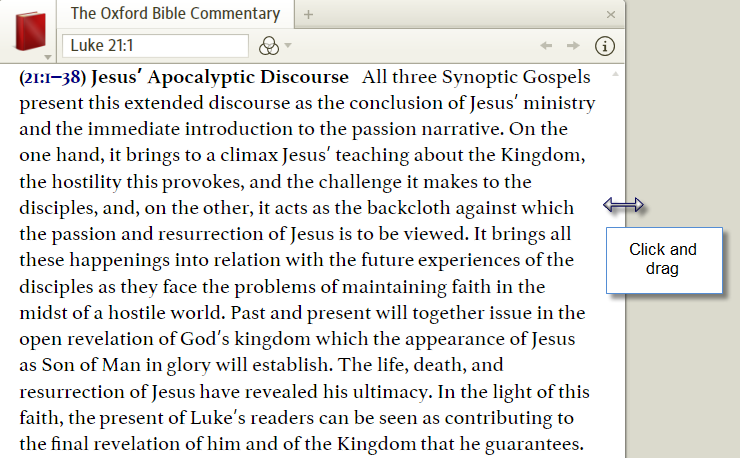
You can open as a floating window (click near the lower right of the book's tab icon or you can grab and drag the sides of the pane.
F11 gives you a reading view. Or you can right click on the tab and choose to put the resource in a floating window. This window can be resized however you want it.
I realize this is a dumb question
No such thing...
how do you in Logos 4, expand or maximize a commentary to full size for better reading
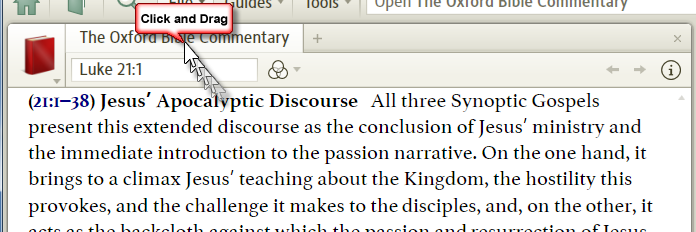
Click and drag the borders or click on the tab at the top and drag it until the blue shadow covers the area you want to read in.
or
Damian,
How did you make your cool cursor in motion effect? Is that a feature of a particular screen grab utility?
How did you make your cool cursor in motion effect?
It's part of snagit...
There are loads of "Stamps" which can be downloaded and added to any image...
Thanks for that.
I had heard of snagit but had pretty much ignored it until now.
Looks like a very helpful tool.
Thanks guys! I appreciate all the help!
or, buy a 32 inch monitor . . . .
Available Now
Build your biblical library with a new trusted commentary or resource every month. Yours to keep forever.