I very much dislike seeing popular highlights, particularly when I'm reading the Bible. How can I switch them off?
Hi Sini, welcome to the user forums!
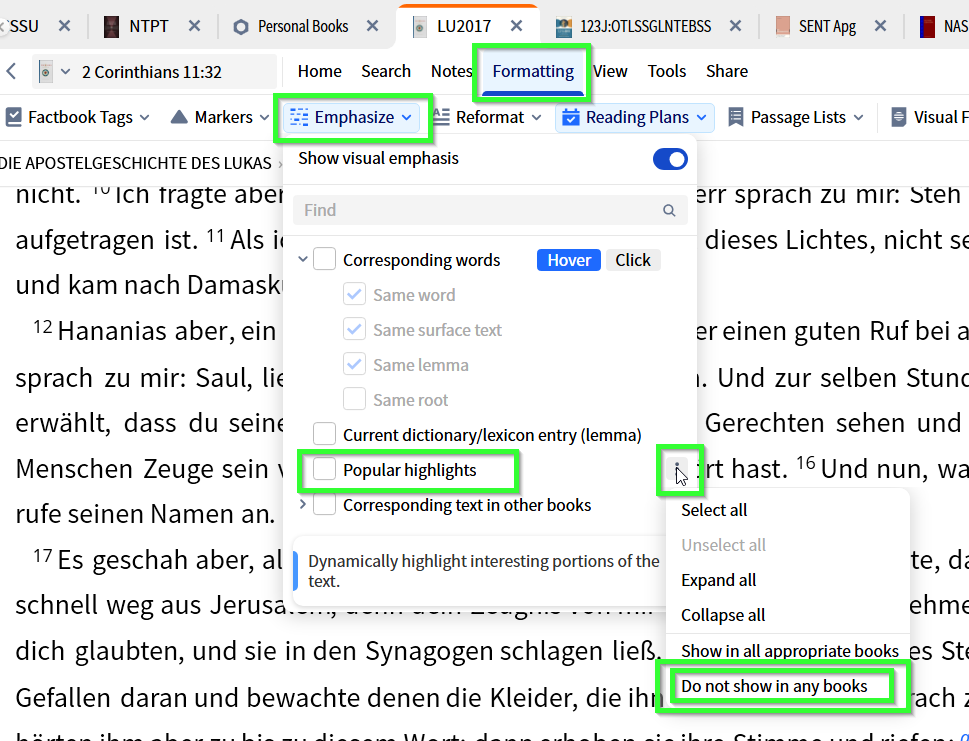
You go to Formatting / Emphasis which will have the popular highlights setting (use any book that has popular highlights, such as a bible). On the right side of this setting you will find the option to turn it off for all books
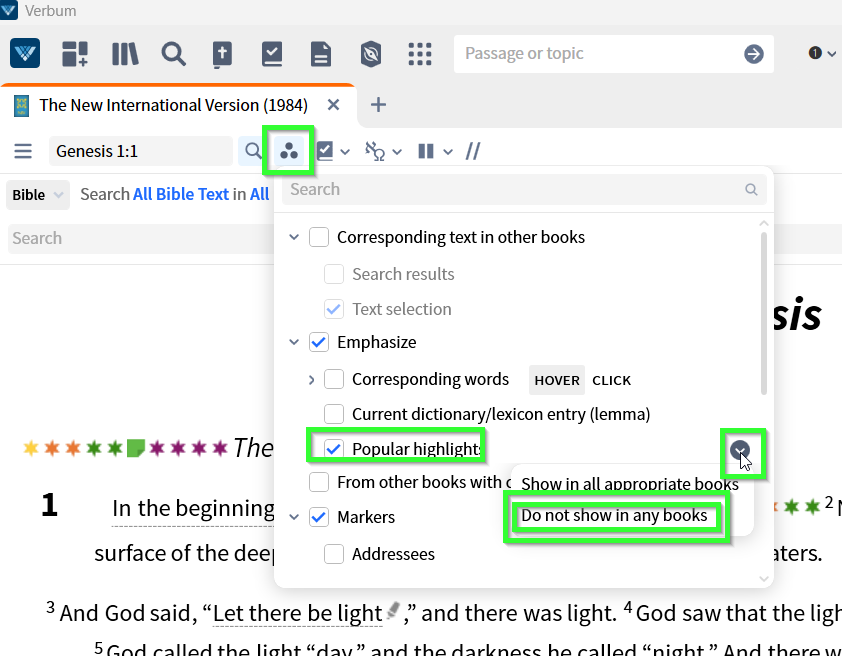
EDIT: in case you are not a subscriber, your menu may look different - then you will go tpo the Visual Filters menu (three dots in a triangle) and find the setting there:
Available Now
Build your biblical library with a new trusted commentary or resource every month. Yours to keep forever.
My Greek NT SBL is blacked out whenever I open it on my iPad. I used it every day. It has preciously blacked out, but then I could close the app, open it again, and it would be back. It has not helped this time. On my iPhone it pops right up. Does anyone know why this would occur and how to fix it?
I am preaching at another church coming Sunday, and I want to export to their Proclaim account - how can I make this happen? I am guessing I need to have their Proclaim account as an option, but cannot work out how to do this. I cannot even export to PowerPoint from iPad - which is severely limiting. If I could, the host…
I want to open volume one of The Works of John Owen. I click on the Logos logo and type "Owen Works 1," but the only options provided are volumes that begin with 1, such as 13 or 11. See screenshot below. Is anyone else having an issue like this? Does anyone know a work-around? I can get to the work in my library, and I do…
We have generations of Bibles from family members who have passed on. Their (priceless) highlighted passages have been transcribed to passage lists. Given mobile users can't use Passage Lists and Visual Filters the same as on desktops, how can I get these imported for family use?
Is someone from the Sales-Team today available? I would like to make a purchase with someone from the Sales-Team.