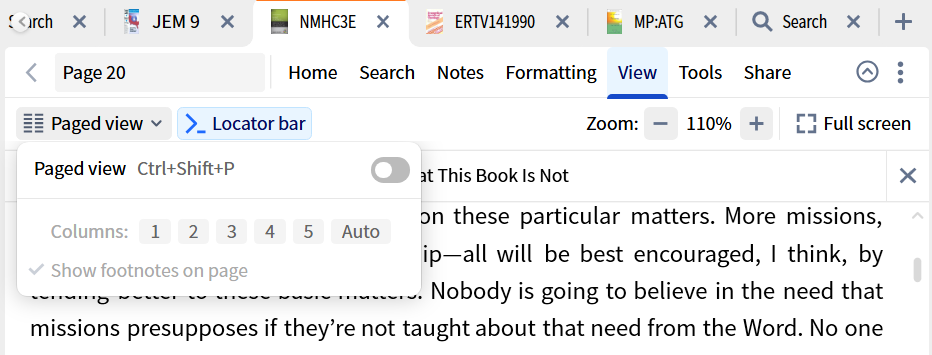
How do I make a resource scroll rather than advance page by page?
On the toolbar, go into View, and turn off Paged view if it is turned on.
Turn off Paged View in the View tab of the resource
Available Now
Build your biblical library with a new trusted commentary or resource every month. Yours to keep forever.
the option to sync my data does not appear beneath settings
When doing a morph search and starting with h:hgh, there's only root 1 listed in the dropdown. Why is root 2 for h:hgh missing? Note this question is for roots not lemmas. Bob
I'm having problems with "Holman Old Testament Commentary" and "Holman New Testament Commentary" Link Sets on Logos Mobile Android. In the library, the commentary names are "Holman Old Testament Commentary" and "Holman New Testament Commentary", which means Link Sets don't work correctly. If I have a Bible and Holman Old…
I am working with Hebrew. How can I find all occasions of a word based on a specific triliteral root? For example I want to find the occurrence of every time "הגה" is used in the Psalter - regardless of the vowel pointings or how the word functions in any given passage. What is the work flow for this? Logos defaults into…
I currently use the Courses tool on desktop to view my Mobile Ed courses. I want to start pivoting this toward my iPad. What is the best way to accomplish this on my iPad? Thanks!