I upgraded to Logos 4 in January. In the last day or so, I upgraded my edition so I could get more books that I was interested in. Last night, the download of all the new content seems to have completed and been installed / indexed. However, I can't find a great way to verify this.
1) Is there someplace within the Logos software itself that I can go to verify the edition I'm licensed for (e.g. Silver, Gold, Platinum)? I know I can find that online, but that's not where it's important to be correct.  The "About" box shows I'm running 4.1, but nothing about the edition.
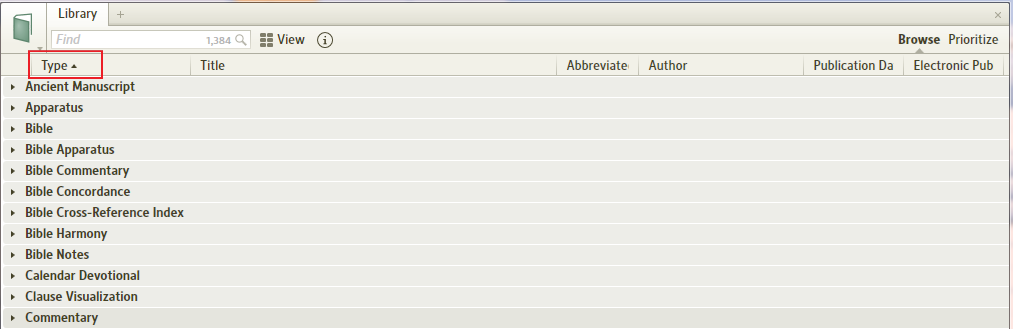
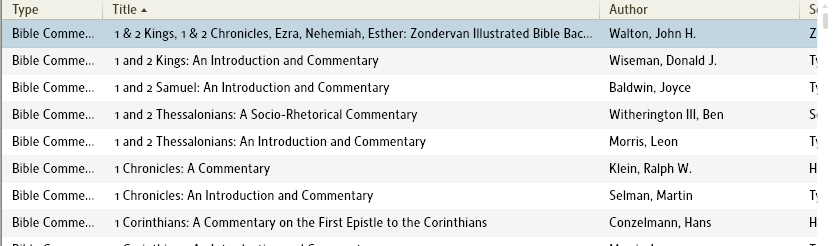
2) Is the only way to browse my library by clicking on the Library icon in the upper left and scrolling through that window that sort of drops down over the main screen area? That's a very painful way to browse through a large library. If there's any current way to do that in a more user friendly fashion, I'd love to hear about that - more library items visible at once and more visible details about each item. (Note that I have seen that there are some different views for that window and that I can get detail on the right about the currently highlighted library item, but that still doesn't seem good enough to me.)
Thanks,
Donnie