When I do a search in all my Resources for the following (in quotations), "how to hear the voice of God", I get no hits. Need help to do it correctly. Thank you.
F-4:
The 'how to' is probably causing the problem. Search for 'hear the voice of God' or 'hear God' or just 'the voice of God'. You'll then need to sort through the results to see which deal with how to hear the voice of God. "How to hear the voice of God' would likely only be a heading or title. I have a good sized library and get no hits for that phrase. I do get 364 results for 'hear the word of God.'
When you do a search for "how to hear the voice of God" with the quotes, you will only get hits if you have a resource that has those words in that exact order. Is that what you are trying to do? Likely you got the correct results… namely, that you don't have any resource with "how to hear the voice of God."
That's a very specific phrase, and chances are that resources discussing this topic will not use the exact phrase you put in quotes. One better way would be to use some keywords with the proximity operators (NEAR, BEFORE, AFTER, WITHIN)
For example:
hear BEFORE 2 words "voice of God"
[and be sure to turn on "Match all word forms" -- click the magnifying glass icon at the upper left of the search panel and you'll find that option on the panel menu that drops down]
This will find any occurrence of the word "hear" or "hears" or "hearing" or "heard" when it's no more than 2 words before the phrase "voice of God"
When I do this, I get 1554 hits in my library. Perhaps too many to be useful.
Another option would be simply to leave out the "how to" -- often this little innocent pair of words is irrelevant in a search, because people writing about how to do something won't often use it in their text. It's amazing how many people will use it in a Google search, but it really doesn't help. So if I leave that out (but still keep "Match all word forms") I get 783 results.
You'll probably have fewer results than I do, and you'll need to page through them all, but looking at that bit of context which Logos search provides, I can pretty easily detect which results are going to tell me something about "how to" and which aren't.
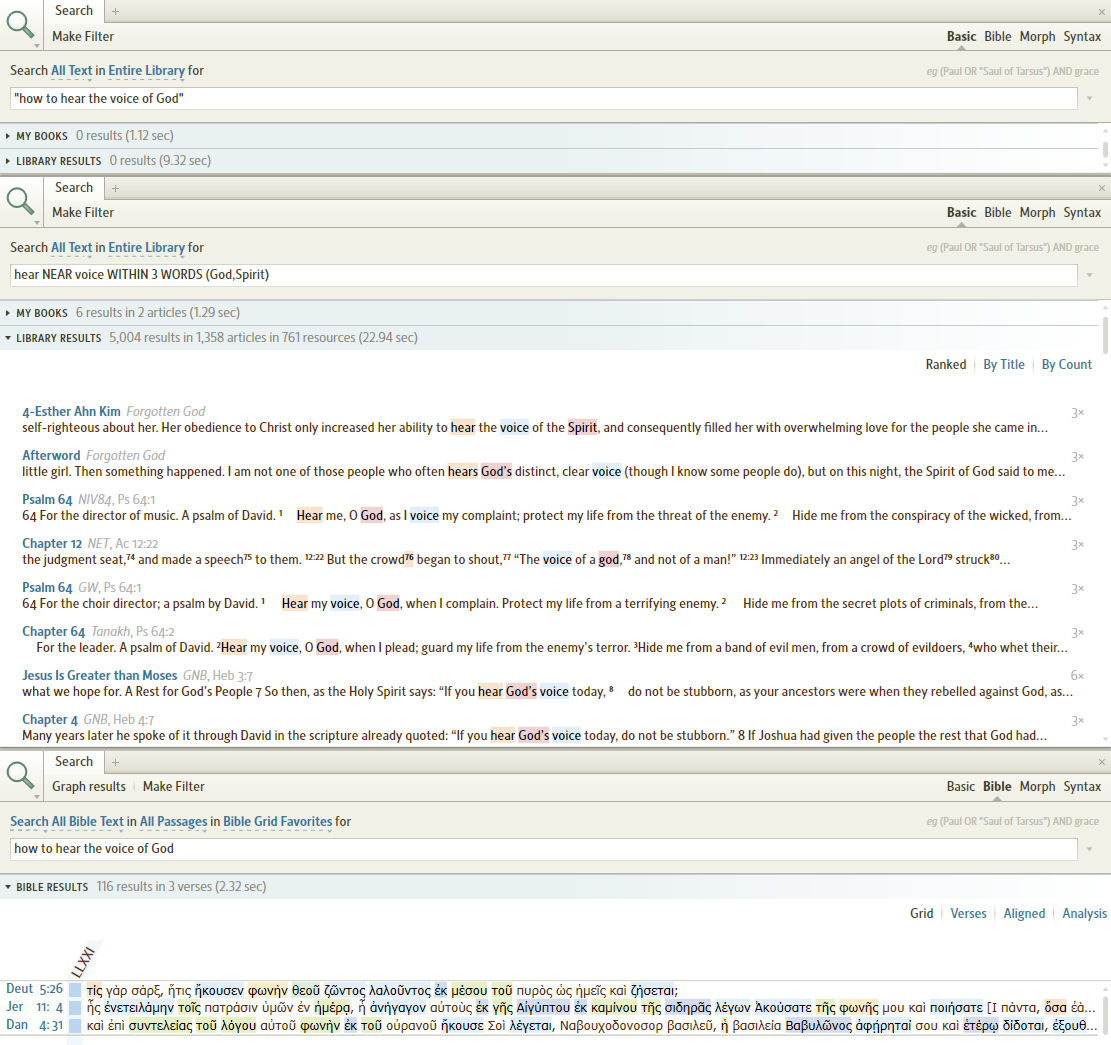
"how to hear the voice of God", I get no hits
Concur phrase search finds 0 results. Basic Search in my entire library for:
hear NEAR voice WITHIN 3 WORDS (God,Spirit)
finds 5,004 results in my Logos Library
Likewise, a Bible Search without the quotes finds three verses in the Septuagint (LXX) that have all the words (albeit word order is different).
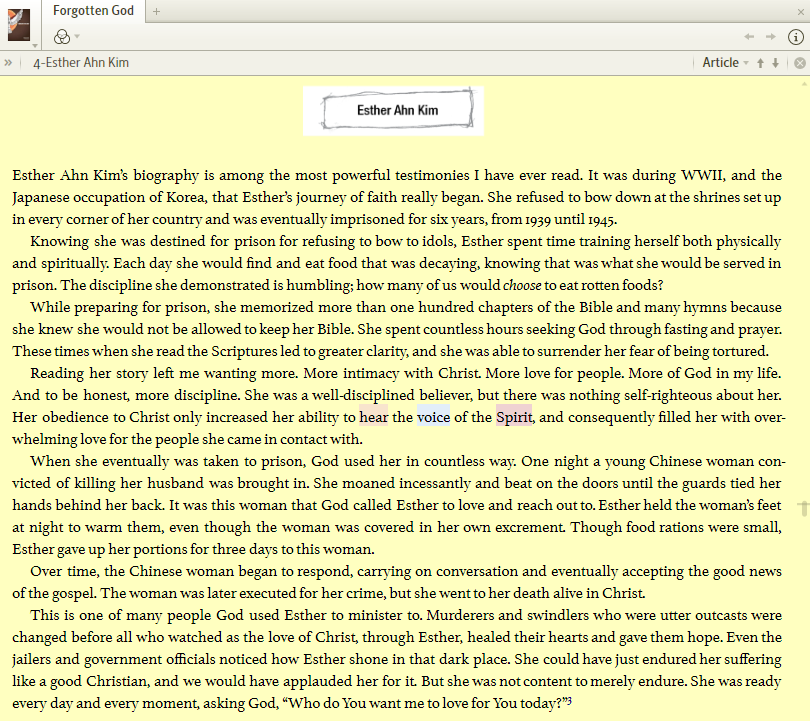
On 6 Apr 2012, Vyrso offered a free eBook => Forgotten God that includes: (ranked # 1 in my Basic Search)
Keep Smiling [:)]
Thank you Mark.
You are correct. I tried it Mark's way and I got several hits. Thank you.
Thank you, Rosie, for the info, it will be very useful for other searches.
Thank you too for the taking the time to help me.
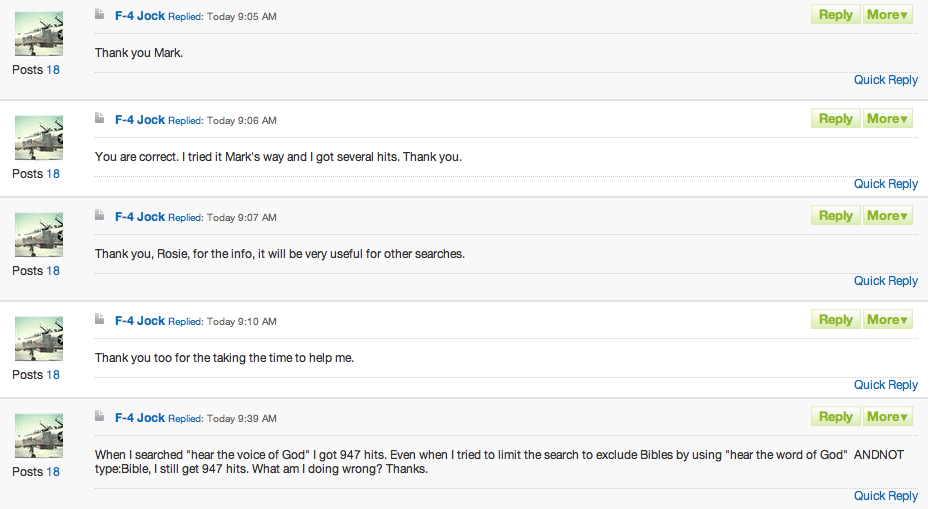
When I searched "hear the voice of God" I got 947 hits. Even when I tried to limit the search to exclude Bibles by using "hear the word of God" ANDNOT type:Bible, I still get 947 hits. What am I doing wrong? Thanks.
When I searched "hear the voice of God" I got 947 hits. Even when I tried to limit the search to exclude Bibles by using "hear the word of God" ANDNOT type:Bible, I still get 947 hits. What am I doing wrong?
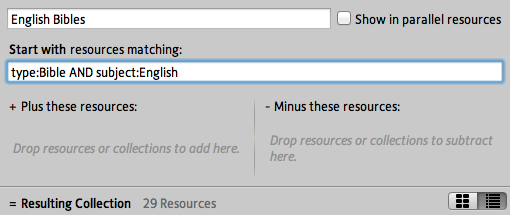
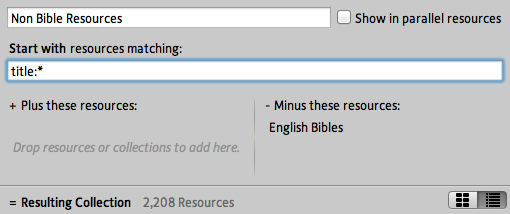
I am not sure why it doesn't work. Another way to accomplish what you were trying to do, is to use a collection. The screen shots below will show you how I created 2 collections. The first screen shot shows you how to create a collection of "English Bibles." The second one, "Non Bible Resources" starts with every resource in your library with a title (which happens to be every resource [:P]), then excludes your "English Bibles" collection. When you go back and do a search, you can now choose "Non Bible Resources" and it will search your entire library, minus your English Bibles.
PS - In the future, it would be helpful to use the "quote" feature in the forums when replying. Sometimes it isn't necessary, especially when you are responding immediately to someone. In this case, it is very difficult to follow your "conversation" with people since there is no connection to your posts and the ones you are responding to (see next screen shot). If you need help, check out the "Quote Someone" section in my signature line.
Greetings. The voice of God can be heard in different capacity's and by different means. You are limiting your search by the verbage of "hear".
try doing a 'basic' search of 'entire library' and just use - "voice of God" - this will search 'topics' as well. opening the search routine to a broader spectrum.
hope this helps.
[the 'voice' of God and the 'word' of God are being searchd from two different perspectives...]
...........as an after thought: I have heard people refer to 'hearing God' by means of 'a revelation while reading the Word of God' and 'I had seen xxx and God spoke to me through this..."
How would I search my Prayer Journal which is a Notes file? I tried searching with the Prayer Journal open and doing a basic search using 'open resources' but this search didn't search in the Prayer Journal Notes. Any suggestions?
I opened a note file; looked at the first three words of the content; clicked the search tab; typed "[first three words]" for the search w/ 'basic' and 'entire library' ; then did the search. It found the words and it was under the tab "My Content".
THEN:
Did the same as above but had the note file closed - no Hit. So it may be a bug........can we squash it?
Played with the 'entire library' vs 'open resources' the former had hits the latter did not. Using various note files and being selective in the words used that were subject to that particular note file content.
Thank you for your help. I tried what you suggested and it worked in that it brought the Prayer Journal under my contents. It open the file to the first entry. Then I tried searching for a single word and it seems to work fine.
You can use type:bible in your library, but it isn't one of the search fields for searches. Here's the list of supported search fields
http://wiki.logos.com/Search_Fields_List
Played with the 'entire library' vs 'open resources' the former had hits the latter did not.
For note files and other user documents select "My Content" instead of Entire Library.
Played with the 'entire library' vs 'open resources' the former had hits the latter did not. For note files and other user documents select "My Content" instead of Entire Library. ***How would I search my Prayer Journal which is a Notes file? I tried searching with the Prayer Journal open and doing a basic search using 'open resources' but this search didn't search in the Prayer Journal Notes. Any suggestions?****
***How would I search my Prayer Journal which is a Notes file? I tried searching with the Prayer Journal open and doing a basic search using 'open resources' but this search didn't search in the Prayer Journal Notes. Any suggestions?****
Guess I missed that, thanks.
Played with the 'entire library' vs 'open resources' the former had hits the latter did not. For note files and other user documents select "My Content" instead of Entire Library. ***How would I search my Prayer Journal which is a Notes file? I tried searching with the Prayer Journal open and doing a basic search using 'open resources' but this search didn't search in the Prayer Journal Notes. Any suggestions?**** Guess I missed that, thanks.
Here's a wiki page on this function - http://wiki.logos.com/Using_Search_to_find_MyContent_files
This only finds text in the prayer list request heading -- it doesn't find text in any of the note fields under the request. I played with it a little and didn't see any way to find these in a search.
EDIT:
This search does find text in these note fields. It didn't when I first entered some -- could this be it had to wait to index this file? Anyway, this search does work as yo would expect.
This search does find text in these note fields. It didn't when I first entered some -- could this be it had to wait to index this file?
I think that must be the case. This was my experience as well. I figured that it would need to index, I just thought it would work faster.
New deal:
-made new note file.
-named new note file "Murphy-dude" w/no association to anything - just a note.
-added note named "Murphy-1" - in content area used the word 'giggy'
-sync'd
-closed L4
-started L4
-searched 'basic' 'all text' 'entire library' for giggy : 1 hit
-searched '---------------' 'my content' for giggy : 1 hit
-no other searches since only thing open was the search feature.....
When I searched "hear the voice of God" I got 947 hits. Even when I tried to limit the search to exclude Bibles by using "hear the word of God" ANDNOT type:Bible, I still get 947 hits. What am I doing wrong? Thanks. You can use type:bible in your library, but it isn't one of the search fields for searches. Here's the list of supported search fields http://wiki.logos.com/Search_Fields_List
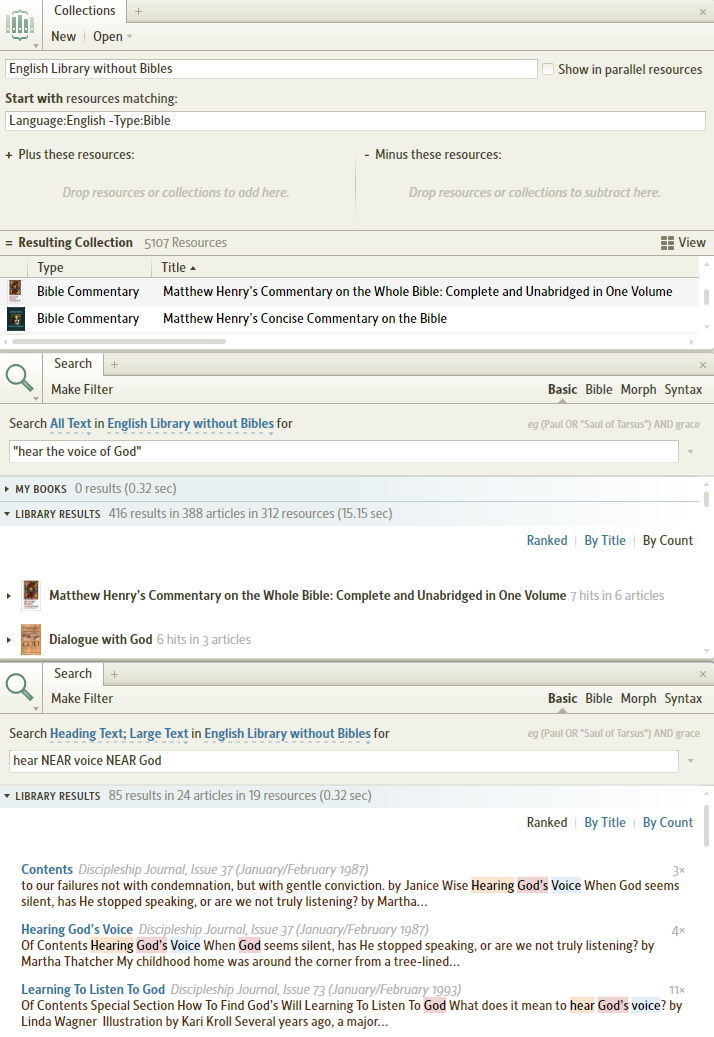
A collection can use type:Bible to filter resources; my "English Library with Bibles" collection uses rule:
Language:English -Type:Bible
Searching my collection finds 416 results in 388 articles in 312 resources:
Changed search to look for articles using Heading Text; Large Text along with using NEAR proximity:
hear NEAR voice NEAR God
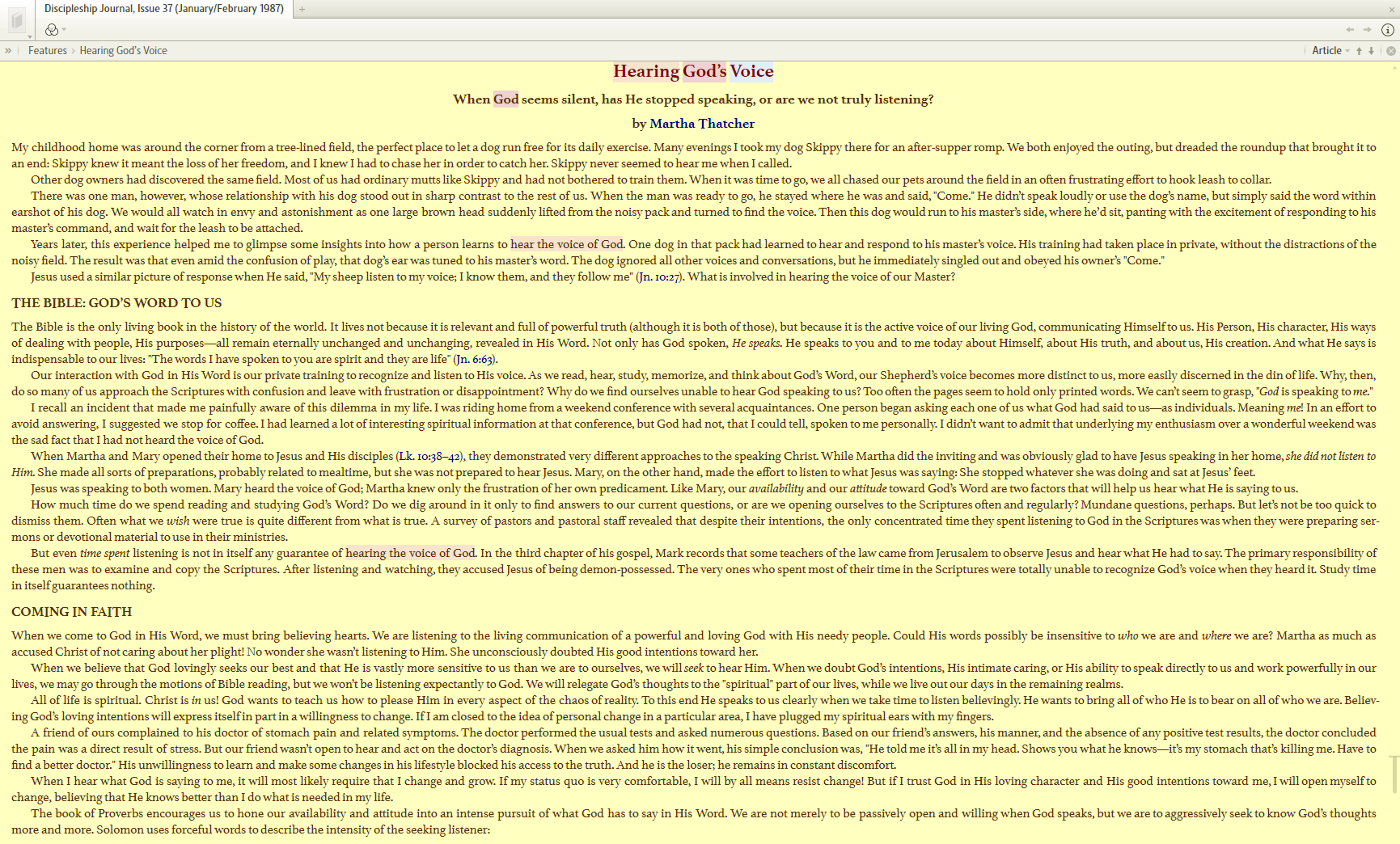
that found an article: "Hearing God's Voice"
Available Now
Build your biblical library with a new trusted commentary or resource every month. Yours to keep forever.