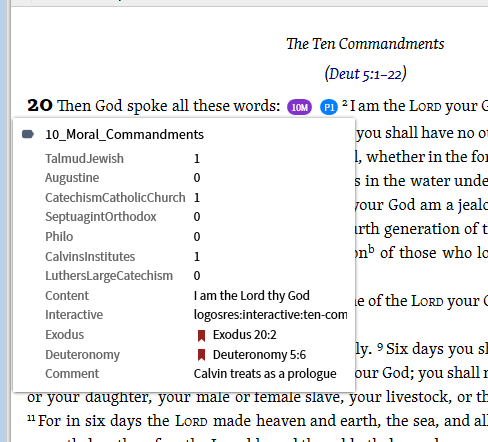
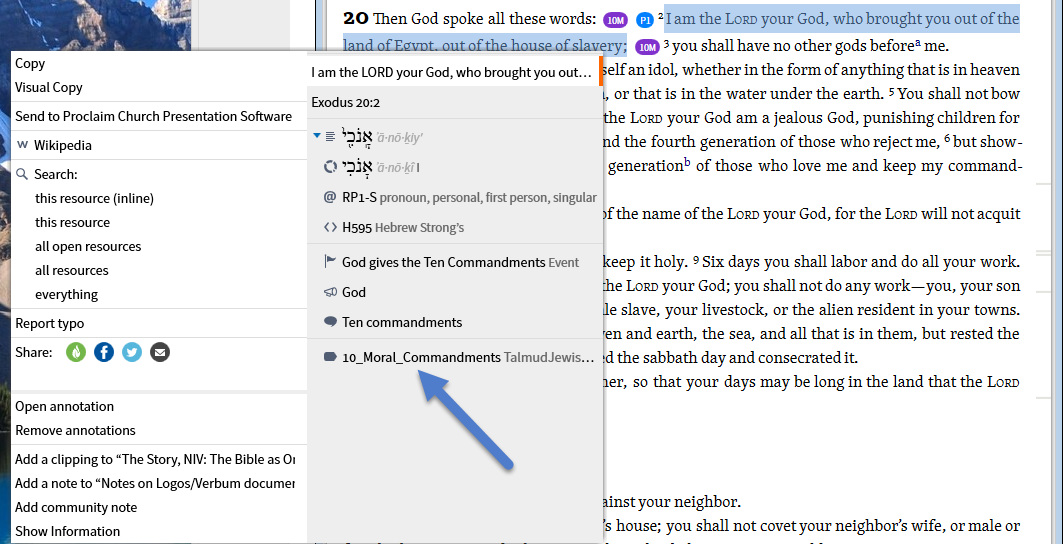
I created a custom tag using Morris Proctor's manual. the tag shows up on the chosen verse but there's no pop-up when you roll over it. See my example below on how I created tag.
the tag shows up on the chosen verse but there's no pop-up when you roll over it
Please explain - how do you know it "shows up"?
The tag creation looks OK
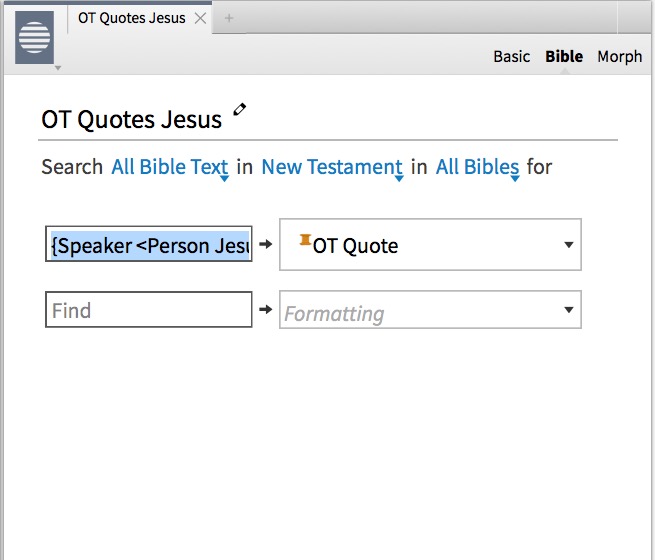
The tag shows up because I created a visual filter with a search string that finds every time Jesus quotes the Old Testament and I checked several verses and my little icon that I created marks each verse. The only It doesn't do is show a little explanation pop-up when you roll over the verse.
I can't duplicate your problem. Can you show the existence of the label via the context menu (right click)?
I cannot reproduce with a similar (Image before) highlight & label. Does it happen with a simpler highlight/label?
Are you saying that you can't get the popup or that you can't recreate its absence? I'll see if I have any labels without image before tagging.
Here is the search string and a couple of screenshots I hope this explains it better.
{Speaker <Person Jesus>} WITHIN {Section <LiteraryType Quotation, Old Testament>}
Okay, I'm confused. Are you trying to add a label via a visual filter? I've not tried that as I wouldn't expect it to work. I have some other things to do before I can start testing this.
Morris Proctor explains how to do this in his new logos 6 digital manuals. Everything works great, it finds the verses and puts the tags on each verse. The only thing it doesn't do is show a pop-up when you mouse over the tag.
Could you give me the reference? I don't see where MP combines Visual Filters and Labeling.
MJ, I posted my visual filter on the primetimers faithlife Group if you'd like to experiment with it. Thanks for all your help
Labels are associated with a specific instance of a note. A label is created when you create a new note using a highlighting style that defines a label (or you can manually add labels to a note). The use of a visual filter does not create notes, it only applies the visual appearance of a highlighting style you have defined.
Morris Proctor explains how to do this in his new logos 6 digital manuals.
Can you use "Copy Location to Clipboard" on the Panel menu and paste it here, so we can follow along in the MP manual?
I May have misunderstood the MP Manuel, not knowing you would reply to this msg I sent you a personal msg on Your faith life page Explaining what I'm trying to do thank you
There are no popups on highlights inserted by a Visual Filter.
The only way to have a popup is to manually add a highlight that has a label.
Available Now
Build your biblical library with a new trusted commentary or resource every month. Yours to keep forever.