Is there an easy way to tell in the L6 library window what resources one owns vs what ones are rented (Logos Rentals, Logos Cloud, Logos Now samples, etc.)?
Not currently, but I saw another discussion earlier in the week where that was suggested.
That's what I was thinking. It would be nice to see that in a future Logos update.
It would be nice to see that in a future Logos update.
I agree! I've added this to my list (signature line). That makes at least 4 fields that should be added to the library window: "date purchased," "ownership status," "expiration date," and most importantly (IMO) "collection"!
I think it's perfectly indefensible that we can't sort/filter by our collections.
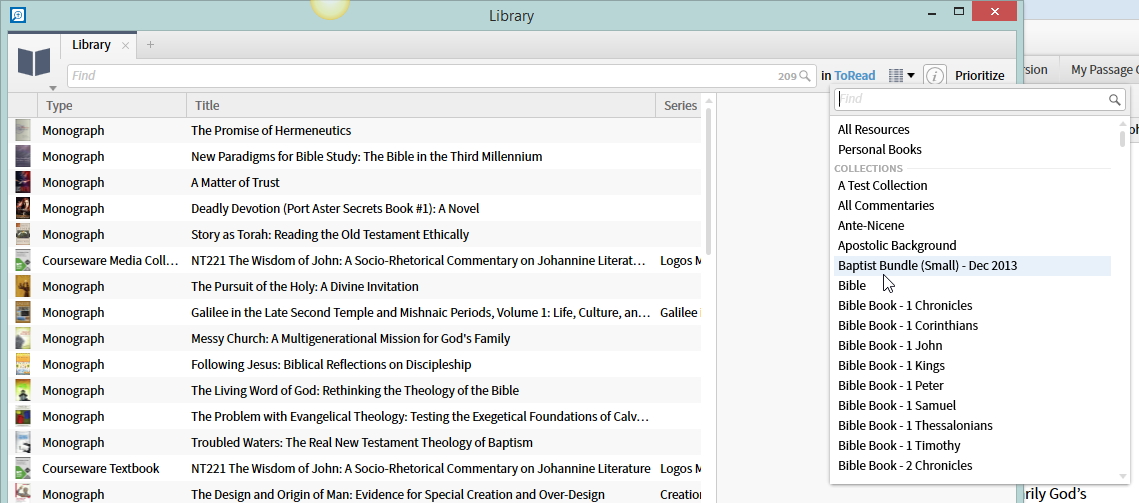
Are you aware we can filter by collection?
One work around is to tag all the resources that downloaded on the day Cloud was released. Just select all of them that show that date under the "last updated" field of the library. then add a tag to the whole group. Many of us used Tag:Cloud. You can do this for any other downloads you get, such as Now or Rentals as well.
I have seen that suggested, and it may be the best option right now. The problem is when there is a large update (as there was last week) and it includes both updates to rented resources as well as updates to owned resources.
This is a good start, but I was referring to the ability to type into the box e.g. "collection:(xxx, yyy, ANDNOT zzz) [criteria]:xxx" I also want to filter by other criteria and then sort/group by collection.
Thanks for clarifying though!
The problem is when there is a large update (as there was last week) and it includes both updates to rented resources as well as updates to owned resources.
the good news is that if it is a "now" resource that they include for the month we receive email notifications to distinguish them. If they are "rental" resources they would've been selected specifically by the customer so they can be distinguished as well.
Faithlife has already built an automatic Logos Cloud Premium collection, which certainly helps.
Is there an easy way to tell in the L6 library window what resources one owns vs what ones are rented (Logos Rentals, Logos Cloud, Logos Now samples, etc.)? Faithlife has already built an automatic Logos Cloud Premium collection, which certainly helps.
Not for the question discussed here, since those users wondering about that typically own a portion of this collection, but from the collection alone can't see which resources in their library are part of LCloud only.
Is there an easy way to tell in the L6 library window what resources one owns vs what ones are rented (Logos Rentals, Logos Cloud, Logos Now samples, etc.)? Faithlife has already built an automatic Logos Cloud Premium collection, which certainly helps. Not for the question discussed here, since those users wondering about that typically own a portion of this collection, but from the collection alone can't see which resources in their library are part of LCloud only.
Sort by the collection and look at Last Updated. That should give you accurate results for all resources or just be a few resources off, and those should be easy to recognize, especially if at all significant.
I've done that, as well as installed the collection file Faithlife put out. It has helped somewhat.
Available Now
Build your biblical library with a new trusted commentary or resource every month. Yours to keep forever.