I would like to copy and paste texts from a given resource and when I try to put it in my word processor, the only information is the label of the resource. What am I doing wrong?
Welcome! [:)]
Could you post screenshots so we can see what you are doing? Use the paperclip icon to attach them to the post.
Thank you for your response. As my question implies, I am a novice here. Not sure what a screenshot is. To describe it--I highlight the given texts and right click at which time the "copy" window displays. I highlight "copy" in order to copy the desired text. When I move to my word processor, I paste it using Control V but all that is pasted is a label of the source--date, page number etc. I'm wondering why the selected text doesn't just paste onto my word processor. Thanks.
Here is a link to the wiki page related to screenshots
https://wiki.logos.com/Screenshot
I think what is probably happening is that reference rather than selection is clicked in the menu that comes up when you right click. Follow these steps:
1. Select desired text
2. Right click
3. Left click on the selection option (top right)
4. Click copy
That should now enable you to paste the selection into your word processor
Not sure what a screenshot is.
A screenshot is a photograph of your screen... only you don't use a camera, you use software (which may or may not be built into your operating system). See this link: http://www.take-a-screenshot.org
To describe it--I highlight the given texts and right click at which time the "copy" window displays. I highlight "copy" in order to copy the desired text. When I move to my word processor, I paste it using Control V but all that is pasted is a label of the source--date, page number etc. I'm wondering why the selected text doesn't just paste onto my word processor.
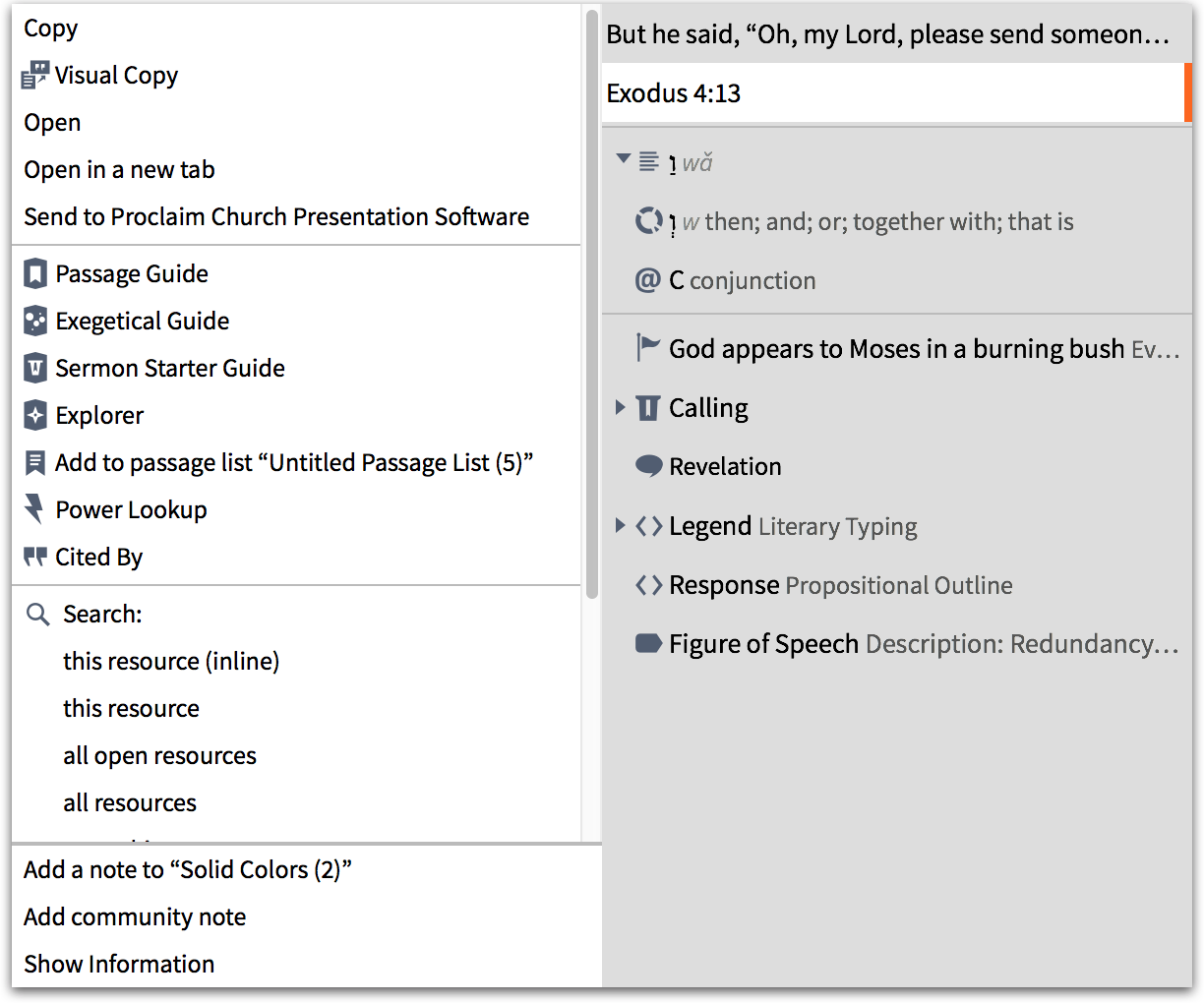
I am not sure. I can't replicate your problem. In my screen shot, notice that the right hand side of the right click contextual menu has different tabs. In my screen shot, the second tab "Exodus 4:13" is selected. What do you have selected?
Thanks for this. The only listing in my right half of this is the word "Paragraph" at the top and one listing directly below it of the label that comes up when I try to paste it. Thanks again for any other insight--not sure what to do.
Which resource? Which specific version of the Logos engine? Which app are you pasting into? What OS?
I don't know if logs would help techies or not. See my signature line.
The resource is the Tim Keller Sermon Archive. I have been able to copy and paste from it until a few months ago. I own Logos 6. I am trying to post into word on my PC. Thanks for your interest.
The resource is the Tim Keller Sermon Archive
I don't have that resource but I do have John Piper's sermon archive which I would expect is formatted similarly.
From your previous comment
The only listing in my right half of this is the word "Paragraph" at the top and one listing directly below it of the label that comes up when I try to paste it.
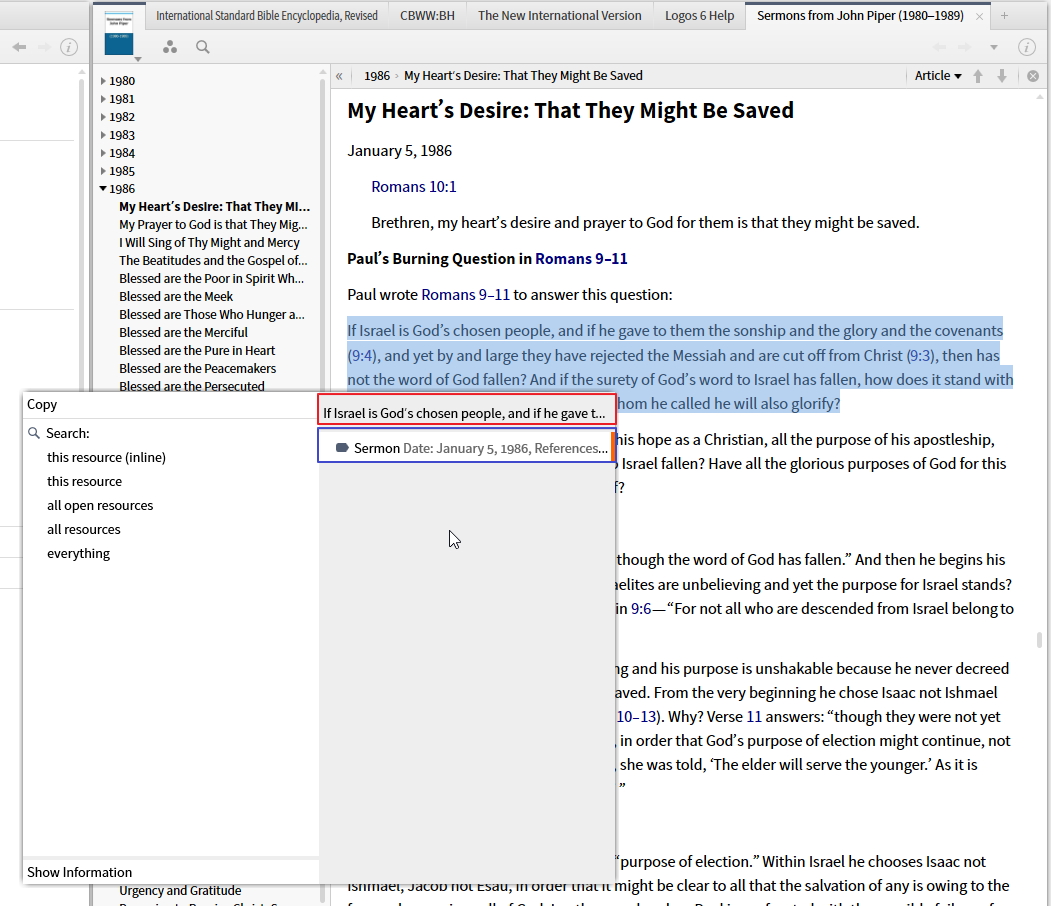
I think you are describing something like the screenshot below:
I think you have the area outlined in blue selected - if you select the area outlined in red then you should be able to copy & paste without any problems.
Available Now
Build your biblical library with a new trusted commentary or resource every month. Yours to keep forever.