Hey
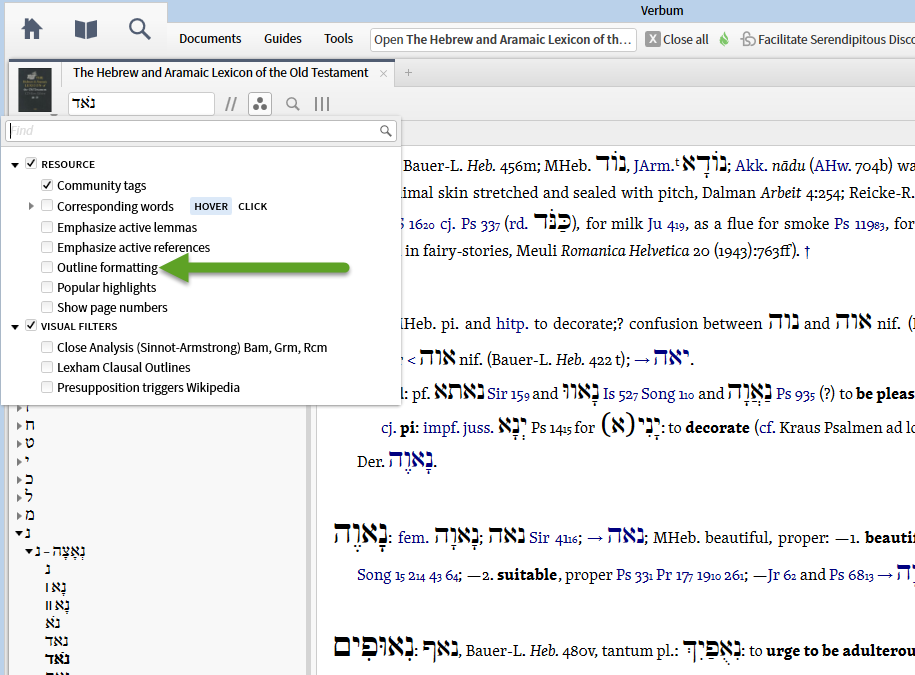
Have just got HALOT looking forward to use "Outline formating". But it dos not show up under visual filters. Anyone who have a solution? I have Silver crosgrade 6, so the feature are included.
Ole W. Jakobsen
Denmark
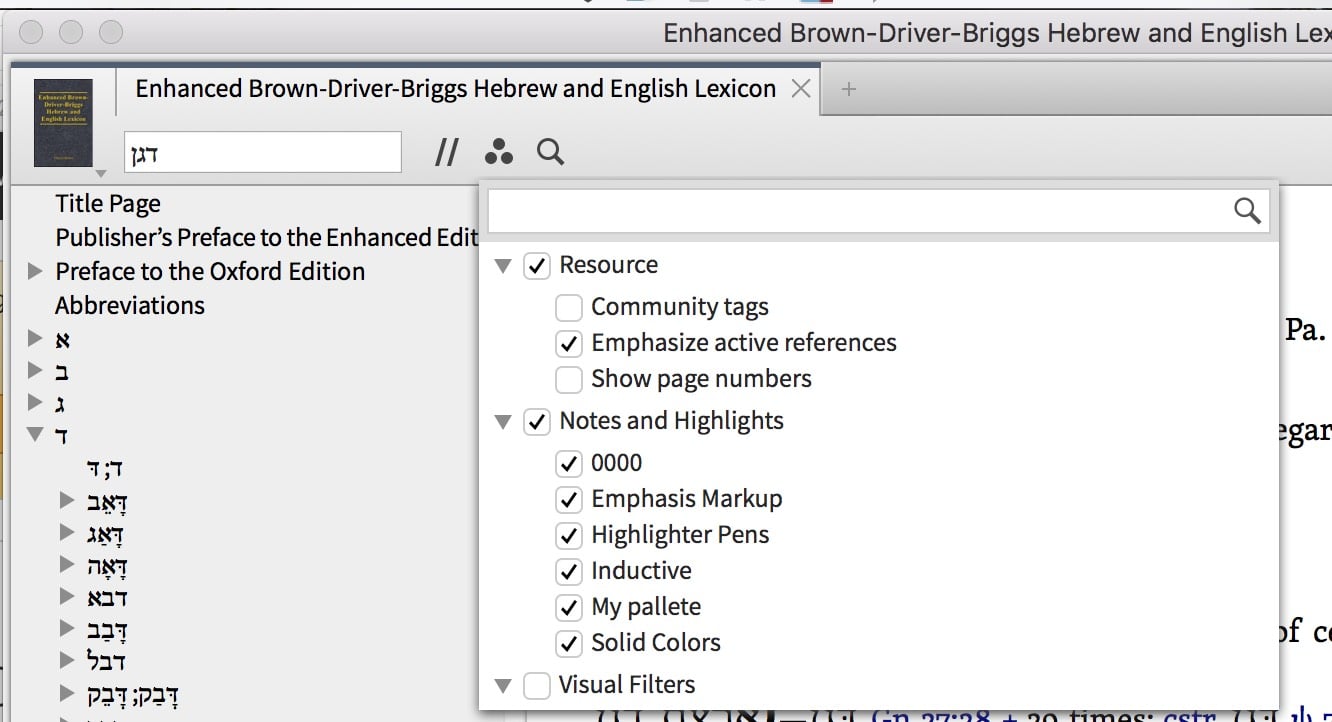
Please post a screenshot of the Resource section of the Halot Visual Filters
Here is a screeenshot
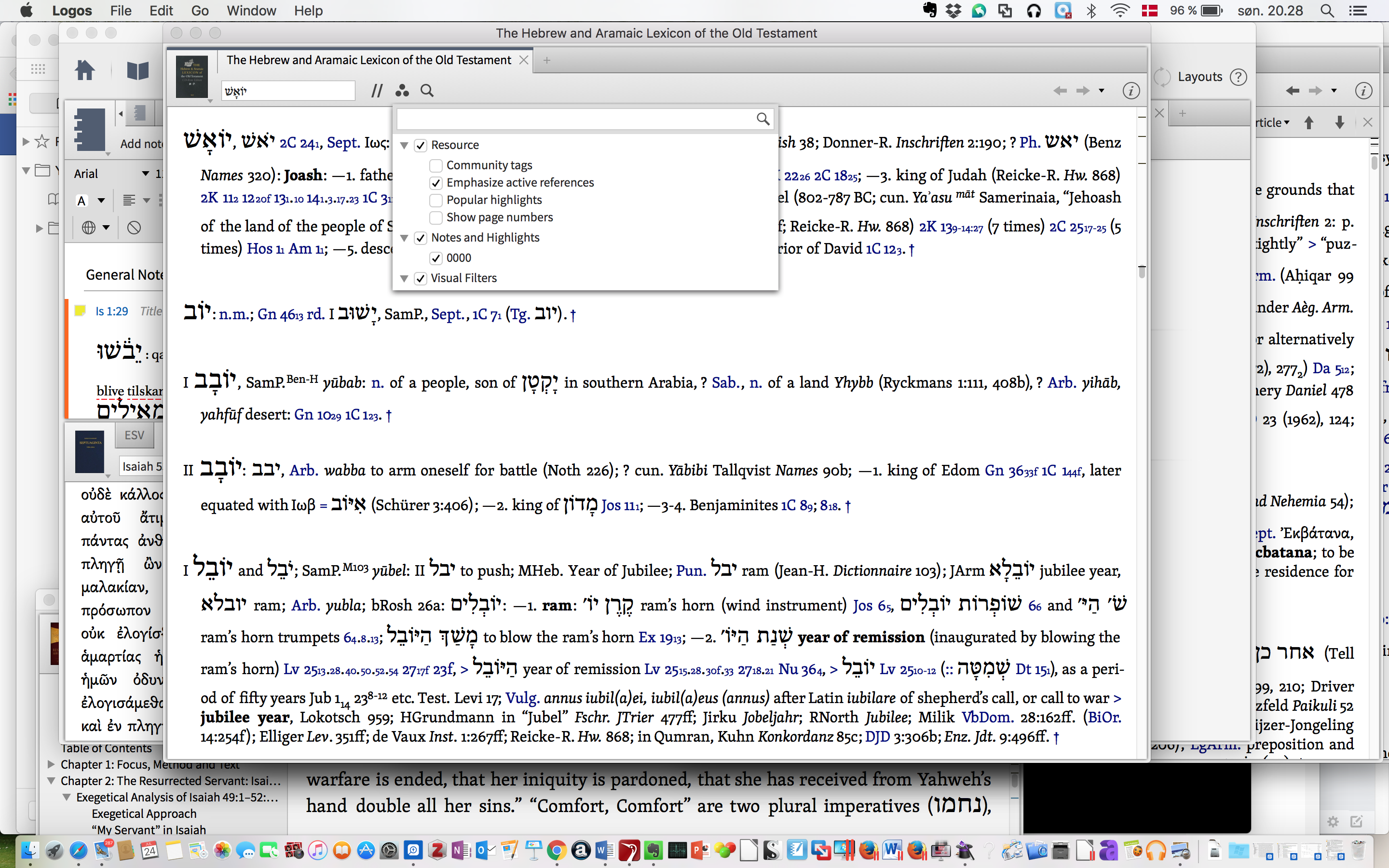
We need to see the Visual Filters for the HALOT
Sorry - here is the right screenshot
Hey Have just got HALOT looking forward to use "Outline formating". But it dos not show up under visual filters. Anyone who have a solution? I have Silver crosgrade 6, so the feature are included. Ole W. Jakobsen Denmark
If you check on the Logos 6 page at https://www.logos.com/features#GreekandHebrew and select "Lexicon Alignment" and click on "Explore packages with this feature", I think you'll find you need a Platinum base package or above for it to work. I don't know if it's available with the Feature Crossgrade or not, but I suspect that's why you're not getting it appearing. What base package do you have?
accordin gto Logos support the Bronze packages gives access to this feature: "I do see on your account that you did cross grade into Logos 6 silver, and the only requirements for this feature to work are the datasets included in Logos 6 Bronze. "
Bronze is shown as a valid option on the third page - https://www.logos.com/products/search?q=&start=30&sort=pricehi&pageSize=15&Product+Type_Base+Packages_Features=Lexicon+Alignment
Thanks.
What is the support info on the resource? Click the "I" button at the top right of the resource and scroll down to the bottom to check
LLS:46.30.17 2014-12-11T23:24:57Z HALARAM.logos4
That's an old version
I have:
LLS:46.30.12
2016-05-17T00:14:52Z
HAL.logos4
Try the command "update resources" and see if you get an updated resource.
Now I have:
LLS:46.30.12 2016-05-17T00:14:52Z HAL.logos4
- same as you.
But it did nok solve the problem.
Do you get Outline Formatting in any other compatible lexicons?
I Have the same problem with BDB and BDAG
My guess is that this feature hasn't been enabled on your account.
Hopefully someone from Faithlife will see this later and be able to comment / confirm
Ole,
If you are still having trouble with enabling this I would recommend contacting Customer Service. They can look at your account and see if you own the items needed and if they are properly unlocked on your account.
Available Now
Build your biblical library with a new trusted commentary or resource every month. Yours to keep forever.