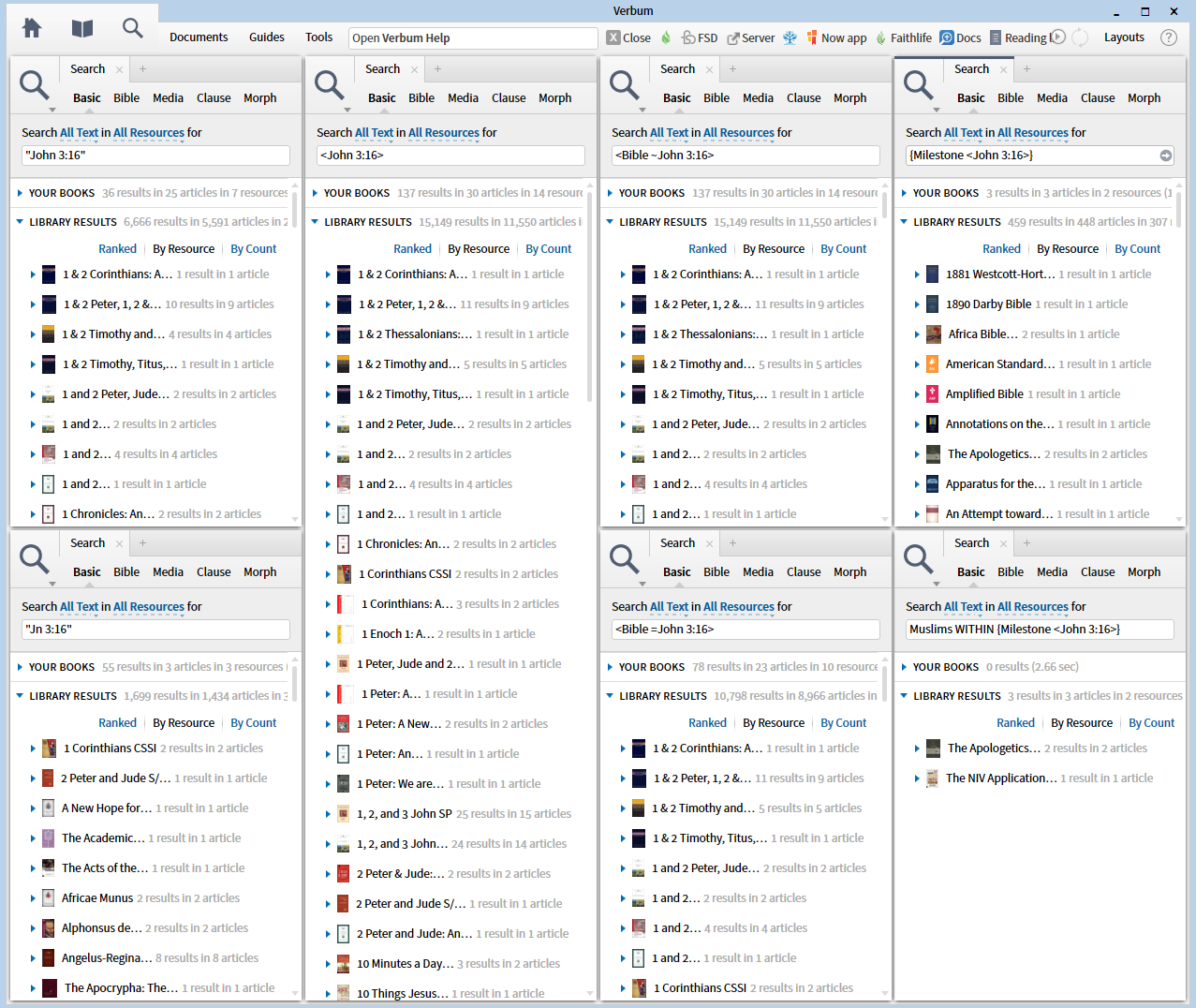
This post illustrates three Search formats performed as a Basic Search:
- text search e.g. "John 3:16"
- datatype search e.g. <John 3:16>
- search extension e.g. {Milestone <John 3:16>}
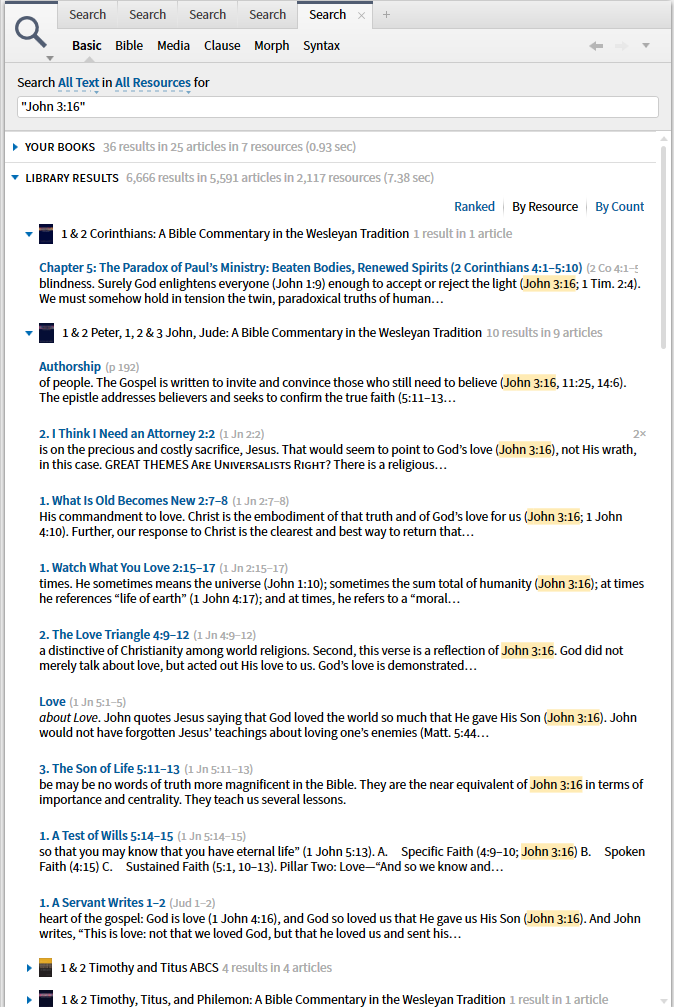
1. When I use text for my search argument, I am looking at the surface text for a pattern of characters. Note that my results match my search argument exactly - no Jn 3:16 or John 3,16.
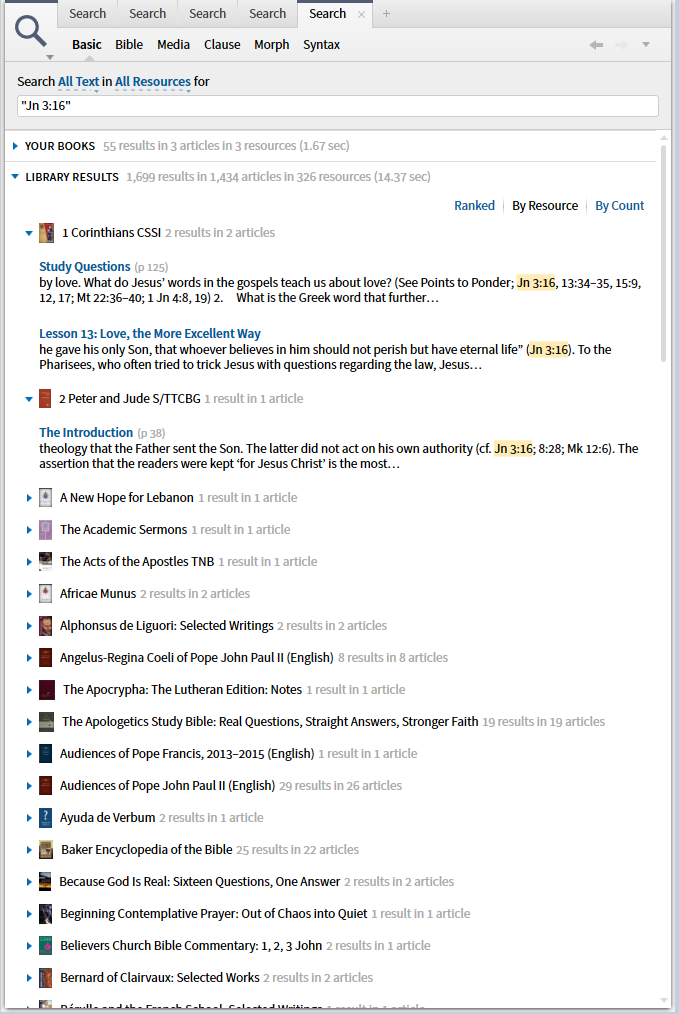
If I request "Jn 3:16" I get a different set of results.
2. In a datatype search I am not matching the surface text but rather Logos coding.
Data Type
A kind or family of information as distinct from other kinds of information. Each data type has its own internal rules and structure. Some of the data types found in Verbum:
• Bible
• Date
• Day of Year (for daily devotionals)
• Greek Strong’s Numbers and Hebrew Strong’s Numbers
• Louw-Nida Semantic Domains
• Nag Hammadi Codices
• Page Number
• Pseudepigrapha
• The Laws of Hammurabi
• Works of Philo
The user-contributed public wiki has a more comprehensive listing of data types.
See also Data Type Reference
Data Type Reference
A reference to a particular data type. Generally, data type references are marked as hyperlinks, so clicking on the link will open the most appropriate resource for that reference.
When a commentary on the book of Job mentions a particular passage, clicking on the hyperlink will open your preferred Bible to that passage. The hyperlink is a data type reference under the hood. Similarly, a reference to page 45 of the current book may be a data type reference to the page number, and clicking on it will open the book to page 45.
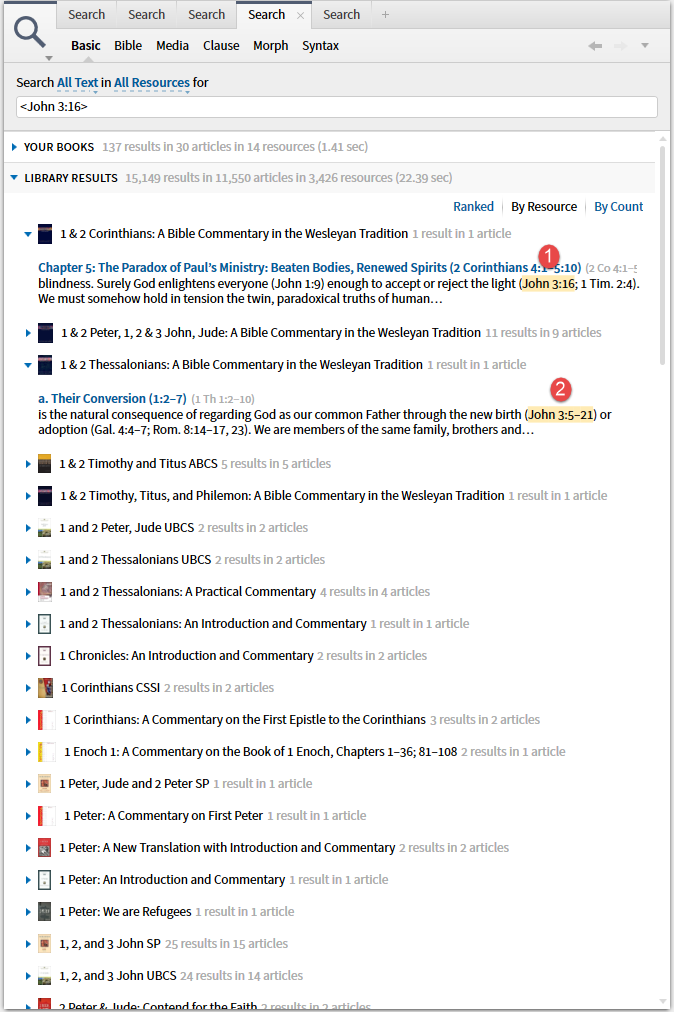
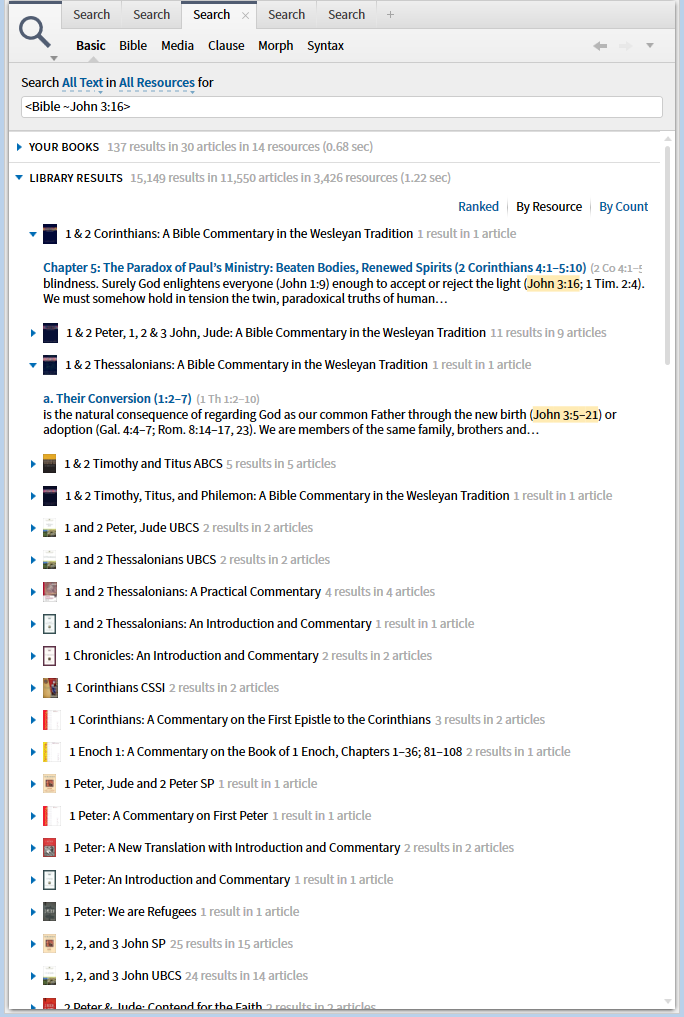
Datatype searches are identified by the brackets < >. The most common datatype for use in Logos is the Bible datatype which takes the form of "book chapter: verse" i.e. our standard way of referring to a place (verse) in the Bible. Because it is so common, Logos accepts a wide variety of shortcuts in its specification. What we see most frequently is something like <John 3:16>. Note that this selects not only John 3:16 itself (1) but also ranges that include John 3:16 (2)
Here I am searching for references to the datatype.
The full form of the datatype requested in short form above is <Bible ~ John 3:16> i.e. datatype name, an operator defining the type of match and the datatype value to be matched. ~ indicates that any reference that intersects the given value will be selected. Thus this gives the same results as above.
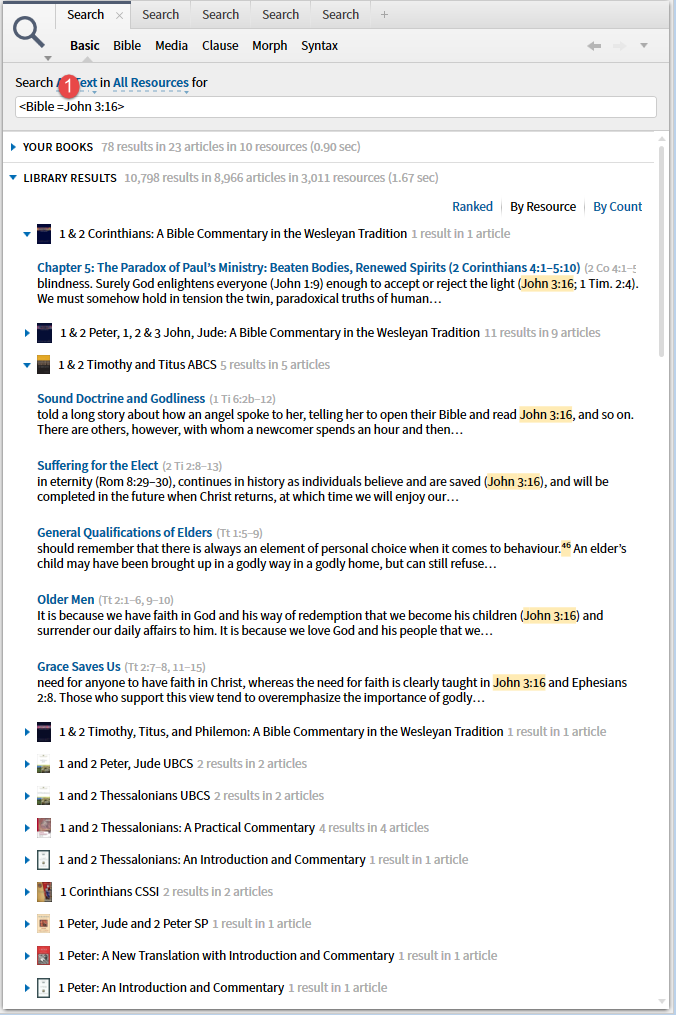
If I change the operator from ~ to = I get results limited to Jn 3:16 only.
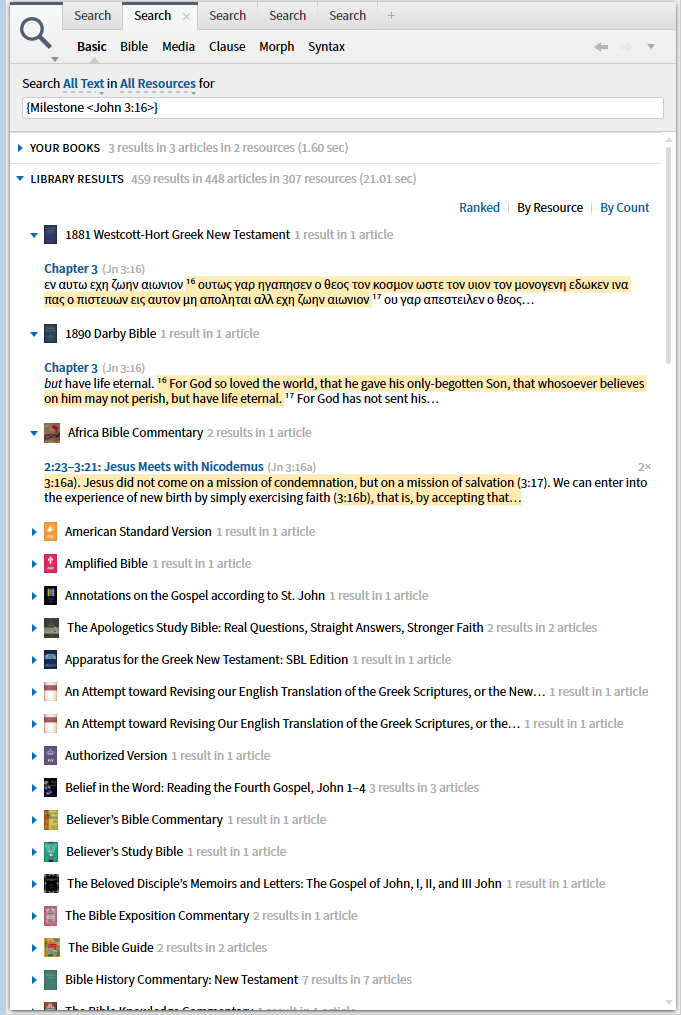
3. I can also search for segments of text identified by a milestone defined by the datatype. For the Bible datatype this means the verse itself in Bibles and the discussion of that text in the commentaries.
Milestones
A milestone marks a specific location in a Verbum resource. It can be thought of as a waypoint or point of interest within the text of a resource.
For example, the beginning of every verse in a Bible will be marked as a location using a milestone that defines the verse. Milestones are called Indexes in Resource Information, because they tend to function as organizational markers within resources.
A single resource may have many milestones indexes. For example, many print editions of Josephus have one or both of two competing reference schemes (Whiston and Loeb, named for their creators) and Verbum editions of the works of Josephus generally have milestone indexes for both schemes.
By using the syntax {Milestone <John 3:16>} I am asking for the block of text delimited by the datatype <John 3:16>. Note that the reference beside each article in the results is Jn 3:16 or intersects with Jn 3:16.
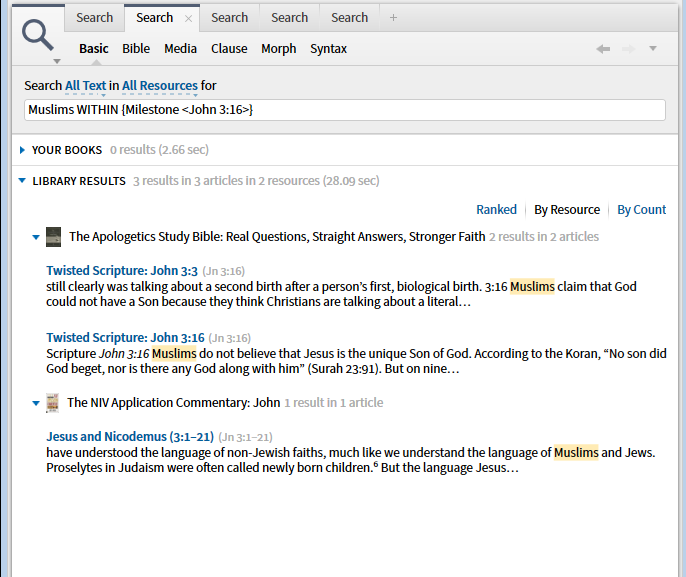
This is particularly useful when combined with other elements in the search argument. For example, give me every place that Muslims are mentioned in commentaries on John 3:16.
Two comments:
- Yes, I did use technical terms for datatype and milestone as these are among the handful of terms deemed necessary in the Glossary of the Help document.
- The only way to learn this stuff is to repeat my exercise above in your library and actually study the results to see the differences between the searches. I keep each of the searches available to compare the results - differences in resources and differences in result counts for a resource.