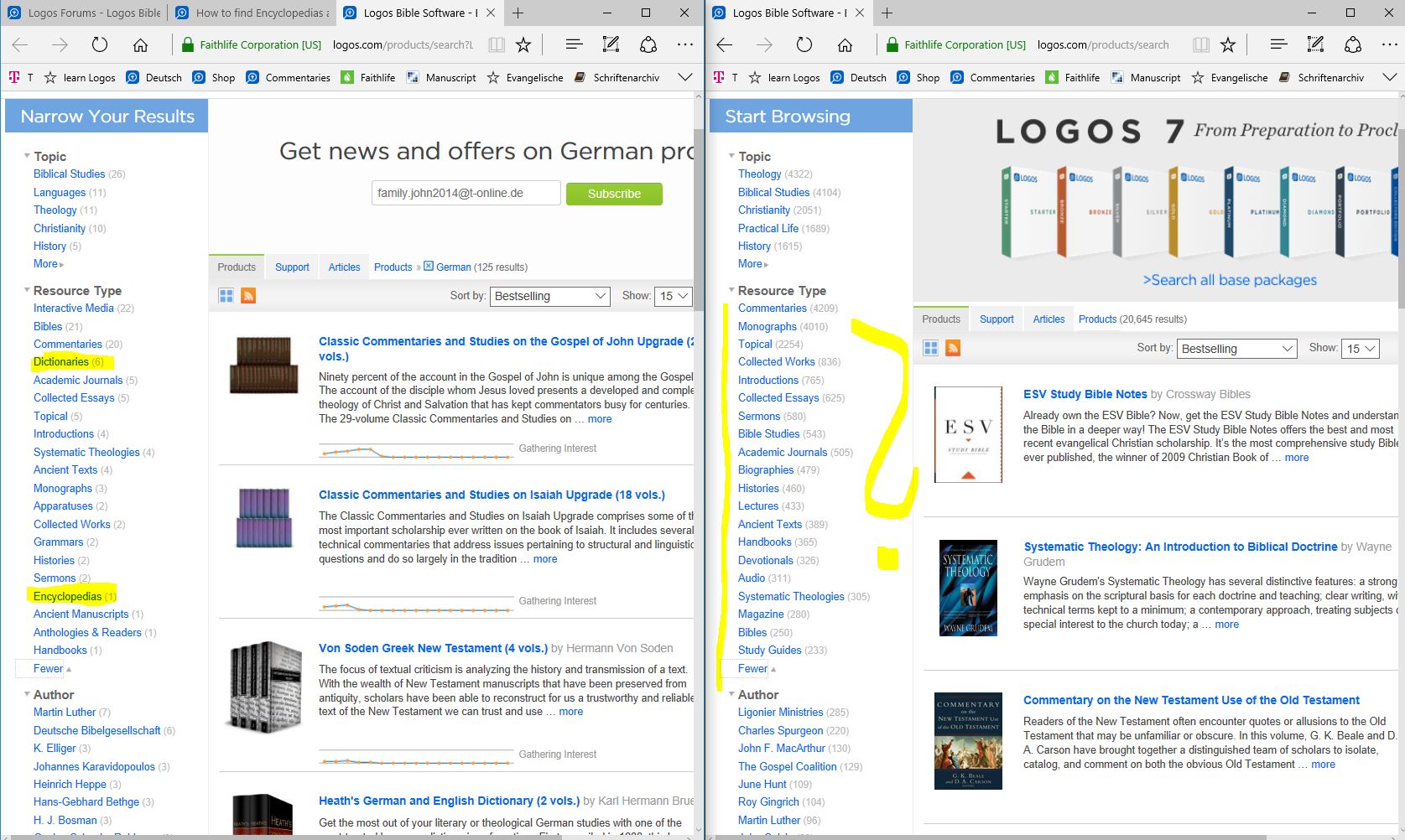
Is there a Way to list all Encyclopedias and Dictionaries in the Shop?
Why I can find this Type on the German Page but not in the English?
You might want to correct your spelling on the topic of this thread - is "DICTIONARY" not "DICKtionary." You spell it correctly in the message but not in the title of the thread. You have subtly and perhaps unintentionally included a curse word that means all kinds of things depending on the context. Sorry if I'm being nit picky about it.
DAL
I will certanly NOT google what Curse Word this is ...thanks for correct me My grammar is terrible
I use this after logging in and it filters out what I already own
https://www.logos.com/products/search?q=&Resource+Type=Dictionaries&start=0&sort=bestselling&pageSize=60&unlocked=no
It seems the shop software only displays the 20 most-assigned resource types in that filter.
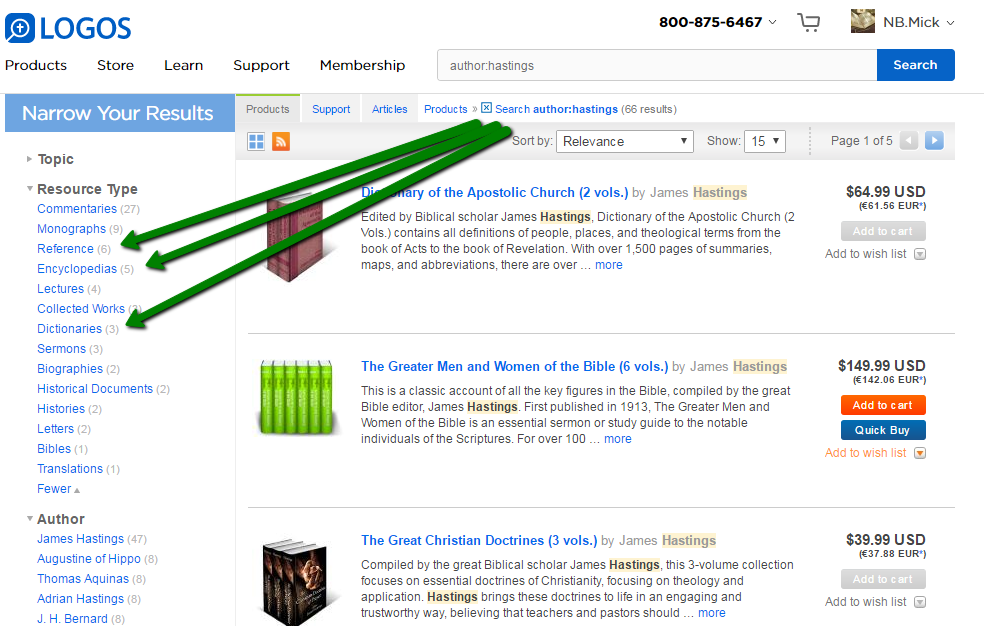
One trick is to narrow down the library with another "facet" (I used author:hastings since I know Hastings as an author of the encyclopedic stuff we're looking for), then when getting results and resource types that include what I want, I add this filter, get results and take out the first filter, thus arriving at the desired selection - https://www.logos.com/products/search?Resource+Type=Encyclopedias , https://www.logos.com/products/search?Resource+Type=Dictionaries
the description sounds much more complex than it actually is:
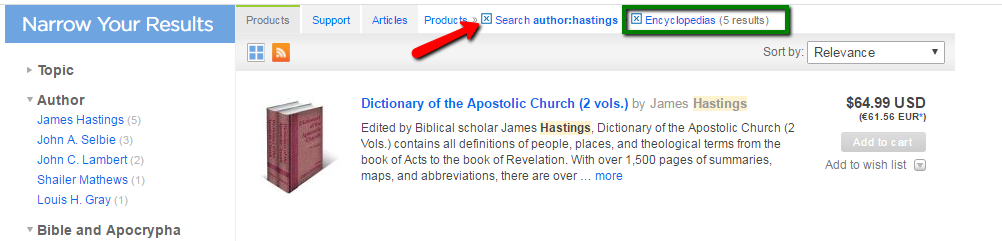
select the filter you want and later drop the one you just used as an additional help, i.e. deselect the author filter (red arrow) and keep the type filter (green box)
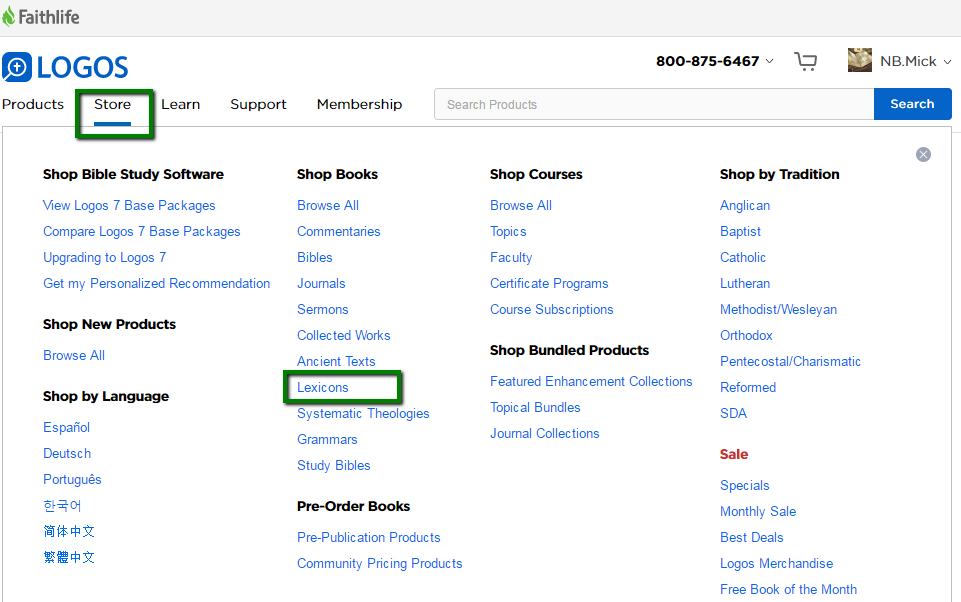
For lexicons, the Logos store even has a menu entry leading to https://www.logos.com/products/search?Resource+Type=Lexicons
Hope this helps!
Thanks Mick that works Great Tipp
Available Now
Build your biblical library with a new trusted commentary or resource every month. Yours to keep forever.