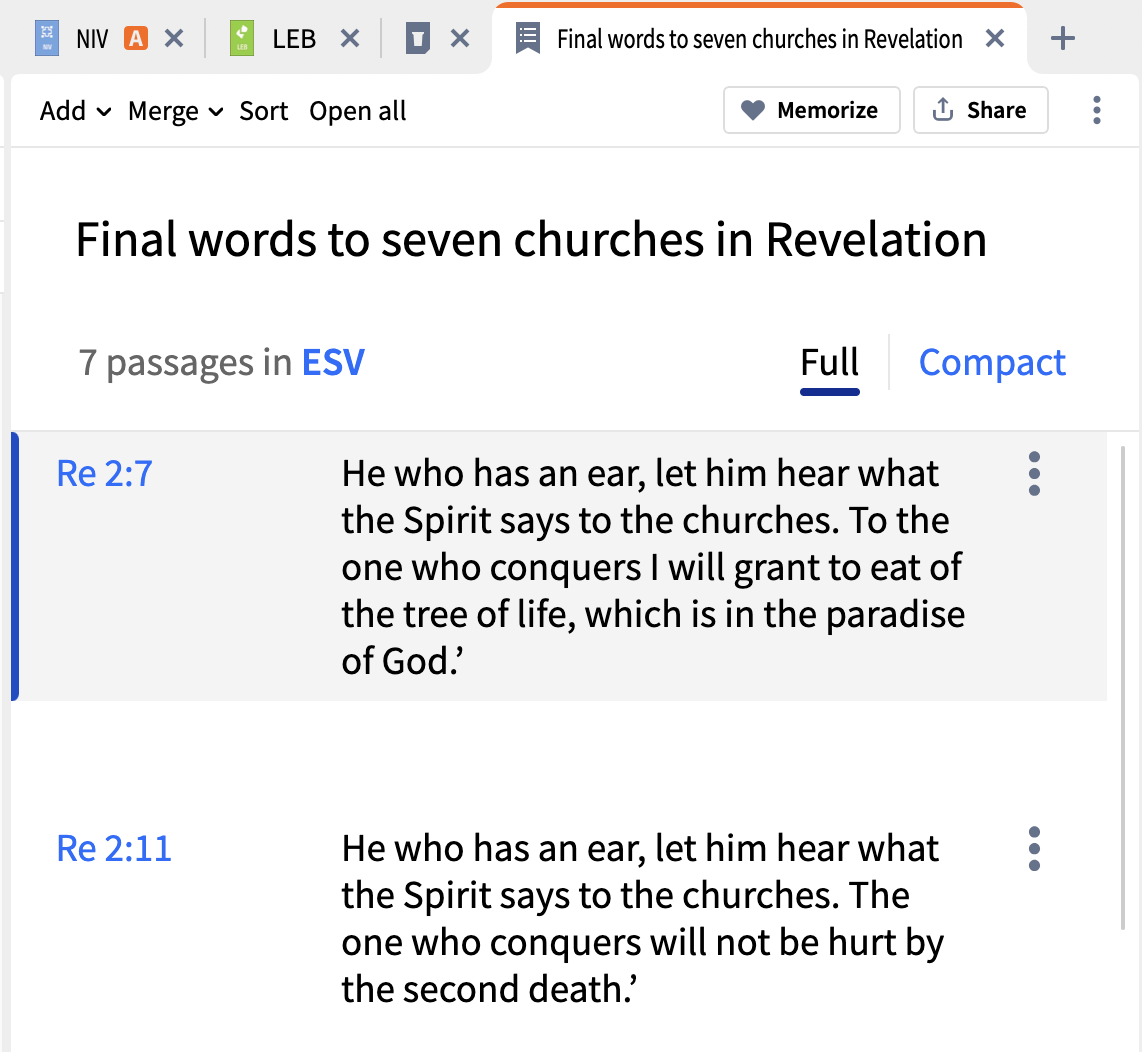
I'm trying to find the verse memorization tool in Logos, but I can't seem to access that tool in my current version. Any suggestions?
It is linked in to the Passage List capability - so if you open a Passage List you should see a Memorize button at the top
And it is also available directly from the Tools menu.
If you don't see it in either of those places please advise what base package / subscription (if any) you have.
Available Now
Build your biblical library with a new trusted commentary or resource every month. Yours to keep forever.
I need to install Logos with all my libraries to a computer which DOES NOT have Internet connection. So far I have not been succesful. Here are the steps so far: On the internet connected computer (Windows 11 25H2) I have installed Logos, logged into Logos account, and let it synchronize fully (and update to latest version…
I just watched a recorded webinar on using Collections. It was a good webinar, and it made me want to start creating and using collections. Unfortunately, I have no idea what I would do with a collection. The webinar demonstrated how a collection could be searched. That is not something I would find useful. What else can…
I think the Cross References section that creates the Passage List doesn't include my specific Bible Cross-Reference Index resources because for John 2:6, the TSK resource lists Mark 7:2-5 as a cross reference. However, the passage list generated in the Cross References section only has Mark 7:3-5. It excludes verse 2.…
Where do I find the WORD CLOUD feature?
like to knoow how to create a fully transportable usb windows install so it can be used on different computers