How do I slow down scrolling? most windows I try to scroll it scrolls way way too fast!
Where are you seeing the fast scrolling?
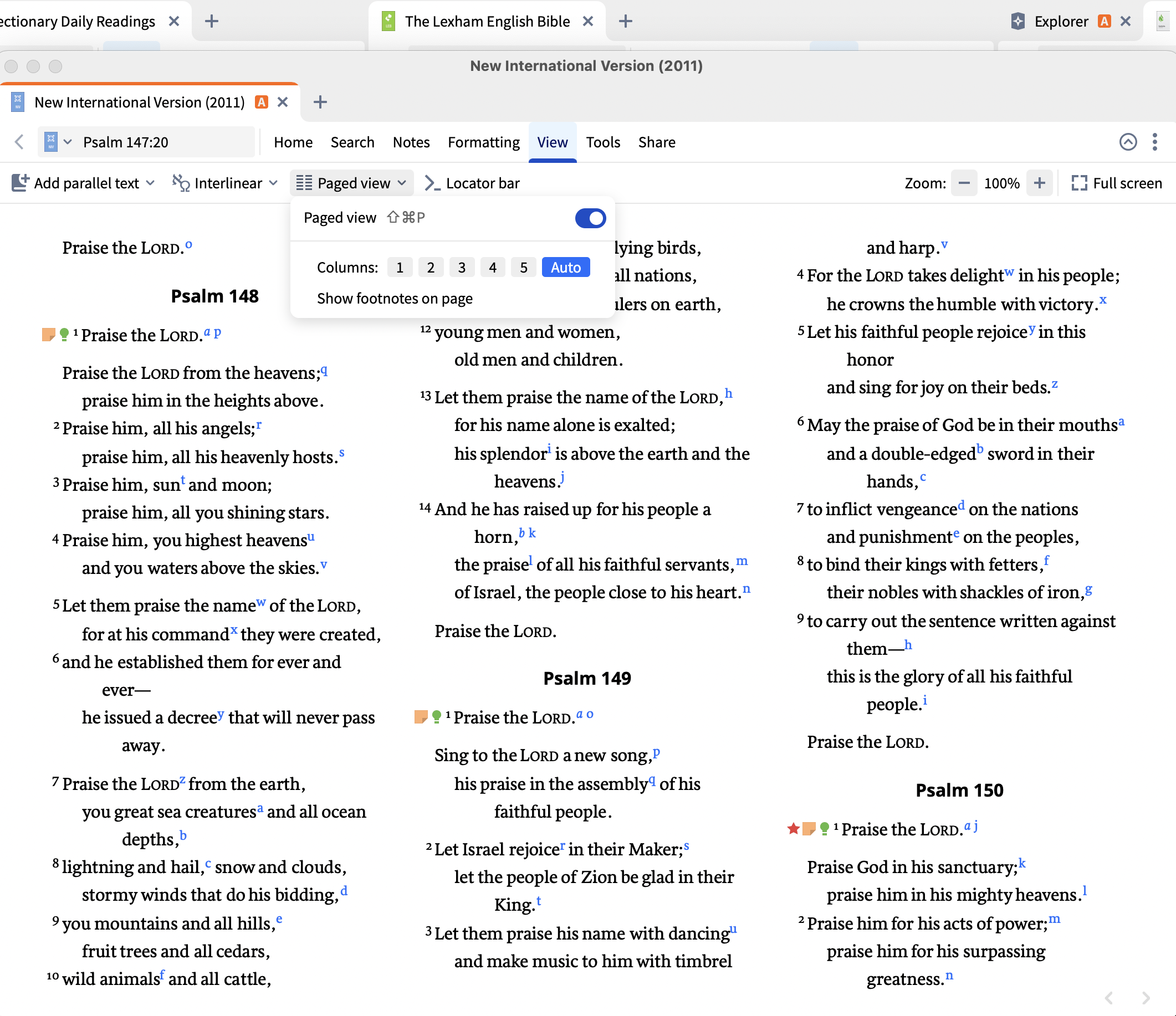
In paged view, you can press the spacebar to move to the next page - does that help at all?
Hi Tim,
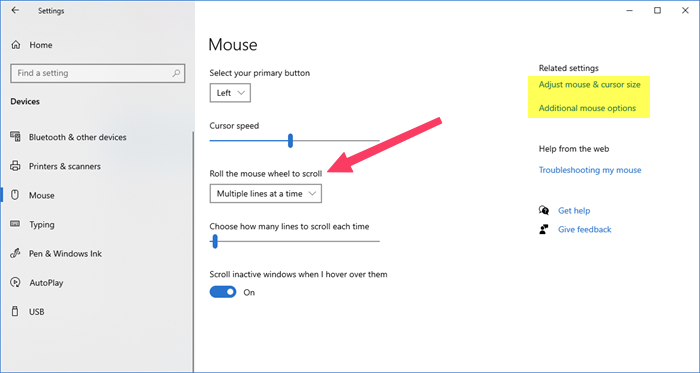
Maybe this could help?
Thank you. Scrolling is fine in other apps. It's just really fast in Logos.
Do you have Paged View enabled? If so, try turning it off and seeing if that helps
Thank you. Yes, that helped. I like paged view so I'm sorry it only works when it's off.
That's a good tip. I didn't know about the spacebar moving to the next page. Thank you.
Available Now
Build your biblical library with a new trusted commentary or resource every month. Yours to keep forever.
Dear Folk, I asked this some several weeks ago in a couple of posts, but fear it got buried in the suggestion/discussion. What should I expect in response and time to respond when I make a suggestion? If I suggest a resource I'd like to see in Logos, when/how will I know if the staff approves/ nixes, and when and where…
Is the Logos for Mac designed and programed from the ground up to be a Mac program? Or is it Logos for windows with a program that allows it to run on Mac? If it is the latter, does Logos have plans for an excellent Logos designed and built for Mac?
These three resouces downloaded earlier today: Today in Christian History Daily Stories, Daily Quotes, and Daily Devotionals. The licenses are temporary. Where can I learn more about them? I can’t seem to find them for sale on Logos … maybe I’m not searching correctly!
I use different laptops for using Logos. When I have to reinstall Logos, it takes a lot of effort to get my personal library installed. I don't want to download all books, just the books I use. Is there a possibility I can save my personal library and make reinstall a lot easier? It would be a great help by installing…
I just dont want to use AI. Is there a setting to turn this off?