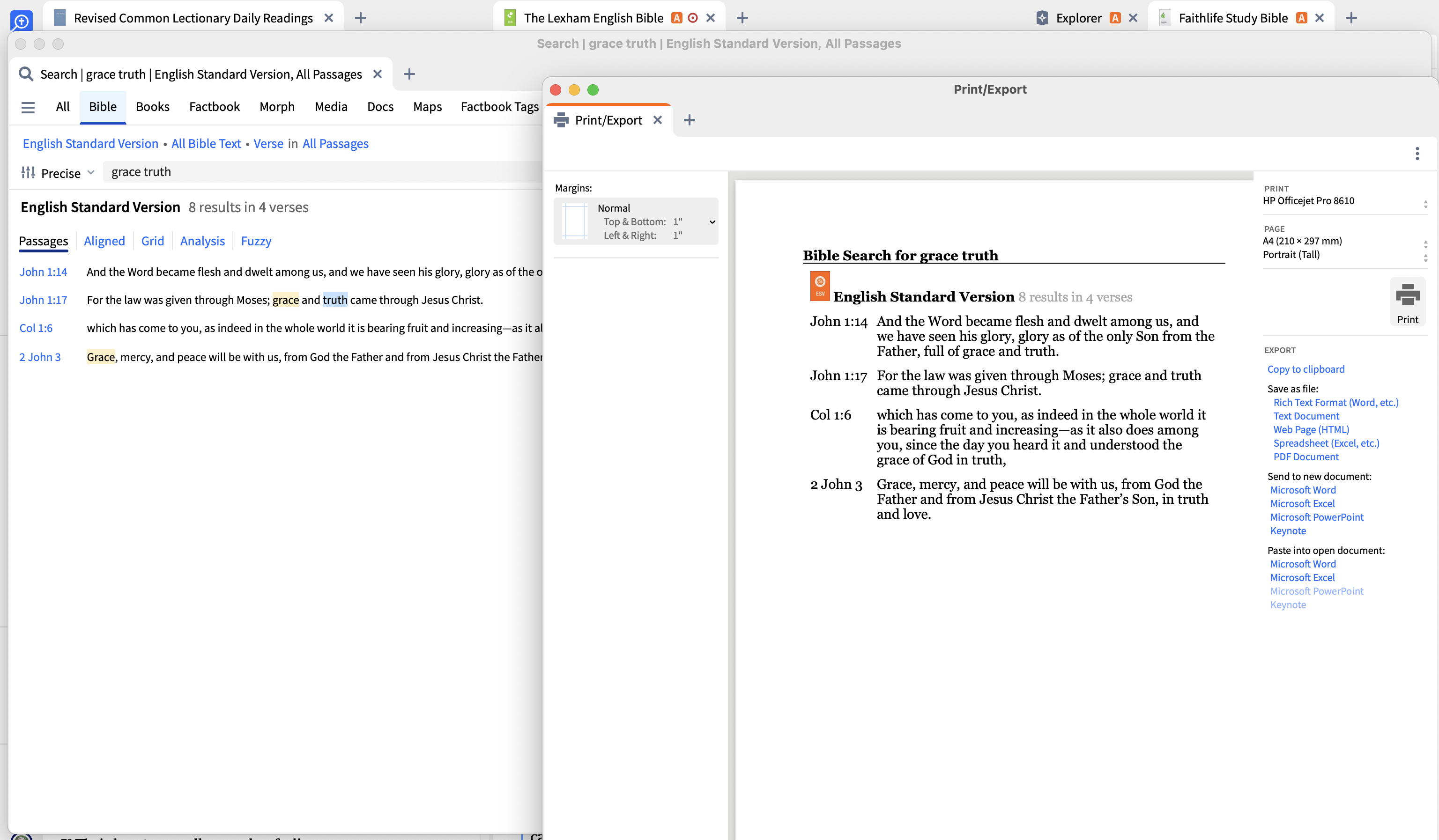
Is there a way to save a search to a pdf? Right now I click to print/export and it says, This panel does not support printing or exporting. Is there a work around?
I'm not aware of any work-arounds.
Even if they were to fix it, you couldn't save to a PDF…you'd have to save to MS Word and convert it to PDF.
Saving a search to a document is something I think would be a basic operation…I don't know why it has never worked.
Which sort of search are you doing?
I've just checked with a Bible Search on Mac and Print / Export seemed to work fine
I am using the smart search then running the summarize for the first fifty articles. I save it to my favorites but when I try to print/export then it says its not available. I wouldn't mind if I could save my searches to word then create a pdf.
Thanks for the clarification.
Yes, I understand export for smart search is not currently available and I forget whether this is something the Logos team are hoping to provide in the future.
Available Now
Build your biblical library with a new trusted commentary or resource every month. Yours to keep forever.
I am creating a personal Bible using the Personal Book Builder (PBB). When inserting Bible Milestones, if I enable the 'One verse per line' display option in Logos, the chapter and verse numbers appear. However, when I turn off this option, the chapter and verse numbers disappear. How can I resolve this issue? Furthermore,…
I use that filter to look at possible purchases and prepubs but I don't see it there anymore? Is this a decision by Logos to move away from Orthodox specific offerings?
In version 49 I could start a Bible reading plan and divide it by pericopes. That doesn't seem to be available in version 50. Am I missing something? That was very useful. If it is not there, are there plans to add it back in future versions?
Any ideas on how to search for instances of Colwell's Rule in the Septuagint? Logos has provided tagging for Hebrew Grammatical Constructions in Rahlf's and Swete's versions of the Septuagint but they lack all of the tagging for Greek Grammatical Constructions. Any ideas would be appreciated.
As I have mentioned on a few threads, I find the auto-select (on the desktop version) to be really frustrating since when I am just trying to select a word to either copy it or highlight it, it randomly opens in a new column, distorting the width the column I had open, and / or selects the entire paragraph when I am trying…