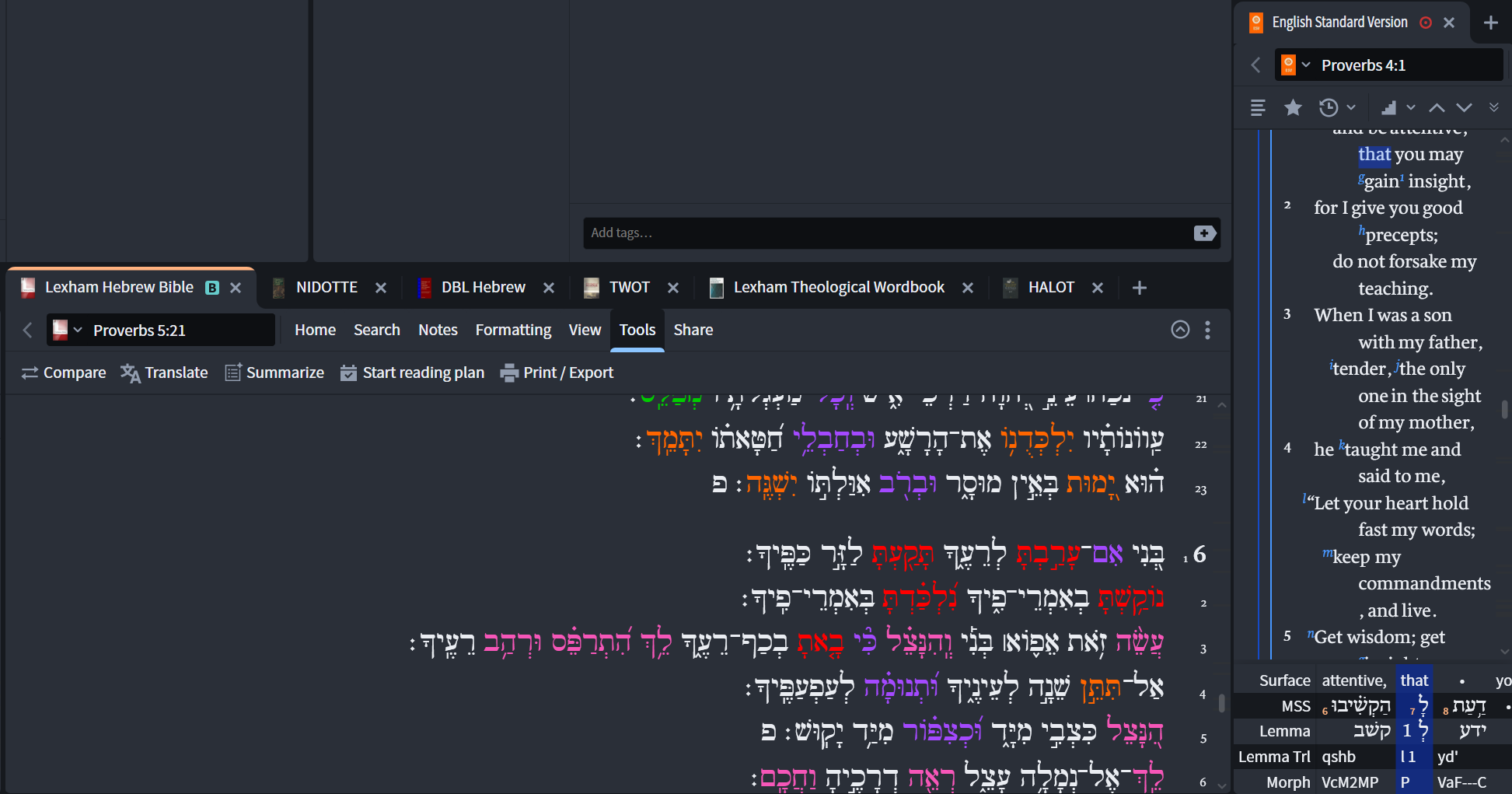
I have just switched to Logos Max and I can no longer access or find the transliteration of the Hebrew bible. Has this feature been eliminated?
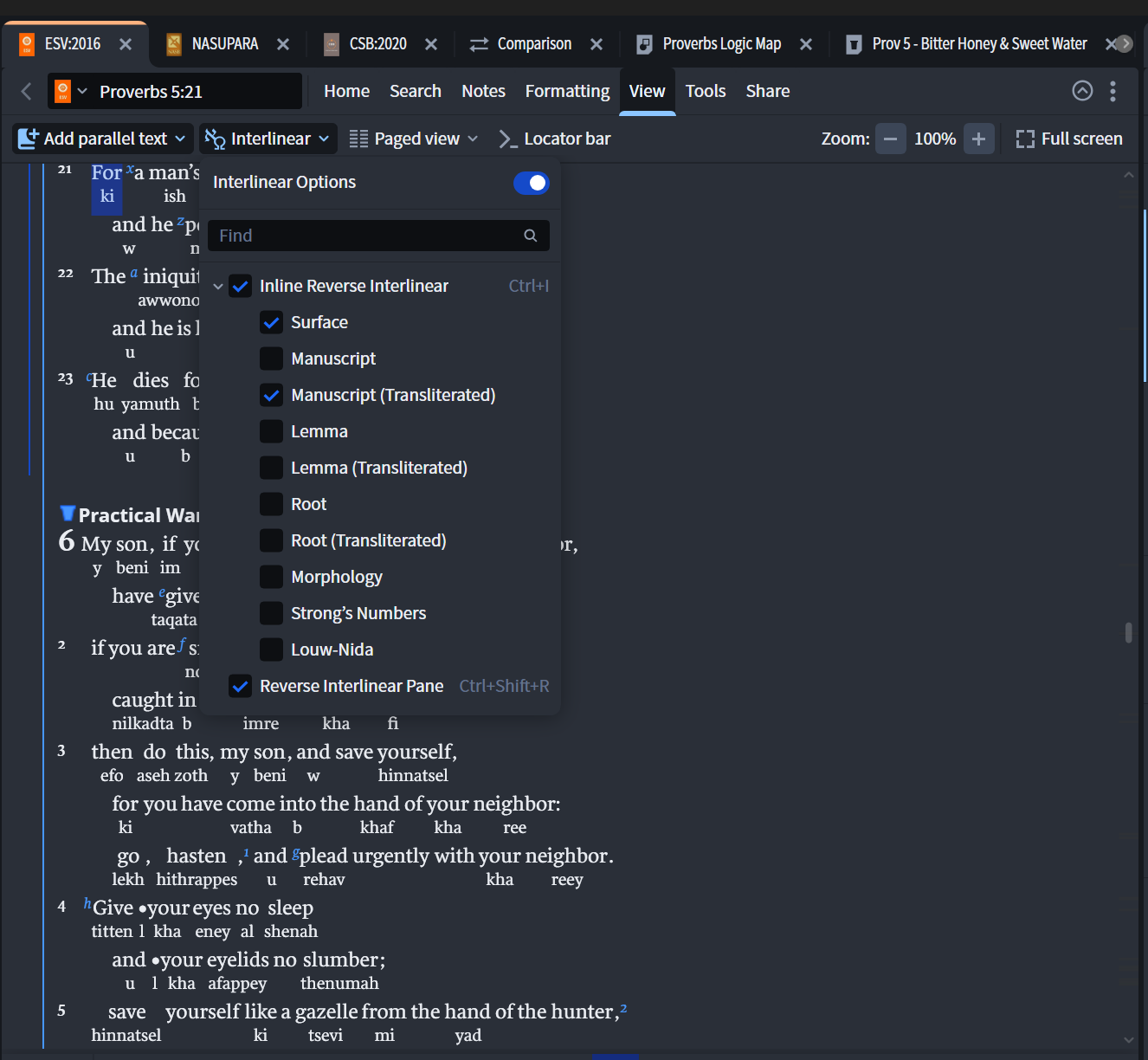
Are you looking for the transliteration of a word in an English Bible that has a "Reverse Interlinear" see the ESV on the right side of this pic, or an inline interlinear with transliteration?
If your English version is tagged with "Reverse Interlinear" data, then it is accessible by clicking the "View" then selecting Inline or RI Pane, once you have the RI Pane you can right click and open/close the lines you want to see
There is also a tool called Text Converter that you can use to transliterate specific Hebrew texts (copy and paste) with some format options.
Available Now
Build your biblical library with a new trusted commentary or resource every month. Yours to keep forever.
I'm not planning on dying soon (although one never knows when one's time is up). However, it's never too early to begin estate planning. When I die, I'll probably have my Logos library donated to someone who can take it over. Some of it won't be able to be transferred (books I bought under the academic program), but a…
On the Monthly Sale page there is the "Selected Works of Habermas" listed with 60% discount. But on the product page it says 30% - Which one is correct?
So with the recent (and welcome) changes to study assistant allowing you to only query your own books, I thought i'd create myself a collection of the commentaries, dictionaries etc I like. But the collections tool is hard to use - or am I doing something wrong? I can do a query like 'BST' and it shows me all the BST…
I just noticed that the most recent update of my desktop Logos (legacy) has had the "fuzzy" search option removed, leaving only the option to subscribe for "Smart" search for other than "Precise" search. Is the former fuzzy search no longer available? If it still available, how to do I restore it as an option?
What versions of the Septuagint available in Logos are tagged with the Hebrew words(s) corresponding to a particular Greek word? I have Emanual Tov's Parallel Aligned Hebrew-Aramaic and Greek Texts of Jewish Scripture. This has the Masoretic text of the Hebrew Bible with the Septuagint words underneath each Hebrew word.…