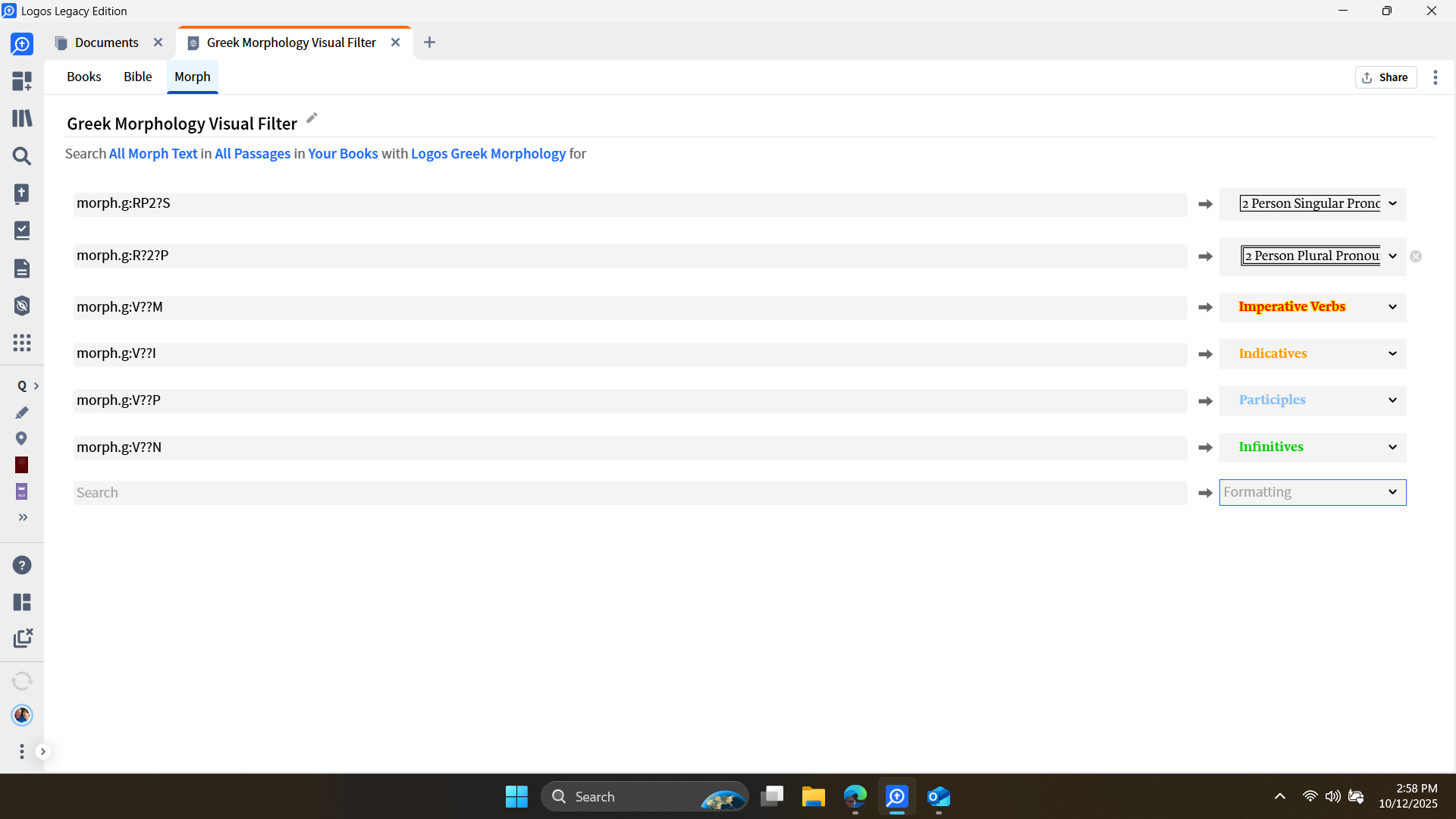
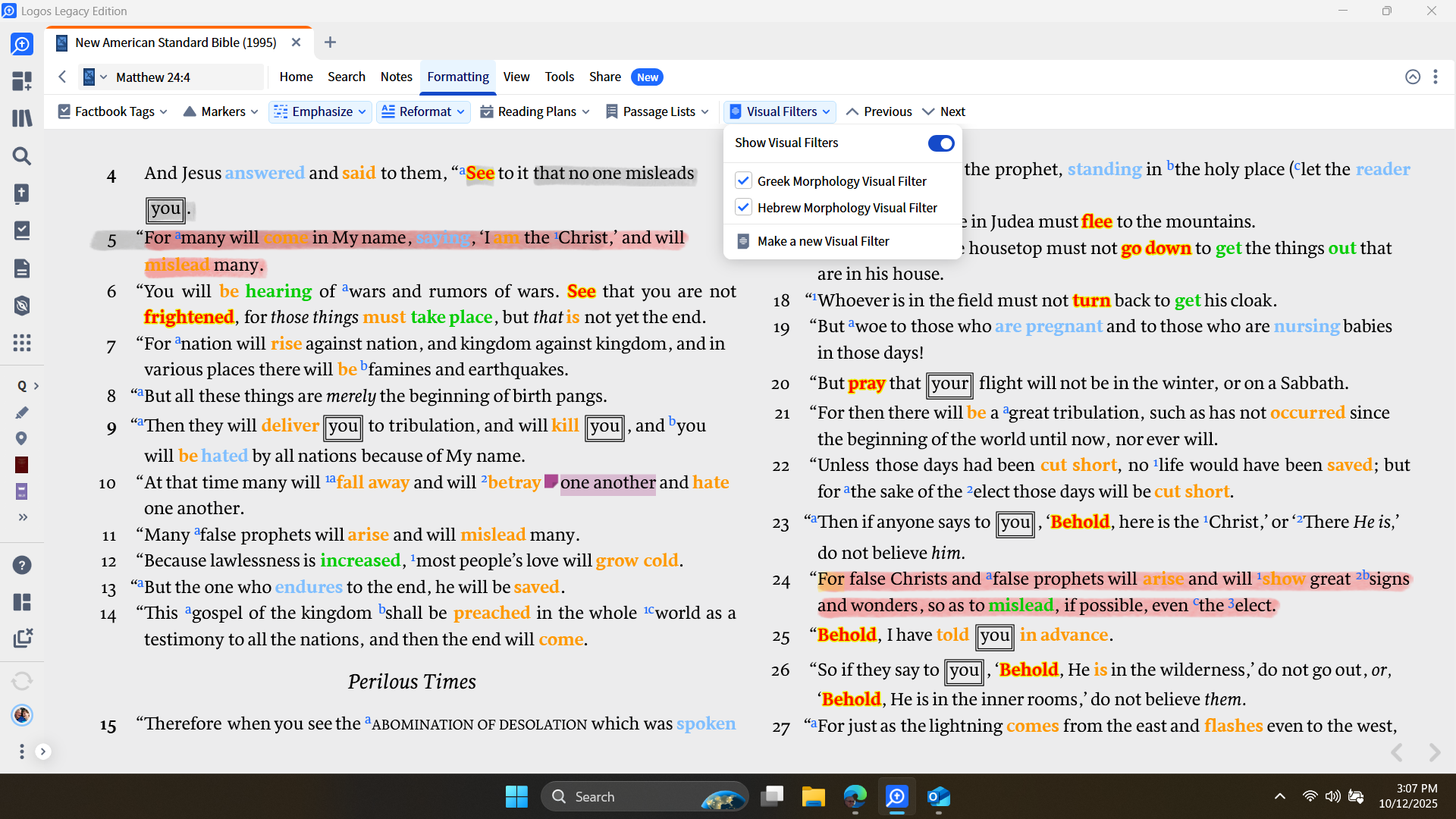
I currently have 6 filters for both Greek and Hebrew.
Using them really colours up some passages, cluttering up the passage.
Is there a way to keep them in the list while only running 1 or 2?
The only way of doing this is setting them up as individual filters and then just enabling the ones you want.
Hmm, that's interesting. I was afraid of that. I'd like them in a Drop-Down list and Check Box like we have for so many other things.
Thanks GC
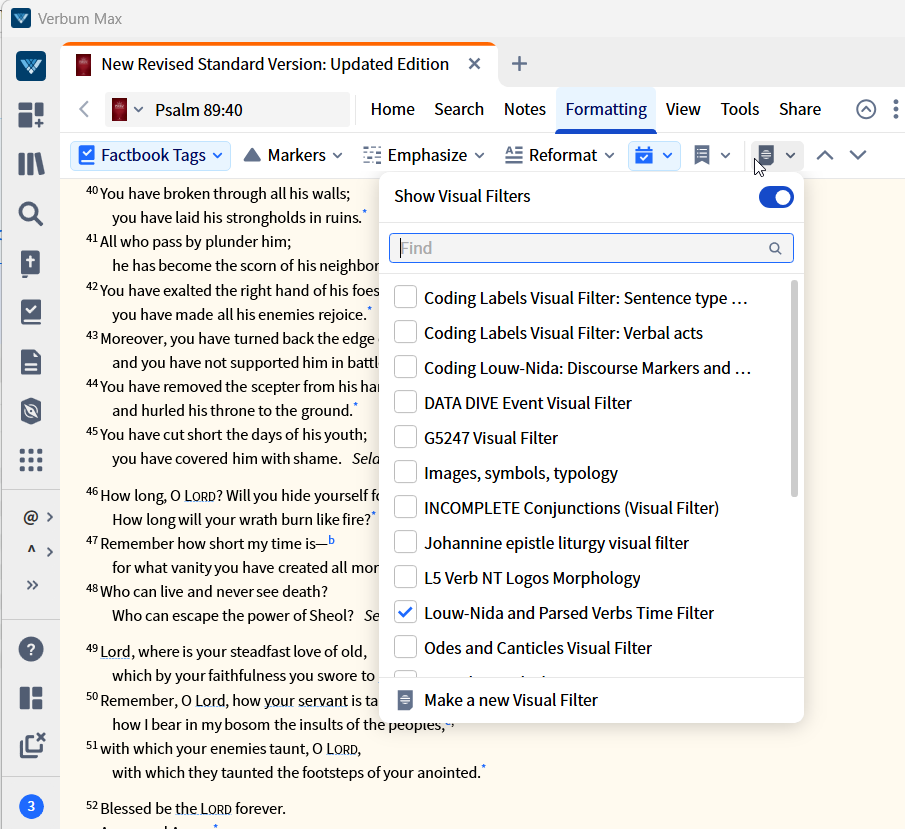
Visual filters appear in a drop-down list with check boxes. In splitting up your filters you'd want to pay more attention to their names but it should work as you want — unless I don't understand what you mean.
I'm not sure where I can find a DROP DOWN place to Check Mark or choose to Run just One Filter?
You can see the confusion with too many filters.
We are using words a bit differently - to me "visual filter" refers to an entire document not the individual lines within the document. Dave had already said that to do what you want, you need to divide your visual filters into the markings you wish to be able to turn on/off together whether that is one condition or many conditions. Then the drop down menu lets you turn them on and
off independently.
Available Now
Build your biblical library with a new trusted commentary or resource every month. Yours to keep forever.
I'm trying to use the new reading plan feature and I'm guessing I'm not doing it right so I'm hoping someone can point me in the correct direction. I'm starting up a group to do Grudem's Bible Doctrine (34 chapters) but I cannot get the reading plan to set it up correctly. I tried the new maker feature and it keeps picking…
I am looking for a video by Craig Evans on the difficulty of translating the Greek New Testament. I remember watching this over 10 years ago but cannot find it. Any help is appreciated! Denis Thompson
I just purchased The Complete Word Study Old & New Testament (2 Vols.) for my Logos Library. In the past we bought the "The Complete Word Study: New Testament" (Just the New Testament, not the bundle) for my Wife's account , and if we opened the Bible in Logos on her PC, and right clicked on a word in a passage, and then…
I was wanting to create a Exegetical Fallacy cheat sheet that I could carry with me. There are a lot of books and sermons etc. contain these fallacies. A lot of people don’t have ability to learn greek or have access to or can afford devices. Error occur from not being able to use resources properly or out of date ones. My…
I Had to re-install my Windows. When I re-installed LOGOS it needed to download my books. It only downloaded up to 20%, then it stops. Restarting and re-installing doesn't help