I have Logos premium and a Bronze library - plus heaps of other books
When I go to Logos 7 Starter it shows Baker Encyclopedia as not owned. Yet it appears to be there in my Library. Are there 4 volumes or two. Any thoughts
The Baker Encyclopedia of the Bible is included with your Premium subscription.
You can check whether your resource licenses are temporary or permanent in your Logos library. License information can be included in the library's detailed view; it is also included as a filter option.
Hi @Gary Mawson ,
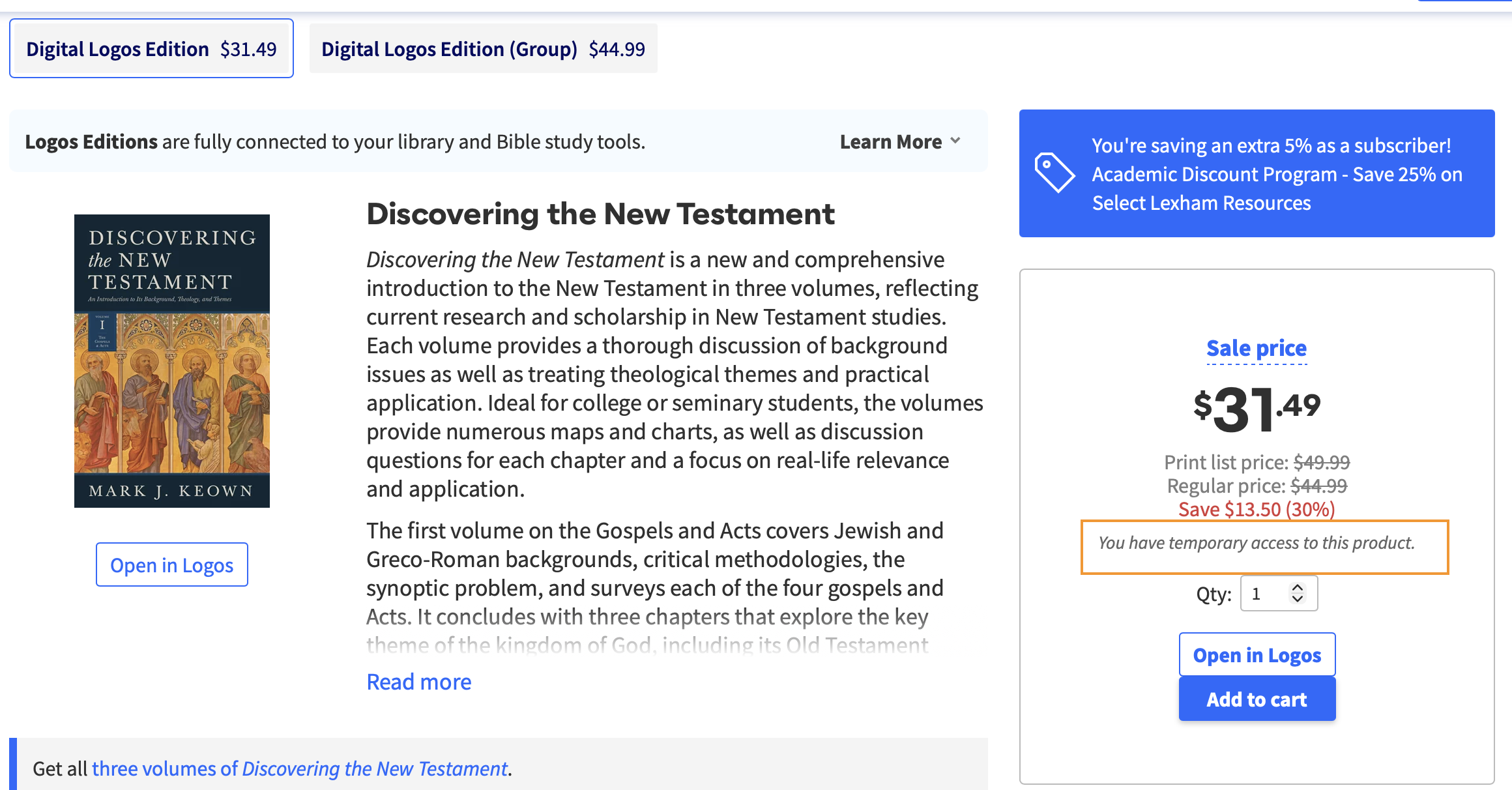
Does it look like this ?
If it shows "You have temporary access to this product", then the resource is included in the subscription.
Hope this helps 😊
There are two volumes, but having temporary access via the Premium subscription does not grant ownership of the license. Thus, to purchase the package you would have to purchase that resource as well.
If you ever pause or cancel your subscription, you would then retain ownership of that resource along with any others that you purchase. But you would lose access to unowned resources that were included with the Premium subscription.
Thanks for the replies - It doesn't have "temporary access". Shows need to purchase - but if i open in Logos then the book is there - along with the dictionary.
Thanks heaps Aaron - all sorted now.
Thanks heaps Aaron
No problem!
it is a two volume set but shows up in your library as one resource.
Available Now
Build your biblical library with a new trusted commentary or resource every month. Yours to keep forever.
When I open The Lexham English Bible Sometimes I have vaious things Highlighted that I didn't add and also Tabbed Highlights With Tabs "NT", "OT", etc. These don't seem to be "Notes" and I don't know how to turn then On or Off. As one example, I see that "NT" & "OT" identify "Quotes" from the "NT" & "OT", but don't see a…
How do I delete a highlight while preserving my note icons? Selecting a note then the circle with the line through it in the options menu deletes the highlight and the icon. Is there a way to delete only certain highlights and symbols individually?
When building a set of resources to use, I often find the "add Parallel Text" helpful. However, I see one major flaw, which is there is nothing to indicate which tex/resource you are using in the window. Here is a sample of what I have: I would love it if the title of each resource would show up in the red area I outlined.…
I just want to make sure I understand correctly. If I already own an Ebook version of a resource, and then later the full Logos Edition becomes available, I still have to purchase it again. Is that correct? For example, I own the Ebook version of Israel and the Church: The Origins and Effects of Replacement Theology by…
How can i get library to show only the resources i own. It wants to show books in the store that I do not own as well as the ones I do.